

🚀 In a hurry? Read this short Norton Family Review snapshot USD 49.99

Name: Norton Family
Description: Norton Family gives parents unlimited web filtering, location tracking, and screen-time scheduling across every child’s PC and mobile— all managed from one cloud dashboard. It slots neatly into the Norton 360 suite but also runs as a stand-alone app.
Best for: Multi-device families who want unlimited installs on a single subscription
Offer price: 49.99
Currency: USD
Operating System: “Windows”, “Android” (web portal viewable on iOS/macOS)
Application Category: “Parental Control”
Author: Kevin Bong
🕵️ Why I Recommend Norton Family
- 🌐 Unlimited installs on one subscription—perfect for big households with tons of gadgets.
- 📊 Detailed “Activity Feed” shows sites visited, videos watched, and search terms in one timeline.
- 🌍 School-time & bedtime scheduling makes devices distraction-free during homework and sleep.
🔥 Quick Facts
- 🛡️ 45+ web-filter categories with real-time updates
- 📺 Monitors YouTube & Hulu watch history
- 📍 Live GPS + 30-day location history on Android
- 🕒 Instant Pause & daily screen-time quotas
- 🆓 30-day free trial; integrates with Norton 360
Overall
-
Features & Functionality
-
Ease of Use
-
Performance & Reliability
-
Compatibility
-
Privacy & Security
-
Customization Options
-
Customer Support
-
Value for Money
Pros
- 💻 Unlimited child profiles & devices on one licence
- 🔍 Search-phrase and YouTube video tracking
- 🕒 Flexible time scheduler + instant Internet Pause
- 🔄 Works seamlessly inside Norton 360 Deluxe/Premium
Cons
- 📱 No iOS app blocking (web filter only via VPN)
- 🖥️ macOS requires browser plug-ins—clunky setup
- 🎞️ No social-media DMs or text-message monitoring
- 🆘 Support channel mainly chat/email—no 24/7 phone for stand-alone plan
Norton Family, also called Norton Family Premier, is an awesome tool for parents concerned about keeping their kids safe online. This software allows parents to monitor their children's online activities, track their location, and manage their screen time. It prioritizes communication and setting boundaries rather than invading their privacy. Check out this comprehensive Norton Family review to uncover its benefits and user-friendly features for parents committed to protecting their kids online. Discover why Norton Family is an essential tool for **parents** anxious about their children's online safety. Keep reading to learn more. Dive into the specifics to understand the significance of this tool. Learn why Norton Family is a must-have for parents striving to keep their children safe on the internet. Keep reading to find out more.
So, precisely what is Norton Family, and how it helps parents?
It offers several options for monitoring and controlling what their children do online. Parents may track multiple devices and establish limitations to ensure children avoid inappropriate content and develop healthy internet habits.
The program makes it simple to set boundaries and chat with children about their internet activity. Norton Family makes it easier for parents to protect their kids online by providing tools such as time restrictions, blocking specific websites, monitoring what they look for, and viewing their browser history.
An Overview of the Norton Family
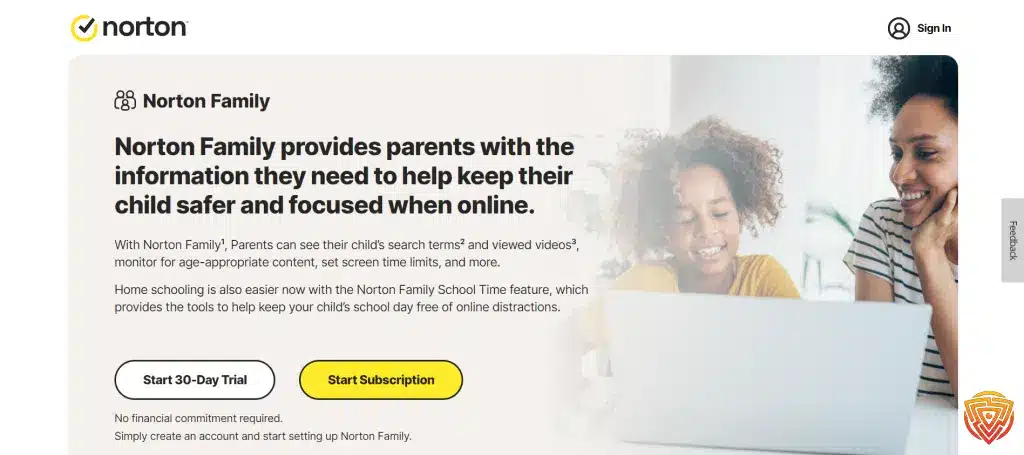
A cloud-based parental control software was initially developed by Symantec (currently NortonLifeLock). On April 27, 2009, it was introduced as Internet Family to facilitate parental control of children's browsing activities. To improve family communication and transparency, the program allows parents to monitor and supervise their children's computer activities, such as instant messaging, social networking, and internet browsing.
However, Norton Family switched to a premium subscription model in January 2018. The service works with various operating systems, including Android, iOS, Windows XP (32 and 64-bit), Mac OS X 10.5, and Vista (32 and 64-bit).
It includes all of the necessary parental controls given below. It feels good that foremost VPNs can't skip Norton Family's web filtering and that it can genuinely block iOS applications (something that several parenting apps struggle with).
Norton Family features include School Time, Video Supervision, Web Supervision, Search Supervision, Location Supervision, Time Supervision, Parent Mobile App, App Supervision, Access Request, Monthly or Weekly Reports, Instant Lock, Parent Portal, Alert Me, and Email Alerts.
Features and Functionalities
Next up in my Norton Family review, let's discuss its key features. Here are the key features of this parental control solution:
Web Supervision
Parents may use this function to monitor and filter inappropriate websites for their children. It includes age-restricted content, activity information, and site warnings. While it works effectively in supported browsers, unsupported browsers may be able to bypass the screening. Furthermore, this feature prevents VPN bypassing and allows children to request access to restricted sites using the Norton Family app, providing enhanced safety and control. Predefined age-filtering criteria make set-up easier.

Time Supervision
Set screen time restrictions and daily allowances depending on age, with app usage restricted when limitations are exceeded (save for emergency calls). Children can ask for extra time, and emergency PIN unlocks are available. With a user-friendly interface, detailed reports measure screen time and extensions. You can use the predefined time limits of the Norton family.
School Time Feature
The School Time feature combines time and web supervision to limit web utilization during school hours, allowing students to focus on their studies. It provides specific web filtering settings during school hours, removing the need for frequent rule changes.
While it is efficient at blocking distracting websites, it has drawbacks such as dependency on the Norton Family browser on mobile, requiring access to other browsers to be stopped, and the potential of browser extensions being restricted on Windows. It does not identify and block the usage of some programs used to bypass restrictions during school hours.

App Supervision Feature
The App Supervision function enables the monitoring and disabling of programs on Android, Windows, and iOS. It provides easy filtering and detailed activity reports. However, significant negatives include
- Delayed modifications.
- The absence of time limitations for applications.
- Limited monitoring of text messages and social media posts.
Norton Family can ban popular applications such as YouTube, Instagram, TikTok, Netflix, Twitter, Discord, Reddit, WhatsApp, Telegram, and Snapchat.
Location Supervision Feature
On Android and iOS, this function allows for real-time tracking of a child's location. It provides geofencing notifications as well as scheduled location updates. Its functionality is enhanced by the accurate tracking, filtering choices, and check-in feature.

Search Supervision
This feature enables parents to keep track of their children's searches on popular search engines such as YouTube. It allows safe search while successfully filtering out adult content. However, it is restricted to tracking searches within the Norton Family browser on mobile devices, necessitating the disabling of other browsers. In contrast, on Windows, browser extensions may be blocked without a password.
Video Supervision
Parents may use this feature to track their kids' Hulu and YouTube videos. It gives complete video details but is subject to delays and limitations. While it follows videos on mobile devices using the Norton Family browser, children may quickly disable browser extensions on Windows, making it more appropriate to track Hulu videos rather than YouTube videos.
Uninstall Protection
To uninstall Norton Family's kid's applications, you must provide your parental account login credentials, preventing your child from secretly uninstalling them. This function is accessible on all devices. So your kids need to do more than just go and uninstall the Norton Family app.
Instant Lock
Disables accessibility to your children's devices, enabling them to make emergency calls to only trusted contacts. The parental app or a 4-digit PIN issued by Norton Family inside the Instant Lock function can unlock a child's smartphone.
Ease of Use

Next up in my Norton Family review, let's discuss how user-friendly it is.
Norton Family is simple to use and features a straightforward user interface with clear explanations of settings and features. It gives customers detailed information about each function and allows them to alter settings. The Windows software operates in the background without interfering with other processes. The mobile applications are designed similarly, making exploring and switching between them simple.
I have to say in this Norton Family review that some usability issues could be improved. Setting up new devices takes time, and changes to standards take effect after some time. Specific capabilities, such as app banning, require the program to operate on the child's smartphone in the background. Some functions may cease working if the child closes the tabs or app, which might be an issue.
Installation and Set-up Process
You can install and set up Norton Family Parental Control App by following the given steps:
For Android,
Install Norton Family on your Android device
- Search for Norton Family parental control on the Play Store app.
- Tap Install after selecting the Norton Family parental control app.
- Launch the app.
- Continue to set up Norton Family after reading the Terms of Service and other rules.
- Tap the Parent Sign-In button.
If you don't already have a Norton account, click Create An Account and follow the on-screen steps to sign up.
Include a child in your account
- Continue on the Norton Family Setup screen.
- Enter the child's name on the Create Profile screen.
- The name does not permit special characters like &, #, or $.
- Choose the amount of restriction based on your child's age.
- Norton Family sets house rules Based on the restriction level you select.
- Set your child's profile photo by tapping the camera icon.
- You can add children to your account after setting up the first child.
- Tap Create.
Install Norton Family on the primary device
- If you're using the same Android device as your kid, try one of the following:
- Tap Continue after selecting Assign this device to Child.
- Select an Android tablet or phone and tap “Next to download the app” from Google Play.
- You could also send a download link by providing an email address and viewing the link on the device where Norton Family will be installed.
- In the Parent app, enter the activation code and press the Activate button.
- Wait a few minutes on the kid's device, then check whether the correct account email ID and child name are displayed before tapping Confirm & Continue.
- Tap Done.
For iOS,
Install Norton Family on iOS
- Navigate to the App Store and look for the Norton Family Parental Control app.
- Install the app after downloading it.
- Once installed, launch the app.
- Allow Norton Family to send you notifications.
- After reading the License and Services Agreement and other policies, tap Continue.
- Sign in with your account information.
Include a child in your account
- Continue on the Norton Family Setup screen.
- Enter the child's name on the Create Profile screen.
- The name does not permit special characters such as &, #, or $.
- Choose the amount of restriction based on your child's age.
- Norton Family places home rules based on your select restriction level.
- Set your child's profile photo by tapping the camera icon.
- You can add children to your account after setting up the first child.
- Select Create.
Install Norton Family on the Parent device
- Tap Next after selecting iPad or iPhone.
- Scan the QR code to get the Norton Family iOS child app.
You could also send a download link by providing an email address and viewing the link on the device where Norton Family will be installed.
- In the Parent app, enter the activation code and tap Activate.
- Wait a few minutes on the kid's device, then check whether the correct account email id and child name are displayed before tapping Confirm & Continue.
- Tap Done.
Software Performance
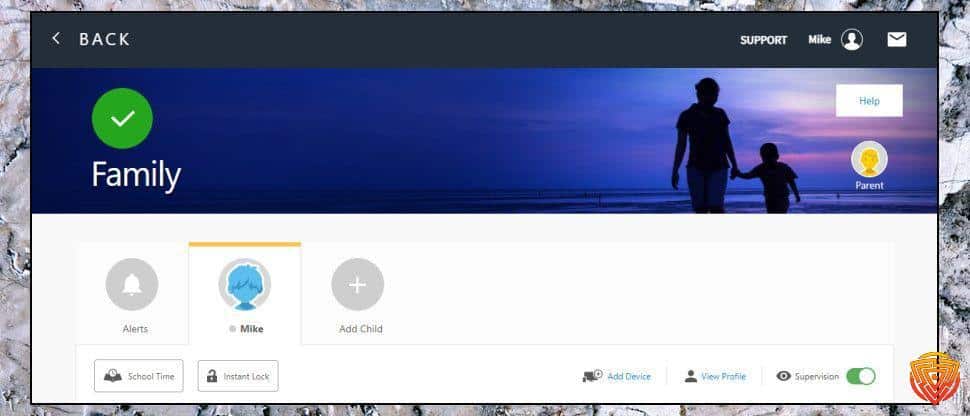
Norton Family has good parental controls and security features. Norton's content filters function correctly. The app prevented all of the questionable searches. The monitoring functions of the application were occasionally slow. Specific browser extensions are required to block improper searches and web pages on a PC. When you pressed “close all” on your Android applications, there was a severe problem with the app no longer operating.
In my Norton Family Parental Control review, I rate Norton 6.5 out of 10 regarding effectiveness and features.
Compatibility
Next up in my Norton Family review, let's talk compatibility. Norton Family is only available for installation and usage on a child's Windows PC, Android, and iOS devices, and not all functions are available on all platforms. Here is the compatibility table for the features:
| Feature | Compatible Device | ||
| Windows | Android | iOS | |
| School Time | ✓ | ✓ | ✓ |
| Web Supervision | ✓ | ✓ | ✓ |
| Search Supervision | ✓ | ✓ | ✓ |
| Access Request | ✓ | x | ✓ |
| App Supervision | ✓ | ✓ | x |
| Parent Mobile App | x | ✓ | ✓ |
| Video Supervision | ✓ | ✓ | ✓ |
| Parent Portal | ✓ | ✓ | ✓ |
| Email Alerts | ✓ | ✓ | ✓ |
| Monthly/Weekly Reports | ✓ | ✓ | ✓ |
| Favorite Locations | x | ✓ | ✓ |
| Location Supervision | x | ✓ | ✓ |
| Time Supervision | ✓ | ✓ | ✓ |
| Instant Lock | ✓ | ✓ | ✓ |
| Alert Me | x | ✓ | ✓ |
Norton Family Price
Next up in my Norton Family review, let's discuss its cost and value for money.
Plans Overview:
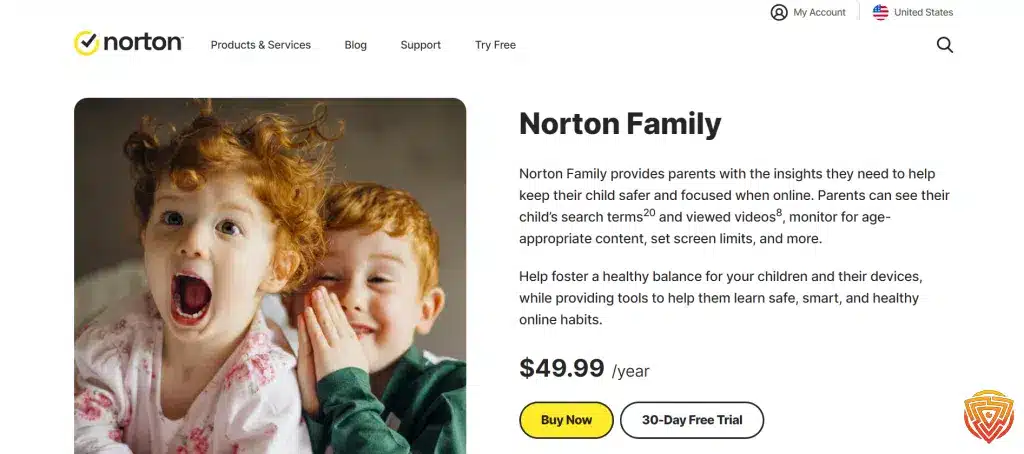
Norton Family Premium is an annual package combined with some of Norton's other services. Norton Family provides unlimited connections, making it an excellent solution for large families. It takes debit/credit cards and PayPal and offers an accommodating 60-day money-back guarantee on all purchases.
Norton Family's solo subscription is $49.99 annually, which is highly reasonable. There are also Norton Family Bundled Subscriptions, which contain Norton 360 antivirus, Norton Secure VPN, and Norton Password Manager. As a whole, the Norton Family price is fairly reasonable.
Initial Vs. Renewal Rates:
Initial and renewal rates for this service depend on the stuff you are choosing at the time of purchase, as the bundle includes multiple tools like a VPN, an Antivirus, etc., your renewal cost can be affected if the company decides to change the rates before your next renewal.
Comparison to Industry Standard:
Compared to industry competitors, this is one of the most feature-rich parental control bundles, you can get most stuff with only this bundle, you have a VPN, an antivirus, a threat detector, and much more. The price is totally justified for this one.
Additional Costs:
As I mentioned earlier, you can add many things like a VPN, an Antivirus, or anything else of your choice to your package, which will add up and increase the total cost of your package.
Payment Options:
You can use your regular daily use payment card, your PayPal account or Apple Pay to pay for your subscription.
Contract Terms:
There are no hard and fast contract terms, they only ask you to keep your subscription to yourself and not share it with unauthorized people, if you are caught doing so, they may cancel your subscription.
Free Trial:
Yes, they offer a 30-day free trial, so that you can try out different features and get to know the app in a better way, if you think, it is the right fit for you, you can opt for a paid plan.
Refund Policy and Money-Back Guarantee:
Norton Family is very generous in terms of its refund policy, you can get your money back within 60 days of your initial purchase, and even if you have just changed your mind, they will compensate you with a full refund.
Promotional Deals or Discounts:
There is a 40% discount running on the premium plans, feel free to check it out.
Customer Support & Resources

Next up in my Norton Family review, let's talk about its customer support.
How Responsive and Helpful Are They?
In terms of responsiveness and helpfulness, Norton customer support is very good, they provide a lot of value whenever you contact them. They have a very realistic response time of 24 hours, in which they try to fix your problem, if your problem is still there, they will dedicate a special person to you who will be with you until your problem is not solved.
What Resources Are Available?
Knowledge Base: Norton often maintains a knowledge base or support center on their website. Here, you can find articles and guides on various topics related to Norton Family, including how to set it up, troubleshooting common issues, and understanding its features.
Customer Support: Norton typically offers customer support through various channels such as phone, live chat, and email. You can find contact information for their customer support on their official website. This is often the best option if you have specific issues that require personalized assistance.
Privacy and Security
Norton Family provides complete online security for families, ensuring children have a secure and safe digital environment. Norton Family allows you to take control of your online privacy by providing cutting-edge technologies for protecting your private data. Only you should select what information you want to share regarding yourself.
Limitations and Drawbacks
In this Norton Family review, here are some limitations and drawbacks of Norton Family Parental Control Software:
- It does not function on a Mac.
- Filtering on a PC necessitates using browser extensions, which your child may easily disable.
- There are several browser limitations for web monitoring and filtering.
- Video monitoring is limited to only viewing YouTube and Hulu on a browser.
- There will be no in-app or social media monitoring.
- It may take some time for alerts to appear. On Android, it's simple to stop an application from running in the background (which means it stops operating).
- There is no monitoring of text messages or phone calls.
- Limiting app usage by time, category, or schedule is impossible.
- One or two minor issues with interfaces.
User Norton Family Reviews and Testimonials
Is Norton Family worth it? Let's explore some Norton Family reviews from actual users.
Norton Family Trustpilot Reviews

Norton Family has got incredible reviews on Trustpilot. It has a star rating of 3.9 and every customer seems satisfied. One user said that he feels empowered and safe by using Norton Family and one said he feels peace of mind by using it. Norton Family has got more positive reviews than any other app. However a customer wrote that he has been using this app for 10 years, isn't it great that Norton Family is able to keep the trust of its users?
Norton Family Reddit Reviews
On Reddit, the app has mixed Norton Family reviews. Some users are pleased with the app but some find it a bit exaggerated. A few users were not satisfied with the app's web filtering but some made it clear that their ultimate parental control app is Norton Family.
Conclusion and Personal Recommendation
Now to wrap up my Norton Family review;
Norton Family is a good option for large families looking for parental control software. It provides unlimited device usage, powerful filtering functions, and user-friendly applications. It has industry-standard features like site and app blocking, time limitations, location monitoring, and activity reports.
Notable features include VPN bypass and blocking, iOS app detection and blocking, School Time for restricting internet access during school hours, Favorite Locations for geofencing, and search and video monitoring.
Personal Experience
As a parent of two, Norton Family is an effective parental control software because of its variety of functions and low cost. It has powerful filtering and tracking features, making it ideal for parents who want to keep their children safe online. This detailed Norton Family highlights its rich features and effectiveness in enhancing children's online safety.
It's a step forward in parental tech because I can supervise my kid's YouTube and Hulu videos. I can always see what they search for on any search engine. Another feature that I like the most is its instant lock feature which helps me to restrict my kid's access to the device at a tap. I am pleased with the pricing and customer support as well.
What is Norton Family best used for?
As mentioned above in my Norton Family review, Norton Family is ideal for large families looking to manage and protect many devices. It's perfect for parents who appreciate features like browser filtering, time limitations, scheduling, location monitoring, and activity reports. The user-friendly apps appeal to children and parents, making them appropriate for families with varying technical knowledge.
What is Norton Family not best used for?
Norton Family might not be an excellent option for consumers who primarily use macOS devices because it lacks monitoring features for that platform. Furthermore, if bypassing site search, filtering, and video tracking on Windows is an issue, users might be required to look into alternative solutions.
Norton Family Alternatives
Comparison of Norton Family to other parental control software:
This table compares the core parental control apps by pricing, free trial availability, key features, age suitability, supported platforms, and full review links.| Software | Pricing (Devices) | Free Plan / Trial | Key Features | Best For | Key Limitation | Supported Platforms | Review |
|---|---|---|---|---|---|---|---|
| 🏆 Qustodio (Editor’s Choice) | Basic $59.95/year for 5 devices; Complete $104.95/year for unlimited devices; Check Qustodio Pricing | Free plan plus 3-day Premium trial | 🕒 Screen-time limits and schedules 🌐 Web and app filtering 📍 Location monitoring 📊 Activity reports | Best overall balance of controls, visibility and family usability | Calls and message monitoring is Android-only; other features also vary by platform | 🪟 Windows, 🍎 macOS, 📱 iOS, 🤖 Android, Chromebook, Kindle Fire | Read Qustodio Review |
| Bark | Bark Premium $14/month or $99/year for unlimited children and devices; Check Bark Pricing | Free trial available; duration shown during signup | 🚨 Concerning-content alerts 💬 Text, email and social-app monitoring 🕒 Screen-time schedules 🌐 Website and app blocking | Best for behaviour-based safety alerts without routinely exposing every conversation | Available only in the US, Australia and South Africa; monitoring coverage varies considerably by device and account | 🪟 Windows, 🍎 macOS, 📱 iOS, 🤖 Android, Chromebook, Amazon Fire | Read Bark Review |
| Mobicip | From $2.99/month billed annually for 5 devices; Standard $4.99/month for 10 devices; Premium $7.99/month for 20 devices; Check Mobicip Pricing | 7-day free trial plus 30-day money-back guarantee | 🌐 Website and app blocking 🕒 Screen-time schedules 📍 Family location 📊 Activity and social-media reports | Best for mixed-device families wanting flexible device allowances | Social-media monitoring is narrower than Bark; some features require Standard or Premium | 🪟 Windows, 🍎 macOS, 📱 iOS, 🤖 Android, Chromebook, Kindle Fire | Read Mobicip Review |
| Norton Family | $49.99/year for unlimited devices; also included with selected Norton 360 plans; Check Norton Family Pricing | 30-day trial available in supported markets | 🌐 Web, search and video supervision 🕒 Time limits and schedules 📍 Location history and alerts 📊 Email activity reports | Best for large families and households already using Norton | A Mac can manage Norton Family but cannot be monitored as a child device; features differ across platforms | 🪟 Windows, 📱 iOS, 🤖 Android | Read Norton Family Review |
| Canopy | Individual $8.33/month billed annually for 3 devices; Family $9.99/month billed annually for 10 devices; Check Canopy Pricing | 7-day free trial plus 30-day money-back guarantee | 🌐 Real-time content filtering 🖼️ Sensitive-image detection 🚫 App and website blocking 🕒 Screen-time management | Best for filtering explicit images and web content | Primarily a filtering product; it does not provide Bark-style analysis across conversations and connected accounts | 🪟 Windows, 🍎 macOS, 📱 iOS, 🤖 Android, Chromebook | Read Canopy Review |
| Wondershare FamiSafe | From $4.99/month billed $59.99 annually for up to 10 devices; monthly plan $9.99 for up to 5 devices; Check FamiSafe Pricing | Free version for 1 device plus 3-day trial; 7-day money-back guarantee | 📍 Location and geofencing 🚗 Driving reports 🚫 App and website controls 🕒 Screen-time schedules | Best for families with teenagers and driving-safety needs | Advanced visibility features are platform-specific and should be used transparently with older children | 🪟 Windows, 🍎 macOS, 📱 iOS, 🤖 Android, Chromebook, Kindle Fire | Read FamiSafe Review |
| OurPact | From $5.83/month billed $69.99 annually for up to 20 child devices; Premium+ $99.99/year; Check OurPact Pricing | Free plan plus 14-day Premium or Premium+ trial | 📱 Detailed app rules 🕒 Screen-time schedules and allowances 📍 Live location and location alerts 📸 Screen snapshots with Premium+ | Best for app blocking and detailed schedules across iPhone and Android | Limited to mobile devices; Premium+ is required for screenshots and content monitoring, and initial pairing may require a computer | 📱 iOS, 🤖 Android | Read OurPact Review |
Norton Family Reviews Final Word
You can use Norton Family Trial to check whether it’s worth buying or not. It also has a 60-day money-back guarantee. Many customers expect a Norton Family Free version but unfortunately Norton Family does not yet provide a free option.
FAQs
Is Norton Family included with Norton 360?
Norton Family Parental Control is included with the purchase of Norton 360 Deluxe and Norton 360 Premium. Access all its features and more protection for your electronic devices, online privacy, and personal information in one package.
What does Norton Family do?
As discussed in my Norton Family review, Norton Family set time limitations for your children to use their Android, iOS devices, or Windows PC, or set days of the week or times for them to use. Allow your kids to use the Internet while preventing them from inappropriate content. Keep track of the websites your kid access and block those that are harmful or unsuitable.
How many devices can you use at a time with Norton Family?
From doing this Norton Family review, there are no limits on the number of devices that may be added to an account, which is excellent for today's always-connected generation. An account may have as many as 15 child profiles, ideal for large families.
How much does Norton Family cost?
A Norton Family package costs $49.99 annually, including features like online blocking, time limits, and location monitoring.
That's All For Now;
We appreciate you taking the time to read our thorough Norton Family App Review. We understand your concern about the safety of your digital life, and we hope the information we've provided has been helpful. We welcome you to return for additional cybersecurity software news and evaluations to stay ahead of the digital curve. For further information and opinions, please see the articles linked below. Take your internet security seriously!





Focus: Parental Control and Monitoring Software. Kevin Bong contributes to Impulsec’s reviews of parental control and monitoring software. His work focuses on researching product features, usage limitations, safety considerations, and real-world suitability for families. At Impulsec, Kevin’s contributions help ensure that reviews consider ethical use, transparency, and practical expectations rather than promotional claims.