


Quick verdict: Gryphon AX is the model to consider for a Wi-Fi 6 family network; Guardian is a separate budget-oriented option. AX cannot join a Tower or Guardian mesh. Check stock, the exact hardware pack and subscription costs before buying: the AX and re-certified Guardian listings showed sold out on 18 October 2026, while Atlas Max remained a conditional preorder.
A Gryphon router review is useful only when it identifies the hardware. Guardian, Tower, AX and Atlas Max are different products, and a feature or price for one does not automatically apply to the others. This guide explains which model fits which household, where router-based parental controls help, and the limits to weigh before replacing your Wi-Fi system.
Which Gryphon model fits your home?
Start with your existing equipment and the devices you want to manage. For a new network, compare the exact router and pack. For an existing Gryphon mesh, establish compatibility before adding another unit. For a child’s phone away from home, examine the separate mobile-control requirements as well as the router.
Gryphon AX: the Wi-Fi 6 option
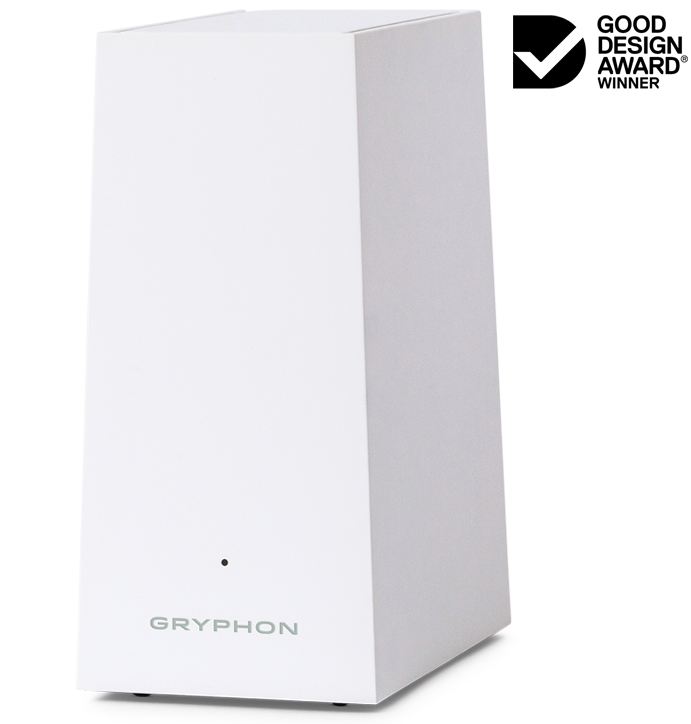
The official AX listing identifies it as an AX4300 tri-band Wi-Fi 6 router. It is the relevant starting point if you want Gryphon’s family controls while replacing your home Wi-Fi. The important restriction is mesh compatibility: Gryphon says AX cannot be used with Tower or Guardian models.
Buying decision: choose an AX-only system if its connectivity and family controls suit your household. Do not buy one as an extra node for a Guardian or Tower network. Advertised speed classes and coverage areas are specifications, not a promise of the speeds or coverage you will achieve through your walls. The official listing showed sold out when checked on 18 October 2026. Read my full Gryphon AX review for its family controls, setup and limitations.
Gryphon Guardian: a separate budget-oriented model
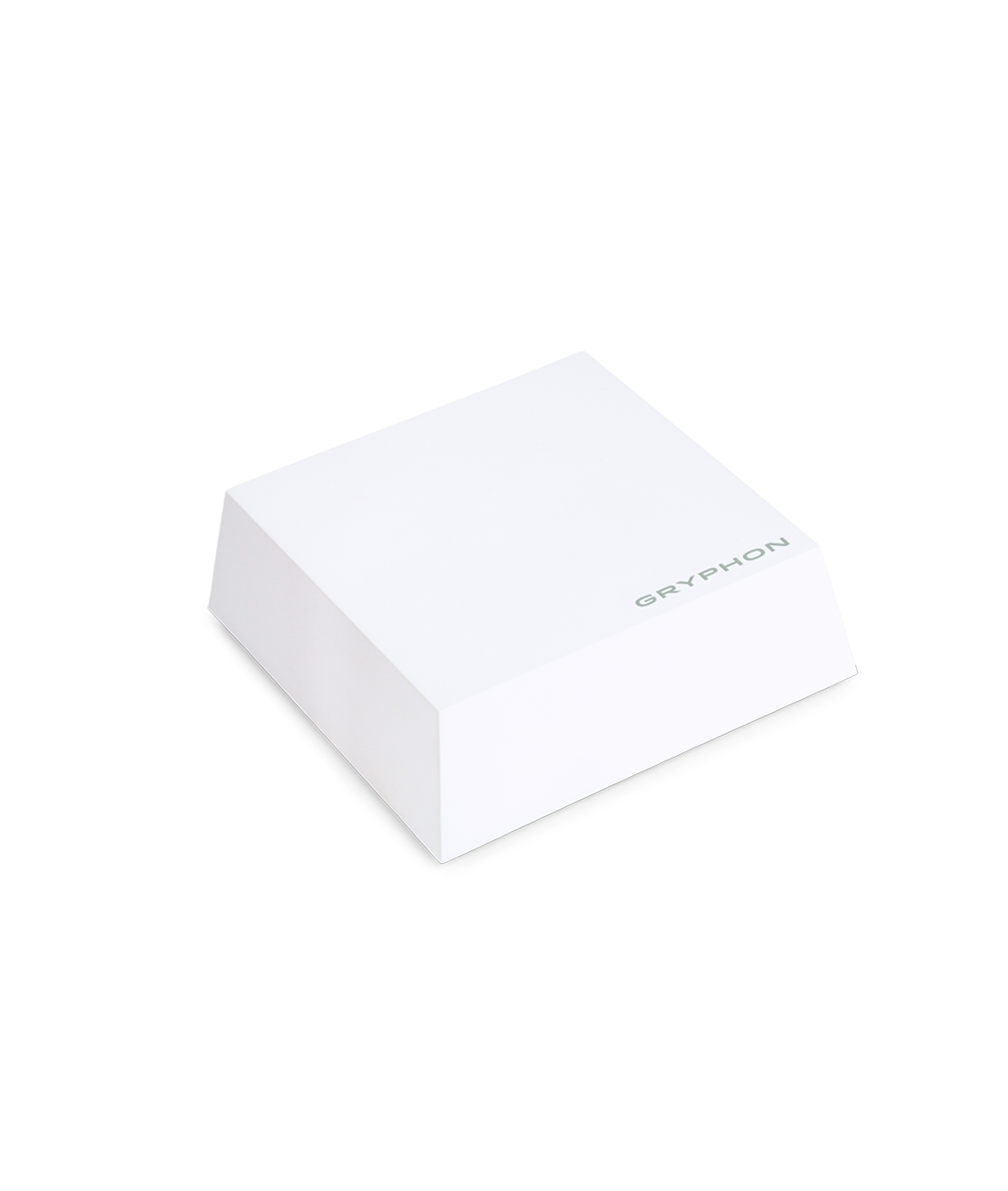
Gryphon describes Guardian as its more affordable way to add parental controls and network security, including use alongside an existing non-Gryphon router. That does not make it an AX router. The re-certified Guardian listing is also a different purchase from a new unit: check condition, accessories, warranty and seller terms.
Buying decision: consider Guardian for its supported family-control role and total cost, rather than assuming it inherits AX’s Wi-Fi 6 specification. The official re-certified listing showed sold out on 18 October 2026. For a used unit, confirm account transfer and current support with Gryphon before paying. Read my full Gryphon Guardian review for the model’s family controls and ownership tradeoffs.
Gryphon Tower: check the existing system first
Tower is relevant to owners maintaining an existing Gryphon network. AX is not a compatible expansion node for it. Check the model label and ask Gryphon support which replacement or additional unit matches your system. A generic “Gryphon router” seller title is not enough to establish compatibility.
Gryphon Atlas Max: preorder considerations
Gryphon markets Atlas Max as a Wi-Fi 7 security gateway. On 18 October 2026 its preorder page stated that FCC equipment authorization was pending and delivery depended on that authorization. Treat it as a preorder decision: confirm authorization, shipment terms, the full amount due and cancellation conditions before committing. It is not a ready-to-ship substitute merely because the page accepts a deposit.
What the parental controls actually manage
Gryphon’s parental-control documentation describes profiles with assigned devices, website filtering, internet schedules and daily limits managed through the Gryphon Connect app. These are useful for household routines: grouping a child’s connected devices, limiting access during homework and setting a bedtime schedule.
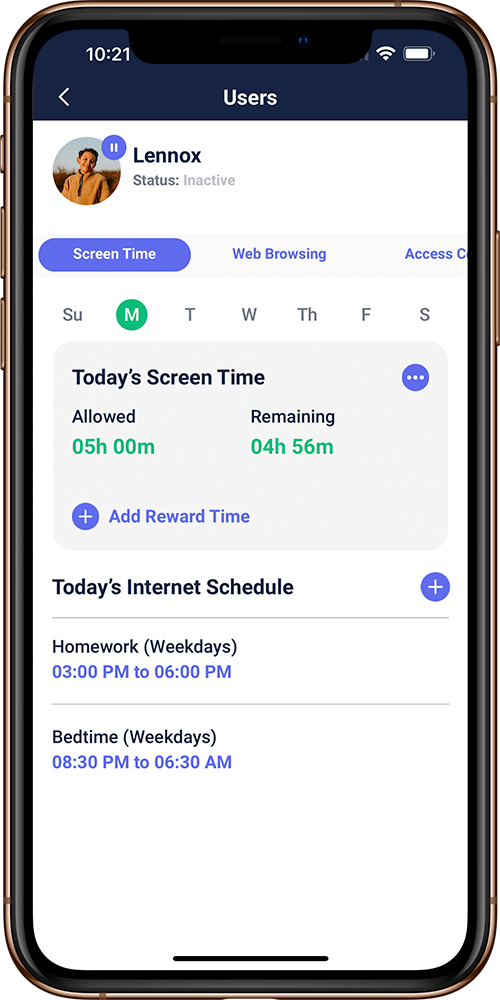
A key limitation is how time is counted. Gryphon’s support explanation says it measures network traffic, rather than everything happening on a screen. Already-buffered video may continue after internet access is cut off. A downloaded film, offline game or local document also needs device-level rules if your goal is a limit on total screen use.
Build rules around the result you need. A household internet schedule and a limit on every minute spent using a device are different jobs. Discuss the rules with children, check which devices belong to each profile, and review the settings together as their needs change.
Home Wi-Fi and away-from-home coverage
- Home Wi-Fi
Device → Home router → Internet
- Mobile data or other Wi-Fi
Device → Separate connection → Internet
Network-level controls are valuable for connected household devices, including devices that cannot run a conventional parental-control app. A phone using cellular data or another Wi-Fi network needs separate attention. Do not assume the controls from your home router follow it everywhere.
Gryphon advertises HomeBound as part of its Premium Protection service for supported phones and tablets on mobile data and other networks. Check the device, service entitlement and required setup before relying on it. For wider context, see our guide to mesh-router parental controls.
Hardware, subscriptions and total cost
Separate the hardware purchase from ongoing services. The Premium Protection page describes paid security and away-from-home features. Its displayed subscription figures differ between sections, so confirm the current plan, billing period and renewal total in the Gryphon Connect app before subscribing. A hardware listing alone does not establish your ongoing service cost.
For a useful comparison, include the exact model and number of units, new or re-certified condition, shipping and taxes, and any paid service you intend to keep. Check how a trial ends and what happens when it expires. For marketplace purchases, read that seller’s returns and warranty terms rather than assuming Gryphon’s direct-store terms apply.
Stock is part of the decision. A low displayed amount on a sold-out listing is not an available checkout offer. If you need a replacement immediately, confirm an actual delivery option before dismantling a working network.
Setup, privacy and security tradeoffs
Gryphon’s support page says router management uses the Gryphon Connect app rather than a browser-based administration interface. Confirm you have a supported management phone and check how the router connects to your ISP equipment. A fibre or cable modem, ISP gateway and Wi-Fi router may perform different jobs; your provider’s connection requirements still matter.
For model-specific setup instructions, use the official support page and hardware guides. Before replacing a working router, record the existing network settings and identify devices that need reconnecting. Router placement, wall construction, internet service and client hardware all influence the result.
Gryphon markets network threat-blocking and monitoring features through its security services. These can be useful layers, but a filtering feature is not evidence that every phishing page or malicious file will be stopped. Keep devices updated, protect the router-management account and use appropriate security controls on each device. Explain monitoring to household members and limit access to activity reports.
Which approach should you choose?
For a new Wi-Fi 6 family network: start with Gryphon AX, then confirm stock, pack size and the services you need. Its inability to mesh with Guardian or Tower is a material upgrade cost for existing owners.
For a lower-cost family-control addition: assess Guardian separately, especially when considering re-certified or used hardware. Match the model and seller terms to the job instead of buying on a generic Gryphon review score.
For an existing Tower or Guardian system: ask Gryphon about compatible expansion and support before replacing an individual node. For Atlas Max, weigh the preorder and delivery conditions against how soon you need a working router.
For a child’s phone beyond home Wi-Fi: compare the supported mobile-control setup as well as the router. If your present router already provides the network controls you need, reviewing its settings may be more useful than buying new hardware. Our Wi-Fi parental-control guide explains the general options.
Frequently asked questions
What is the difference between a parental-control router and an app?
A router manages internet traffic passing through its network. A device app can provide supported controls on the device, including away from home. Their capabilities differ by model, service and platform; neither should be assumed to control every connection or all offline screen use.
Can Gryphon AX mesh with Guardian or Tower?
No. Gryphon’s AX product page says AX cannot be used with the Tower or Guardian models. Confirm the exact compatible hardware before expanding an existing network.
Do Gryphon controls work when a phone leaves home Wi-Fi?
Home-router controls do not automatically follow a phone onto mobile data or another Wi-Fi network. Gryphon advertises HomeBound through Premium Protection for supported phones and tablets; check the required setup and current entitlement.
Is Gryphon Atlas Max available for immediate delivery?
On 18 October 2026, Gryphon’s Atlas Max page described a preorder with delivery conditional on FCC equipment authorization. Confirm the current authorization, shipping and payment conditions directly before ordering.
Related Articles



Share this article

Stuart Kerr Spindlow is Impulsec’s Publisher, Chief Editor and Lead Reviewer. He writes and maintains coverage of consumer cybersecurity and digital-safety software, with a focus on practical suitability, limitations and the evidence behind product claims. Read Stuart’s full profile.