


Quick verdict: ExpressVPN is the easiest first choice for a supported router because its router software can group devices by connection and is backed by current setup documentation. NordVPN is stronger for broad manual-firmware coverage, Proton VPN is the only verified free-plan router option here, and Surfshark is best when the household also needs unlimited device apps.
A router VPN protects traffic that actually passes through that router; it does not protect a phone on mobile data or another Wi-Fi network. Check the exact router model, firmware and provider guide before paying. ExpressVPN, NordVPN, Proton VPN and Surfshark documentation was checked on 13 October 2026.
Six Router VPNs by Setup and Fit
- ExpressVPN — easiest supported router-app management
- NordVPN — broad manual-firmware documentation
- Proton VPN — verified free-plan router connection
- Surfshark — router plus unlimited device apps
- Private Internet Access — configurable manual setups
- Mullvad — privacy-focused WireGuard setups
| Provider | Router approach | Best fit | Main limitation |
|---|---|---|---|
 ExpressVPN | Supported router software | Device Groups for different connections | Exact compatible model required; Aircove is no longer sold |
 NordVPN | Manual setup on supported firmware | Reuse a compatible router with detailed guides | Device-app features do not automatically transfer to the router |
 Proton VPN | OpenVPN or WireGuard client | Free-plan router connection | Free-plan feature and configuration limits; model-specific support |
 Surfshark | Manual OpenVPN or WireGuard | Router plus unlimited device apps | Apps are still needed when devices leave the home network |
 Private Internet Access | Manual setup on supported firmware | Configurable router connection plus device apps | Check protocol and DNS options for the exact firmware |
 Mullvad | Manual WireGuard setup | Privacy-focused account-number service | Best for readers comfortable managing router configuration |
General device-app support and full reviews
Scroll horizontally to see all columns.
| Product | Supported platforms | Main capabilities |
|---|---|---|
| ExpressVPN Full review Read mini-review | Windows, macOS, Android and iOS; additional clients and features vary by vendor. | Consumer VPN; plan-dependent security extras. |
| NordVPN Full review Read mini-review | Windows, macOS, Android and iOS; additional clients and features vary by vendor. | Consumer VPN; higher bundles add separate products/features. |
| Proton VPN Full review Read mini-review | Windows, macOS, Android, iOS and Linux; feature support differs by client and operating-system version. | Free VPN; Plus adds paid server selection, Secure Core multi-hop and NetShield DNS filtering. |
| Surfshark Full review Read mini-review | Windows, macOS, Android and iOS; additional clients and features vary by vendor. | Consumer VPN with separate One/One+ security bundles. |
| Private Internet Access (PIA) Read mini-review | Windows, macOS, Android and iOS; additional clients and features vary by vendor. Linux supported. | Consumer VPN; WireGuard and OpenVPN options; desktop kill-switch and supported-location port-forwarding controls. |
| Mullvad VPN Full review Read mini-review | Windows, macOS, Android and iOS; additional clients and features vary by vendor. Linux supported. | Account-number VPN with prepaid access. |
1. ExpressVPN — Best for Straightforward Router Management
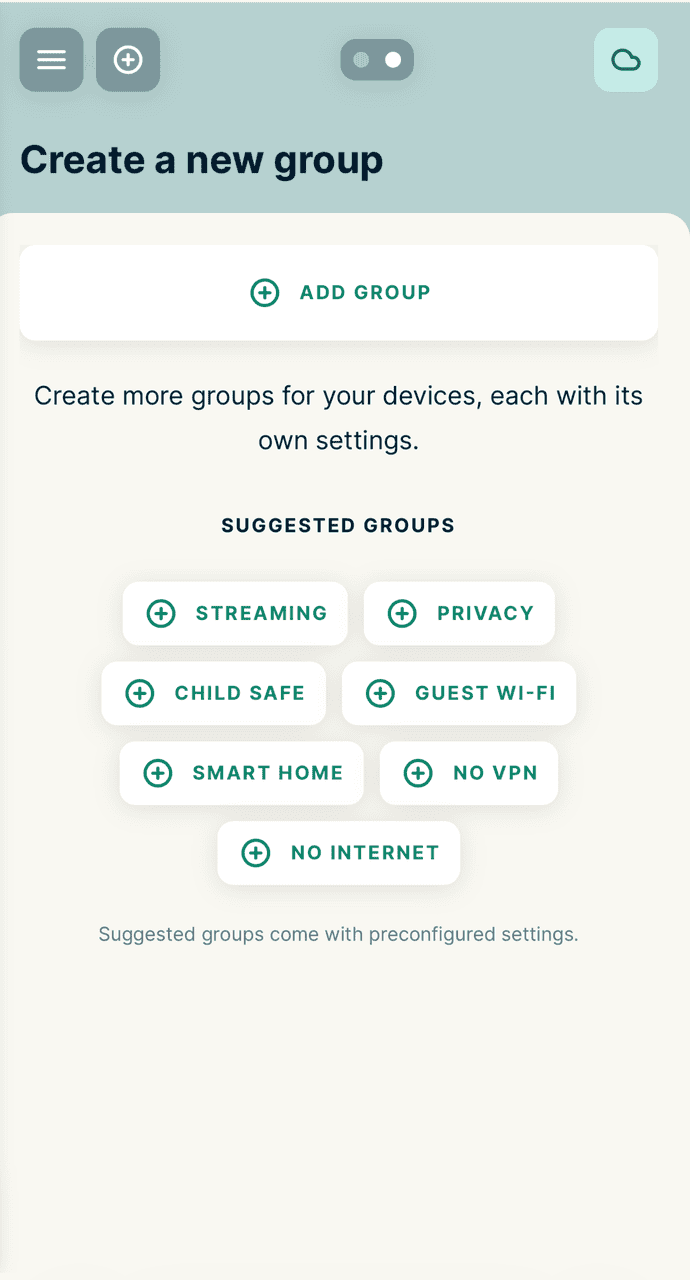
Official ExpressVPN Device Groups setup guide.
ExpressVPN ranks first for households that value straightforward management over maximum firmware choice. Its router software supports Device Groups, so a streaming device can use one VPN location while a work laptop uses another or bypasses the tunnel. Current release notes also document ongoing router-app fixes and updates.
The important 2026 limit is hardware availability. ExpressVPN’s support documentation says Aircove is no longer available for purchase, although existing Aircove hardware remains supported. New buyers should use a currently supported Asus, Linksys or Netgear model from ExpressVPN’s compatibility guidance.
Best for: households that want visual device grouping on compatible hardware.
Avoid if: your existing router is outside the supported model list or you want the broadest range of manual firmware guides.
See the full ExpressVPN review for its wider app, plan and privacy assessment.
2. NordVPN — Best for Broad Manual-Firmware Coverage
NordVPN is the better fit when you already own compatible hardware and want documented manual setup. Its current guidance covers common Asus firmware, DD-WRT, OpenWrt, Tomato, pfSense, OPNsense and several other platforms, while warning that some internet-provider routers cannot act as a VPN client.
NordVPN points buyers who want ready-made hardware to supported third-party preconfigured routers; it does not sell a NordVPN-branded router. Router configuration also does not turn every device-only feature into a network-wide function, so this guide does not treat Threat Protection Pro or Meshnet as automatic router features.
Best for: confident users with a supported router who want a provider-specific setup guide.
Avoid if: you want app-like device grouping directly on the router.
The full NordVPN review covers its device apps, plans and broader feature set.
3. Proton VPN — Best Free Router Option

Proton VPN is the only service on this list that provides router configuration files on its free plan, making it an obvious choice for anyone who wants router-level encryption without paying. A router counts as a single connection, so one free configuration protects every device behind it.
Most free VPN plans cap monthly data at a low limit. Proton VPN’s free tier has no data cap, which is unusual and useful for a household running a router around the clock. Supported platforms include Asus WRT, DD-WRT, FreshTomato, GL.iNet, MikroTik, OpenWrt, OPNsense, pfSense and Vilfo, a router brand that sells hardware with Proton VPN preloaded.
The free tier has real limitations: it does not include paid streaming and P2P features, and available configuration choices depend on the plan. Paid plans add broader server choice and features such as NetShield and Secure Core. Check the configuration files available in your account, then compare the current subscription term and renewal price if you need a paid feature.
Best for: anyone who wants free, uncapped router encryption without streaming or torrenting demands.
Avoid if: you need paid streaming or P2P features, or a wider range of server locations.
Explore Proton VPN Free and follow the official router setup guidance. The paid-plan button below is an optional upgrade, not a requirement for a compatible free-plan router connection.
Read the full Proton VPN review.
4. Surfshark — Best for Households Using Router and Device Apps

Official Surfshark Asus VPN Fusion setup guide.
Surfshark suits households mixing router-level protection with individual device apps because it places no cap on the number of devices that can connect under one subscription. That’s a meaningful difference from providers that count each phone, laptop and tablet against a fixed limit.
Surfshark documents manual OpenVPN and WireGuard setup for supported router firmware. The exact model and firmware determine which protocol and controls are available; use its current router guide rather than assuming every router from a supported brand will work.
Surfshark offers flexibility beyond router-only protection. If you have devices that travel outside the house, such as a work laptop, Surfshark’s Android app or its Apple TV app can cover those separately without touching your device allowance, since there isn’t one.
Best for: larger households running many devices who want router protection plus unrestricted device apps.
Avoid if: you want a dedicated router app rather than manual firmware configuration.
For more on its wider feature set, my Surfshark VPN review covers streaming and gaming performance.
5. Private Internet Access — Best for Configurable Router Setups
Private Internet Access suits anyone who wants to adjust encryption strength to match an older router’s processor. PIA lets you switch between AES-256 and the lighter AES-128, which can recover usable speed on hardware that struggles to encrypt traffic quickly.
PIA also places no ceiling on simultaneous device connections, raising the question of whether most gadgets need a router connection at all. Router protection still helps with devices that can’t run a VPN app, such as a smart TV, games console or doorbell camera. PIA documents support for DD-WRT, Asus WRT and Merlin, OpenWrt and pfSense, a shorter list than NordVPN or Surfshark.
Do not assume every PIA app feature carries over to a manual router configuration. Check the DNS and routing options for your exact setup before relying on network-wide blocking. PIA uses promotional multi-year pricing that can change; compare the displayed initial term and renewal conditions before choosing it on price.
Best for: budget-conscious buyers with an older router who want adjustable encryption.
Avoid if: your router isn’t on PIA’s shorter compatibility list; NordVPN or Surfshark cover more firmware.
6. Mullvad VPN — Best for Privacy-Focused WireGuard Setups
Mullvad VPN suits privacy-conscious readers who want a WireGuard-based router setup without a marketing layer wrapped around it. Mullvad has built its reputation on minimal data collection, accepting cash payments and issuing an account number instead of requiring an email address to sign up.
Its router configuration relies on WireGuard, a fast, modern VPN protocol supported by firmware such as OpenWrt and pfSense. There’s no dedicated router app or pre-flashed hardware option, so setup means generating a WireGuard configuration through Mullvad’s website and uploading it manually.
That process suits readers already comfortable with router firmware more than someone who wants a guided walkthrough. Mullvad also doesn’t offer the wide choice of server locations that NordVPN or Surfshark provide. Its network prioritises a smaller number of privacy-hardened locations over global coverage.
Best for: privacy-focused users already familiar with WireGuard and router firmware.
Avoid if: you want a large server-location choice or guided setup; NordVPN or Surfshark suit that better.
Read the full Mullvad VPN review.
How I Assessed the Best VPNs for Routers
I ranked these six VPNs by documented router firmware support, setup effort, device limits and verified pricing, rather than affiliate commission or brand size. Each entry earns its place for a specific reason tied to router use, not general VPN quality.
What Evidence Supports the Rankings?
The ranking draws on each provider’s published firmware compatibility lists, setup guides and current pricing pages. Where a provider documents support for a specific router platform, such as OpenWrt or Asus WRT, I’ve treated that as a verified fact rather than a claim. I haven’t attributed hands-on router installation or speed testing to Impulsec in this piece, so every observation reflects documented capability, not a personal setup log.
Which Router Features Matter Most?
Firmware breadth determines whether your existing router works at all, which is why NordVPN and Surfshark rank highly. A supported router app or a reputable third-party preconfigured router can reduce setup work, but hardware compatibility still needs an exact model check.
Device limits also matter less on a router than on individual apps, since the router itself usually counts as one connection regardless of how many devices sit behind it.
How Do Setup Effort, Limitations and Value Affect the Order?
I’ve weighed setup effort against cost and flexibility. Mullvad requires more manual work, but rewards confident users with a stripped-back privacy focus.
Proton VPN’s free tier trades server choice and streaming support for a genuinely uncapped router option, which lower-ranked competitors don’t match at zero cost.
Choosing and Setting Up a Router VPN
First, check that your router can run a VPN client. Most routers supplied directly by an ISP can’t. Brands such as Asus, GL.iNet, TP-Link and Linksys generally support VPN clients, while rented ISP hardware often doesn’t.
How Can You Check Whether Your Router Supports a VPN Client?
Log into your router’s admin panel and look for a VPN client section, usually under advanced settings. If you see options for OpenVPN, WireGuard or specific firmware such as DD-WRT or Asus WRT, your router can likely run a VPN client.
Before buying a subscription based on router support alone, check the manufacturer’s model number against the VPN provider’s published compatibility list.
What Is the Difference Between a VPN Service and a VPN Router?
A VPN service is a subscription you install on hardware you already own, usually by uploading a configuration file through the router’s admin panel. A VPN router is the physical hardware itself, either bought pre-flashed with a provider’s software or capable of running third-party firmware that supports a VPN client.
Existing Aircove hardware is an example of a ready-made VPN router, but ExpressVPN says it is no longer available for purchase. A compatible Asus or GL.iNet router with supported firmware is hardware you configure yourself.
What Should You Expect for Speed and Device-Level Control?
Running a VPN on a router adds encryption overhead for the router’s processor to handle. This reduces the maximum speed the connection can reach compared with running the same VPN on a single device.
Device-level control is also more limited on a router. Changing the server location for one device without affecting others generally requires a feature such as ExpressVPN’s Device Groups, or a second VPN-enabled network segment.
Which VPN Should You Choose for Your Household?
Choose NordVPN if you own compatible hardware and want broad manual setup guidance. Choose ExpressVPN if you want its supported router software and Device Groups on a compatible current model.
Proton VPN suits households wanting free, uncapped protection without streaming needs. Surfshark suits larger homes with many devices alongside router protection. For readers weighing a router VPN against family device management more broadly, my guide to parental controls on a router covers that angle in more detail. Anyone comparing router-level protection with the fastest options for individual devices can see how they stack up in my fastest VPN rankings.
Frequently Asked Questions
What is the best VPN for a router?
ExpressVPN is the easiest starting point for supported router-app management. NordVPN suits broader manual firmware coverage, Proton VPN supports router connections on its Free plan, and Surfshark is useful when the household also needs unlimited device apps.
Can I put a VPN on any Wi-Fi router?
No. The router needs VPN-client support or compatible firmware. Many ISP-supplied models cannot act as an OpenVPN or WireGuard client. Check both the exact router model and provider guide before changing firmware.
Can I use Proton VPN Free on a router?
Yes. Proton says router connections are available on all plans, including Proton Free, and the router counts as one connection. Free-plan server choice and other limitations still apply.
Does a router VPN protect devices away from home?
No. It protects included traffic while the device is using that router. A phone on mobile data or another Wi-Fi network needs its own VPN app or another protected connection.
Will a router VPN slow the network?
It can. Encryption and routing use the router CPU, and older hardware may become the bottleneck. Protocol choice, server distance and Wi-Fi conditions also affect throughput.
Share this article

Stuart Kerr Spindlow is Impulsec’s Publisher, Chief Editor and Lead Reviewer. He writes and maintains coverage of consumer cybersecurity and digital-safety software, with a focus on practical suitability, limitations and the evidence behind product claims. Read Stuart’s full profile.