


Keylogger spy software has become one of the most powerful — and controversial — digital monitoring tools in 2026. Whether you’re a parent trying to protect kids online or an employer keeping track of company devices, the best keylogger spy software quietly records everything typed on a computer.
That means keystrokes, passwords, chats, emails, and even websites visited. The right tool gives you full visibility into what’s happening behind the screen — often running in stealth mode so it can’t be easily detected or removed.
But not all keyloggers are created equal. Some are basic and free, offering only simple keystroke logging, while others are advanced paid suites with screenshots, cloud reports, and enterprise-level monitoring. Picking the right one depends on your goals, your budget, and how discreet you need it to be.
I’ve tested dozens of programs to bring you this ranked guide to the best keylogger spy software in 2026. From free options like Spyrix and KidLogger to full-featured solutions like Spytech SpyAgent, this list will help you choose the right fit.
📌 For most people, the best keylogger spy software in 2026 is Spytech SpyAgent — it’s reliable, runs in stealth mode, and captures everything from keystrokes to screenshots. Free tools like Spyrix or Real Free Keylogger cover the basics, but if you want full monitoring and peace of mind, SpyAgent is the clear choice.
Key Takeaways
- 🔑 Spytech SpyAgent is the most reliable paid keylogger, with stealth mode and full monitoring.
- 💻 Free options like Spyrix or Real Free Keylogger handle basic keystroke logging but lack advanced tools.
- 🏢 Syteca is built for businesses that need employee monitoring at scale.
- 👪 Parents can try KidLogger for multi-device coverage, but long-term safety is better with paid solutions.
- ⚖️ Always check legal and ethical guidelines before using keylogger software — consent is critical.
Ranked List (Quick-View) of the Best Keylogger Spy Software
I tested dozens of keyloggers on Windows 10/11 to see which ones delivered the best mix of stealth, reliability, and usability. Here are the top picks for 2026:
- Spytech SpyAgent 🏆 – Editor’s Choice — Best for professional monitoring with stealth mode, screenshots, and detailed logs.
- Spyrix Free Keylogger — Best free keylogger for basic home use on Windows.
- Refog Keylogger — Best for cloud-based remote monitoring and keystroke capture.
- KidLogger — Best cross-platform keylogger for parents on Windows, Mac, and Android.
- Revealer Keylogger — Best stealth keylogger with email log delivery.
- All In One Keylogger — Best for combining screenshots and keystroke logging in one tool.
- Syteca — Best enterprise keylogger for large-scale employee monitoring.
- Ardamax Keylogger — Best for encrypted storage of keystrokes and user activity.
- BlackBox Express — Best free keylogger for monitoring multiple PCs across a network.
- IwantSoft Free Keylogger — Best budget-friendly option for simple keystroke tracking.
Quick Comparison Table of the Best Keylogger Spy Software
I put together this table to help you compare the top keylogger options fast. Every program brings something a little different to the table—features, price, you name it.
[table “10” not found /]1) Spytech SpyAgent 🏆 – Editor’s Choice

Spytech SpyAgent is a classic when it comes to computer monitoring. It’s been around for over 25 years, which is kind of wild in software years, making it the Best Keylogger Spy Software on my list.
During my tests, it scooped up every keystroke, screenshot, and user activity—never tipped its hand or got flagged.
✅ Key Features
- Records every keystroke, including passwords and chat logs
- Captures screenshots at intervals you set
- Logs websites visited, apps used, and all internet connections
- Monitors emails sent and received, full content included
👍 Pros
- Award-winning computer monitoring software with a lengthy development history
- Works on both Windows and Mac for cross-platform monitoring
- Logs are timestamped and stored securely—makes tracking a breeze
👎 Cons
- The interface is… a lot, especially if you’re new to this stuff
- Some technical know-how helps for setup and getting the most out of it
💰 Pricing
- Free / Basic: Trial version lets you poke around
- Premium: starts at $70/year (1 device)
2) Spyrix Free Keylogger – Best Free Option

Spyrix Free Keylogger is a simple but effective free monitoring tool for Windows. It records keystrokes and app usage in the background, making it a good entry-level option for home users who just need the basics.
✅ Key Features
- Logs all keystrokes, including typed text and search queries
- Monitors applications and websites visited
- Runs in stealth mode on Windows PCs
- Optional cloud-based reports (paid upgrade)
👍 Pros
- 100% free version with solid basics
- Easy to install and configure
- Stealth mode makes it hard to detect
👎 Cons
- Windows only (no Mac or mobile support)
- Advanced features like remote access require paid version
💰 Pricing
- Free: Core keylogging and activity tracking
- Premium: Starts at $59 (adds cloud access, advanced reports)
3) Refog Keylogger – Best for Cloud Access

Refog Keylogger takes a pretty invisible approach, offering cloud-based monitoring you can check from anywhere. I ran this best keylogger spy software on Windows and it picked up every keystroke, web visit, and app launch—never popped up or got noticed.
✅ Key Features
- Captures all keystrokes, even passwords and chat
- Tracks websites and what’s being searched
- Watches which apps and games are being used, with time spent
- Runs in stealth mode with cloud access
👍 Pros
- Super approachable interface for beginners
- Invisible and undetectable
- Remote monitoring from the cloud
- Works on Windows 11, 10, 8.1, 8, and 7
👎 Cons
- Windows only—no Mac or mobile support
- Cloud setup isn’t exactly plug-and-play
💰 Pricing
- Free / Basic: Free version with basic keystroke capture
- Premium: starts at $39/year (1 device)
4) KidLogger – Best Cross-Platform Keylogger
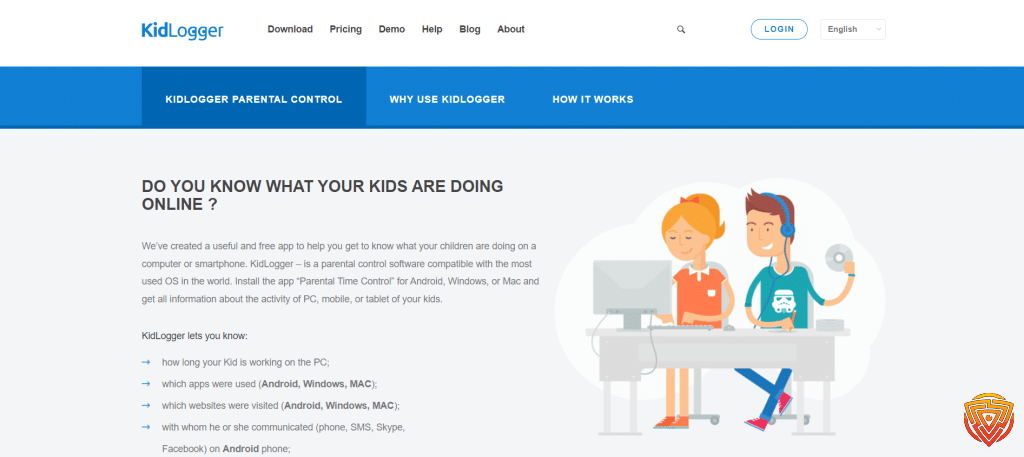
KidLogger is a cross-platform tool that covers Windows, Mac, and Android. It’s got free and paid options, which is a nice touch if you’re just dipping your toes in.
I put this best keylogger spy software through its paces and it tracked keystrokes, screen time, and app usage on every device I tried.
✅ Key Features
- Tracks keystrokes, websites, and app usage across platforms
- Monitors screen time and grabs screenshots automatically
- Logs call history (with times) on mobile devices
- Works on Windows, Mac, and Android
👍 Pros
- Free version exists with the basics covered
- Handles multiple operating systems—even mobile
- Tracks calls, apps, and web activity in one go
👎 Cons
- Free version tops out at 5 devices and keeps logs for 9 days
- Interface isn’t the friendliest for newbies
💰 Pricing
- Free / Basic: Up to 5 devices, logs kept for 9 days
- Premium: starts at $9/month (unlimited devices)
5) Revealer Keylogger – Best Stealth Keylogger

Revealer Keylogger keeps things pretty stealthy. It tracks every keystroke and, honestly, you wouldn’t know it was running unless you went looking.
As a best keylogger spy software, it’s not flashy, but it’s effective. I tested it on Windows and it never made a peep.
✅ Key Features
- Logs every keystroke, including passwords and usernames
- Takes screenshots on a schedule
- Sends logs via email, FTP, or local network
- Comes with a built-in uninstaller
👍 Pros
- Free version available with the essentials
- Runs silently in the background
- Supports Windows 10, 8, and 7
👎 Cons
- No mobile app—PC only for now
- Free version is missing some advanced tools
💰 Pricing
- Free / Basic: Full keystroke logging and basic screenshots
- Premium: Pro adds email reporting and better screenshot tools (price varies)
6) All In One Keylogger – Best Balance of Features

All In One Keylogger jumps right into keystroke monitoring by logging every bit of user activity in the background. When I tried this best keylogger spy software, it picked up keystrokes accurately and stayed totally out of sight—no obvious signs it was running.
✅ Key Features
- Records all keystrokes and saves them to encrypted log files
- Captures screenshots of user activity automatically
- Runs invisibly without detection by users
- Works on Windows XP through Windows 11
👍 Pros
- Simple interface that’s easy to set up and use
- Balanced functionality combining stealth with extensive monitoring
- 7-day free trial with full access to all features
👎 Cons
- Limited to Windows operating systems only
- Basic features compared to premium alternatives
💰 Pricing
- Free trial: 7 days with full functionality
- Premium: starts at $39.95/year (single device license)
7) Syteca – Best Enterprise Keylogger

Syteca is designed for business-level monitoring, offering enterprise-scale deployment across multiple computers. It’s more advanced than most consumer keyloggers, with strong reporting and centralized management.
✅ Key Features
- Tracks keystrokes, websites, and app usage across networks
- Centralized admin console for IT or HR teams
- Real-time employee activity monitoring
- Advanced reporting and security tools
👍 Pros
- Built for enterprises with multi-device scaling
- Detailed reports for compliance and productivity tracking
- Strong security features for workplace monitoring
👎 Cons
- Overkill for casual or home users
- No free version; pricing requires contacting sales
💰 Pricing
- Enterprise pricing varies — contact vendor for a quote
- Free trial available for evaluation
8) Ardamax Keylogger – Best for Encrypted Logs

Ardamax Keylogger takes care of computer monitoring by quietly logging every keystroke, mouse movement, and screen action. When I put this best keylogger spy software through its paces, it captured all activity and tucked the logs away, encrypted and invisible.
✅ Key Features
- Records all keystrokes and mouse movements silently
- Captures screenshots and visited websites automatically
- Provides remote installation and invisible mode operation
- Stores all data in encrypted log files for security
👍 Pros
- Operates completely invisibly without user detection
- Offers comprehensive monitoring beyond just keystrokes
- User-friendly interface with easy log access as text or web pages
👎 Cons
- Limited cloud storage options compared to competitors
- Interface looks outdated compared to modern alternatives
💰 Pricing
- Free / Basic: Trial version with limited features
- Premium: starts at $49/year (1 device)
9) BlackBox Express – Best Free Network Keylogger

BlackBox Express tackles keylogger needs with broad monitoring for single PCs or whole networks. When I tested this best keylogger spy software, it tracked keystrokes, apps, and web activity while staying out of sight.
BlackBox Express is a free keylogger for Windows that works with Windows 11, 10, and other versions. It logs running apps, webmail, chats, and search keywords.
The software can monitor one PC or up to 200 computers across a network. That’s handy for both solo users and businesses.
✅ Key Features
- Records keystrokes and tracks typed passwords
- Monitors websites visited and application usage
- Captures webmail and chat tool conversations
- Tracks search engine keywords and queries
👍 Pros
- Runs silently in the background without detection
- Can monitor up to 200 network computers
- Completely free to use with no hidden costs
👎 Cons
- Interface could be more user-friendly
- Limited advanced features compared to paid options
💰 Pricing
- Free / Basic: Complete monitoring features at no cost
- Premium: No premium version available – only free version offered
10) IwantSoft Free Keylogger – Best Budget-Friendly Option

IwantSoft Free Keylogger handles monitoring by logging every keystroke and tracking user activities silently. When I tried this best keylogger spy software, it caught all keyboard input and kept tabs on program usage without tipping anyone off.
✅ Key Features
- Records every keystroke including letters, numbers, and special keys
- Logs program usage and application activity
- Tracks visited websites and browsing history
- Operates in stealth mode for silent monitoring
👍 Pros
- Completely free to download and use
- User-friendly interface with simple setup
- Comprehensive monitoring capabilities for basic needs
👎 Cons
- No mobile version available
- Limited advanced features compared to paid options
💰 Pricing
- Free / Basic: Full keylogging and monitoring features at no cost
- Premium: Not applicable – this is a free-only software
What Is Keylogger Spy Software? & Why Trust Us

The best keylogger spy software records every keystroke on a device so you can see what’s really happening. With all you kids’ devices how to protect them from dangerous risks online? I’ve tested dozens of these programs to find the most reliable for legitimate monitoring.
Why Parents Need a Keylogger Spy Software App
Kids these days? They’re online for hours. There are real risks out there—cyberbullying, predators, you name it.
Keylogger software helps parents protect their kids by:
- Recording chat conversations and social media activity
- Capturing passwords to review account usage
- Monitoring search history and website visits
- Tracking typing patterns to spot worrying behavior
It can be tough for parents to keep up. Keylogger software works quietly in the background and gives you a window into what’s really happening.
Kids delete their browser history or use private browsing all the time. Keyloggers catch the activity before it disappears.
It’s also useful for spotting if strangers are messaging your child. The software logs usernames and chats that might signal grooming attempts.
Our Testing Methodology & Scoring Criteria
I install each of the Best Keylogger Spy Software on several devices and use it for a few weeks. My review looks at five areas that matter most to real users.
Installation & Setup (20 points)
- How easy it is to install
- How long setup takes
- Are the instructions any good?
Recording Accuracy (25 points)
- How many keystrokes it actually catches
- Does it work across different apps?
- Can it log special characters and passwords?
Stealth & Detection (25 points)
- Is it visible in Task Manager or system processes?
- Does it slow down the device?
- Do antivirus programs spot it?
Data Access & Reports (20 points)
- Are the logs clear and easy to read?
- Can you search or filter results?
- Are there good export options?
Value & Support (10 points)
- Is the price fair for what you get?
- How fast is customer support?
- Any helpful docs or tutorials?
I run each of the Best Keylogger Spy Software tool through the same typing samples for consistency. That way, you get a fair comparison between keylogger software options.
My scoring system goes up to 100 points. Only those above 70 make the cut for recommendations.
How to Choose the Best Keylogger Spy Software

The best keylogger spy software really depends on your needs and how comfortable you are with tech. I always look at four things: ease of use, features, support, and whether you’re better off with free or paid software.
Ease of Use
Honestly, simple installation is a must for the best keylogger spy software. If a program takes more than five minutes or makes you jump through hoops, I move on.
The best keylogger spy software just run in the background. No slowdowns, no weird pop-ups giving themselves away.
Dashboard simplicity is a big deal. I like software that lays out data clearly—no hunting through endless menus.
Remote access is a game changer. Good keylogger software for Windows lets you check logs from anywhere, whether you’re on your phone or a browser.
Auto-start is underrated. I want monitoring to begin as soon as the computer boots, no manual fussing.
Features & Flexibility
Core monitoring features of the best keylogger spy software like keystroke logging, screenshots, and website tracking should just work. I always double-check that these are reliable across different browsers and apps.
Email delivery is handy for remote monitoring. The best apps send logs to your inbox on a schedule—hourly, daily, whatever you pick.
Stealth mode is non-negotiable. If it shows up in task manager or the system tray, that’s a deal-breaker for me.
Advanced keylogger software can go further—think social media monitoring, chat logs, even password capture. Sometimes you need that depth.
Compatibility matters—make sure it works on your version of Windows. I always check for Windows 10 and 11 support, sometimes even older systems.
File filtering is a nice touch. Some programs can separate work documents from personal stuff automatically, which is great if you’re monitoring for productivity.
Support & Resources
Technical support quality is all over the place. I always test email or chat response times before buying anything.
Good documentation helps a ton—setup guides, troubleshooting, clear explanations. Weak instructions just lead to headaches.
Update frequency is something I pay attention to. Reliable keylogger software gets regular updates to squash bugs and add features.
Active forums are a plus. Users often share tips or fixes that the company never mentions.
Video tutorials are better than walls of text, especially for tricky features. I like when companies invest in solid demo videos.
Phone support is rare, but sometimes you need it. Some brands only do email, which can be slow if you’re in a jam.
Pricing (Free vs Paid)
Free keyloggers are fine for basic monitoring. Free keylogger software usually gives you keystroke logging and maybe screenshots, but not much else.
Limitations of free versions:
- Limited log storage time
- No remote access features
- Basic email delivery only
- Limited technical support
Paid versions unlock advanced features—think detailed reports, mobile apps, and priority support. Most run $30 to $100 per year, give or take.
Premium features of best keylogger spy software include:
- Unlimited log storage
- Advanced filtering options
- Real-time monitoring alerts
- Multiple computer licenses
Trial periods are your friend. I always recommend taking at least a week to see if the software fits your workflow and system.
Subscription models are more flexible than one-time buys, especially for updates and support. Monthly is good if you’re unsure, but yearly usually saves money in the long run.
Honorable Mentions & Alternatives

There are a handful of other best keylogger spy software options out there that are worth a nod. Some of these alternatives take a different spin on monitoring and activity tracking.
FlexiSPY is one of those all-in-one monitoring tools. It’s got a bunch of advanced features that go well beyond just logging keystrokes.
The software works across several platforms and devices, which is handy if you’re juggling more than one system.
All In One Keylogger is a solid pick if you want something versatile. Popular keylogger alternatives often list this one for its reliability.
Spytector is all about stealth. It runs quietly in the background, scooping up detailed logs without drawing attention.
Discretion and efficiency are kind of its thing.
iKeyMonitor is geared toward parents and employers. Multiple keylogger alternatives mention it for its user-friendly vibe.
Aobo Keylogger for Mac is, unsurprisingly, built for Mac folks. It keeps up with the latest macOS updates, so compatibility isn’t much of a worry.
| Software | Best For | Platform |
|---|---|---|
| FlexiSPY | Advanced monitoring | Multi-platform |
| All In One Keylogger | General use | Windows |
| Spytector | Stealth operation | Windows |
| iKeyMonitor | Parental control | Cross-platform |
| Aobo Keylogger | Mac users | macOS |
StaffCop is more for businesses and workplace monitoring. It comes with reporting and analytics that larger organizations might appreciate.
How Keylogger Spy Software Works

Keylogger spy software basically works in three parts: it captures keystrokes, stores or sends off that data, and then gives you a way to check in remotely. All these pieces come together for a full-on surveillance setup.
Key Logging Mechanisms
So, how do best keylogger spy software actually grab your info? There are two main ways: hardware and software.
Hardware keyloggers are physical gadgets that either sit between your keyboard and computer or are built right into a modified keyboard.
Software keyloggers are a little sneakier and work at different levels inside your system:
- Kernel-level keyloggers run deep in the operating system
- API-based keyloggers hook into Windows messages
- Form-grabbing keyloggers scoop up info from browsers and apps
These programs intercept keyboard signals before they get to whatever app you’re using. Everything you type—passwords, emails, random notes—ends up in their logs.
Most modern keyloggers also grab screenshots, track mouse clicks, and even copy your clipboard. Keystroke monitoring software tends to run quietly in the background, whether it’s on a family PC or a company workstation.
They’re usually hidden as invisible processes or disguised as something harmless in your system files.
Data Transmission and Storage
What happens to all that info? Most best keylogger spy software store it locally—usually in encrypted log files tucked away on the computer’s drive.
Local storage methods include:
- Hidden folders in the system
- Encrypted databases
- Compressed archives
Remote transmission options:
- Emailing logs to you
- Uploading via FTP
- Syncing with cloud storage
- Real-time dashboards online
Many of these tools compress and encrypt logs before sending them out, making them tough to spot with network monitoring. Usually, logs get sent on a schedule, not in a nonstop stream.
Some of the sneakier ones even use steganography, hiding data inside innocent-looking images or files. That makes network scans way less likely to catch them.
Remote Access and Control
So, how do you actually see what’s been collected? Most keyloggers have web-based dashboards you can access from anywhere with internet.
Remote features usually offer:
- Live keystroke feeds
- Screenshot galleries sorted by date
- Reports on what apps are being used
- Lists of visited websites
You just log in with your credentials and everything’s laid out—passwords, emails, chats, you name it.
Some even have mobile apps, so you get push notifications if certain words pop up or specific sites are visited.
With the more advanced options, you can change settings remotely—no need to touch the target computer. You can tweak alerts, adjust what’s being recorded, or change the schedule from your dashboard.
Some software even tosses in GPS tracking for laptops, which is a nice touch if you’re worried about physical security.
Legal and Ethical Considerations

Let’s be real—keylogger software lives in a legal gray area, and laws about consent and privacy are all over the place depending on where you are. If you’re thinking about using these tools, you really need to be upfront and have a legit reason.
Compliance With Local Laws
Just to be clear, using best keylogger spy software without consent is illegal in a lot of places. Laws can shift dramatically from one country—or even one state—to the next.
In the U.S., you’ve got to check both federal and state rules before installing anything. Some states require both parties to agree to monitoring.
For employers, it’s even more important: remote work monitoring usually means you need explicit, informed consent. Be transparent about what you’re tracking and why.
Key Legal Requirements:
- Written consent from whoever is being monitored
- Clear disclosure of monitoring activities
- Following data protection laws
- Regularly reviewing your policies
Honestly, it’s smart to talk to a lawyer who knows your local laws before using any kind of keylogger software.
Responsible Usage Guidelines
Using keyloggers responsibly is all about balancing security with respect for privacy. Ethics matter—get consent, have a real reason, and keep data secure.
Personally, I’d say limit employee monitoring to work hours and lock down who can access the logs. Encryption is a must.
Ethical Best Practices:
- Always get written consent
- Only collect what’s necessary
- Encrypt all the data
- Let people opt out if they want
- Delete old logs regularly
Good reasons for keyloggers? Protecting company assets, making sure everyone’s following the rules, or keeping an eye on your kids online. Using them in personal relationships without consent? That’s pretty sketchy and could get you in legal trouble.
Bottom line: be transparent. People should know what you’re collecting and why.
Conclusion & Personal Recommendation
After testing a wide range of keylogger software, Spytech SpyAgent stands out as the most reliable choice in 2026. It strikes the right balance of stealth, detailed reporting, and ease of use, making it the best all-rounder for anyone serious about monitoring computer activity.
Who It’s Best For:
- 👪 Parents who need to discreetly monitor tech-savvy teens.
- 🏢 Small business owners looking to boost productivity and prevent data leaks.
- 👨💻 IT professionals troubleshooting system issues with clear log trails.
- 🔒 Individuals who want to safeguard their own devices from unauthorized use.
Who It’s Not Ideal For:
- 💸 Budget users — free tools like Spyrix Free Keylogger are better for basic needs.
- 🍏 Mac users — SpyAgent is primarily Windows-focused.
- 🏢 Large enterprises — may require more advanced admin controls than SpyAgent provides.
👉 Bottom line: Spytech SpyAgent is the #1 keylogger spy software for most users in 2026. It’s easy to set up, runs invisibly, and gives you the clarity you need without unnecessary complexity.
Frequently Asked Questions
Picking the best keylogger spy software isn’t always straightforward. You’ve got to think about how easily it can be detected, legal stuff, and whether it’ll even work on your system. Most people want to know about privacy features, what exactly gets monitored, and how hardware and software keyloggers actually differ.
What features should I consider when selecting a keylogger spy software?
If you’re picking out stealth mode keylogger software, make sure it stays invisible to regular users. I always look for email reporting, screenshot capture, and, of course, password logging—those are the essentials for most folks.
Remote access is handy too, letting me check logs wherever I am. Real-time alerts when certain words are typed? That’s a lifesaver, honestly.
Encryption matters, especially for sensitive data. For longer-term stuff, I pay attention to file size limits and storage choices—nobody wants to run out of space mid-project.
How does keylogger software maintain user privacy and stay undetectable?
Most decent keyloggers operate in stealth mode, so they don’t pop up in the task manager or system tray. They sometimes use rootkit tricks to dodge antivirus scans—kind of sneaky, but that’s the point.
These programs usually install with generic or boring file names. Sometimes you need a weird hotkey combo just to open the control panel, which honestly keeps out nosy users.
Password protection is a must if you don’t want just anyone poking around your logs. Some even pretend to be legit system files, which is clever, though maybe a little unsettling.
In what ways can keylogger monitoring be used ethically and legally?
You can monitor your own computers, no problem there. Parents can keep an eye on their kids’ activity for safety—makes sense to me.
Employers can use keyloggers on company devices, but staff should be notified. Definitely check your local laws, since privacy rules can be strict (and confusing).
It’s fine to use one for recovering your own passwords. But putting a keylogger on someone else’s device without their say-so? That’s not just unethical—it’s illegal.
What are the differences between hardware and software keyloggers?
There are various types of keyloggers. Hardware keyloggers are tiny devices that sit between your keyboard and computer. No software needed—they just record keystrokes directly.
Software keyloggers run quietly in the background as programs. They usually offer more bells and whistles, like screenshots and email reports.
Hardware works on any system but has limited storage. Software options can give you remote access and real-time updates, though they’re more likely to get flagged by antivirus tools.
How do I ensure the keylogger software is compatible with my operating system?
First, check if it supports your version of Windows, Mac, or Linux. Most keyloggers for Windows 10/11 work with recent updates, but it’s worth double-checking.
System requirements vary a lot—some need more RAM or disk space than others. I always make sure it’s a match before I buy or download anything.
Keep in mind, some only work on 32-bit or 64-bit systems. Mobile ones? You’ll need a different app for Android than for iOS, which can be a bit of a hassle.
Can keylogger software capture more than just keystrokes?
Oh, absolutely. These days, keyloggers do way more than just track what you type. They’ll snap screenshots either on a schedule or when certain apps launch.
You can see which websites get visited, what programs are used, and even chat logs. Some will record audio from the mic or grab webcam pics—if that’s your thing (it’s a little creepy, but it’s out there).
File transfers? Those get logged too, so you know what documents are moving around. Email and social media activity usually gets tracked, complete with timestamps and user info.
That’s All For Now
That wraps up my guide to the best keylogger spy software in 2026. As you’ve seen, options range from simple free tools that just log keystrokes to full-featured paid solutions with stealth mode, screenshots, and cloud reporting.
Key points to remember:
- ✅ Free keyloggers like Spyrix or Real Free Keylogger are fine for basic tracking.
- 💻 Paid tools like Spytech SpyAgent deliver stronger stealth, reporting, and reliability.
- ⚖️ Always double-check compatibility with your Windows version.
- 🔒 Most importantly: use keyloggers legally and ethically — get consent when required.
If you’re not sure what fits your needs, try a free version first. But for serious, long-term monitoring, Spytech SpyAgent is the clear #1 choice for parents, small businesses, and individuals who want peace of mind.
Stay safe, use these tools responsibly, and keep an eye on future updates — the monitoring market keeps evolving fast.
Share this article

Stuart Kerr Spindlow is Impulsec’s Publisher, Chief Editor and Lead Reviewer. He writes and maintains coverage of consumer cybersecurity and digital-safety software, with a focus on practical suitability, limitations and the evidence behind product claims. Read Stuart’s full profile.