


Lately, apps such as Life360 vs Zenly have become vital for keeping in contact with family and friends, particularly for those who like sharing their location. Life360 is famous for its safety functions, making it simple for families to monitor each other’s whereabouts. Besides sharing locations, Life360 offers driving alerts and emergency aid for users concerned about safety. Find out why Life360 is the top option for staying connected and secure. Join the vast number of users who trust Life360 for peace of mind and convenience.
On the other hand, Zenly carved a niche for itself as a user-friendly app for location sharing, particularly popular among friends who wanted to keep tabs on each other’s movements. Despite its growth and popularity, Zenly was scheduled to be shut down by Snap Inc., which acquired the app, leaving its users looking for alternatives. With this closure effectuated earlier in 2023, reflecting on the different features and use cases of both apps is crucial for those searching for a suitable replacement for Zenly.
TL;DR 📌 Zenly was once a fun, social way to share your location with friends — but since its shutdown, Life 360 remains the only fully supported and safety-focused alternative. It offers real-time location tracking, crash detection, driving reports, and emergency assistance — making it the best all-in-one app for families and close groups who value both connection and security.
Key Takeaways
- ✅ Life360 delivers comprehensive family safety: location tracking, driving reports, and emergency SOS.
- ✅ Zenly was discontinued in early 2023.
- ✅ Families worldwide now use Life360 as the top Zenly alternative.
- ✅ Available on Android, iOS, and desktop with multiple subscription tiers.
- ⚠️ Verdict: Life360 is the only functional and secure choice in 2026.
Quick Comparison Table
| Feature | Life360 (🏆 Winner) | Zenly (Discontinued) |
|---|---|---|
| Location Sharing | Real-time tracking + detailed history | Real-time map for friends (service ended 2023) |
| Geofencing | Yes, custom alerts by zone | Limited before shutdown |
| Driving Reports | Speed, crash detection, phone use alerts | ❌ None |
| Battery Monitoring | Yes | Yes (pre-closure) |
| Privacy Controls | Full control per user + invisible mode | Basic “Ghost Mode” |
| Cross-Platform Support | Android, iOS, web dashboard | Android, iOS (now inactive) |
| Emergency Features | SOS button, roadside assistance | ❌ None |
| Free Version | Yes (limited) | N/A |
| Active in 2025 | ✅ Yes | ❌ Discontinued |
| Overall Verdict | 🏆 Life360 Wins | ❌ Not Available |
Overview of Life360
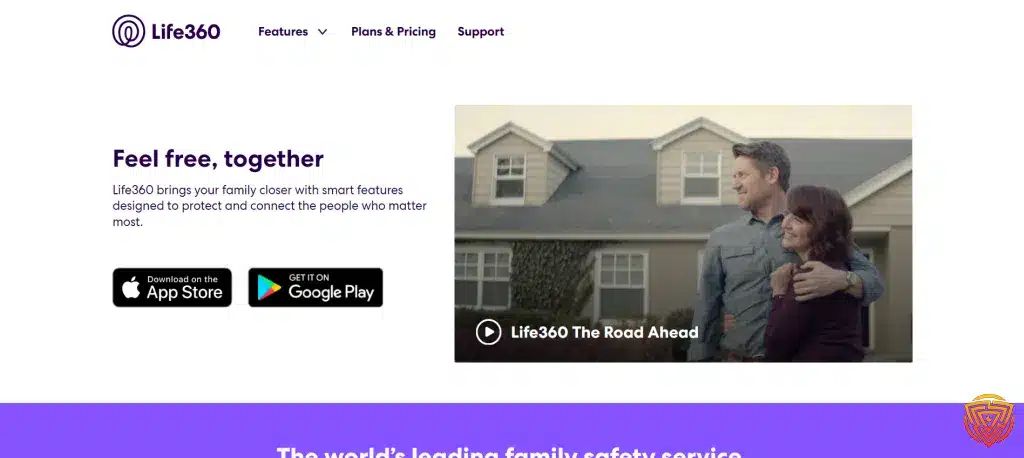
Life360 has established itself as a versatile app designed to ensure family safety and connectivity. Its practicality extends beyond just family use, being quite adaptable for friends to share their whereabouts with each other.
Key Features of Life360
The app’s central functionalities revolve around location safety, advanced driving analytics, digital safety, and emergency assistance.
- Location Safety: I find this feature crucial as it allows for real-time location sharing and viewing of family members on a map.
- Advanced Driving: This provides insights into driving behavior, which can be instrumental in improving safety for teen drivers.
- Digital Safety: It includes features designed to protect against identity theft and cyber threats.
- Emergency Assistance: Should there be an accident or a crisis, this feature assures that users can reach first responders.
Pros of Using Life360
Pros of Life360 are plentiful. Here’s what stands out to me:
- User-Friendly: The interface is intuitive, making navigation simple for users of all ages.
- Cross-Platform Availability: Being compatible on both Apple and Android devices ensures widespread accessibility.
- Comprehensive Services: With options for driver safety reports and location alerts, it’s more than just a GPS tracker.
Cons of Life360
However, no app is without its cons. Some limitations include:
- Limited Privacy: With constant location sharing, some users might feel their privacy is compromised.
- Battery Consumption: Continuous use of GPS can lead to significant battery drain in smartphones.
Overview of Zenly

In this section, I’ll lay out the elements that defined Zenly, a location-sharing app that was recognized for its social features and user-friendly interface, facilitating the connection between friends and family.
Core Features of Zenly
- Real-time location sharing: I found that Zenly offered live GPS location sharing, where users could see friends’ locations on a map.
- Privacy settings: Users had control over who could see their location, ensuring privacy.
Pros of Using Zenly
- Social Integration: Zenly wasn’t just about sharing location but also had built-in features for social interaction. Users could send messages and notify others when they arrived at a destination.
- User Experience: It stood out for its attention to design detail, with an appealing interface that made navigation simple and enjoyable.
Cons of Zenly
- Limited Use Case: While incredibly social and user-friendly, Zenly was primarily designed for a casual audience, which may not have suited users looking for more professional or complex tracking applications.
- Privacy Concerns: Although there were privacy settings, the very nature of constant location sharing posed certain privacy risks that users had to be aware of.
Comparative Analysis

In exploring Life360 vs Zenly, I focus on the aspects that most significantly impact user experience. Here, I’ll examine their user interfaces, location tracking accuracy, privacy features, battery consumption, and their respective pricing models.
User Interface and Experience
Life360 offers a straightforward interface designed for family use, ensuring that users can effortlessly share locations with family members. Zenly, on the other hand, focuses more on social interactions and boasts a playful design appealing to a younger demographic; its interface encourages friend interactions with features like footprints and emojis.
Accuracy of Location Tracking
Accuracy is a cornerstone for both apps. Life360 provides consistent real-time location tracking that’s especially reliable for parents keeping tabs on family members. Zenly, too, offers near real-time location updates; however, it often incorporates ‘last seen’ features that cater more to a friendship group’s casual checking in rather than constant monitoring.
Privacy Features Compared
Both apps have implemented features to control privacy. Life360 allows users to set up ‘invisible’ modes and customizable geofences. Zenly, while promoting social sharing, still grants users control with a ‘ghost mode’ for times when they prefer to keep their location private.
Battery Usage
Life360’s comprehensive tracking tools can be a significant drain on a device’s battery life. Comparatively, Zenly optimizes its location services to minimize battery consumption, which might sometimes result in less frequent location updates.
Pricing and Subscription Models
While both apps offer basic functions for free, Life360 comes with multiple subscription tiers providing advanced features like driver safety support. Zenly remains mostly free, primarily relying on optional in-app purchases for customization and additional features.
User Reviews and Feedback

When evaluating Life360 vs Zenly, I paid close attention to what users had to say about each app. User feedback is invaluable, providing insights into how these apps perform in real-life scenarios.
Life360 User Sentiments
Positives:
- Users generally appreciate Life360 for its comprehensive suite of family safety features, as manifested in its advanced driving alerts and emergency assistance.
- The app receives praise for its location sharing accuracy, which enhances the feeling of safety among families.
Negatives:
- Some users express concerns over privacy, as Life360’s extensive tracking capabilities can feel invasive to certain members.
Zenly User Sentiments
Positives:
- Reviewers often cite Zenly’s social-focused features as a highlight, appreciating the app’s ability to connect friends through location sharing.
- It is noted for a user-friendly interface and its popularity, with over 100 million installations, indicating a strong user base.
Negatives:
- However, some feedback hints at accuracy issues in certain locations, which can detract from the experience.
Use Cases

In exploring the applications of Life360 vs Zenly, it’s essential to consider how they cater to specific user needs in sharing location information. Both platforms have distinct features, optimizing them for different environments—from keeping families secure to enhancing social interactions among friends.
Family Safety Applications
Life360 is recognized for its comprehensive family safety features, ensuring that I can protect and connect with my family members. This platform allows me to:
- Monitor my family’s real-time locations on a private map.
- Receive notifications for check-ins and check-outs at home, school, or work.
- Access advanced driving reports and alerts for family members on the road, including speed and sudden braking.
Their approach to safety is emphasizes the app’s versatile use for both family and friends. Life360 stands out for its emergency assistance features, catering specifically to familial concerns.
Friend Interaction Scenarios
Zenly, before its shutdown on February 3rd, 2023, had niched itself as a social map that offered an immersive experience for friends. It displayed how Zenly facilitated friend interactions by:
- Showing live locations in a fun, engaging manner.
- Allowing users to share their favorite places and travel experiences with friends.
- Providing bonus features such as 3D touch and ski slopes, as noted in a discussion of its unique offerings compared to Life360.
The versatility of Zenly for friend-based location sharing is highlighted, as was noted in context to its feature set against Life360.
Alternatives for Former Zenly Users 2026
If you loved Zenly’s social feel, these apps offer similar sharing — but with reliability and privacy built-in.
This table compares keylogger-style monitoring tools by price, platform, trial availability, and use case. These tools should only be considered for lawful, consent-based, parent-managed or business-managed devices.| Software | Pricing (Devices) | Free Plan / Trial | Key Features | My View | Age Group Focus | Supported Platforms | Review |
|---|---|---|---|---|---|---|---|
| Life360 | Free basic; paid plans from $7.99/month; Gold from $14.99/month; 👉 Check Life360 Pricing | ✔️ Free basic plan; 7-day trial on paid plans | 📍 Real-time location sharing 🏠 Place alerts 🚗 Driving reports on paid plans 💥 Crash detection on higher plans | Best overall for family location sharing and driving safety | All ages | iOS, Android | Life360 Review |
| Qustodio (🏆 Editor’s Choice) | From around $54.95/year for up to 5 devices; 👉 Check Qustodio Pricing | ✔️ Free basic plan for 1 device; Premium trial availability varies | 📍 Family locator ⏰ Time limits 🔒 Content filtering 📊 Activity reports | Best all-in-one tracking plus family safety app | Kids to teens | Windows, Mac, iOS, Android | Qustodio Review |
| FamiSafe | From $4.99/month billed annually for up to 10 devices; monthly plan also available; 👉 Check FamiSafe Pricing | 🧪 3-day free trial | 📍 Real-time GPS 🚸 Geofencing alerts 🕒 Location history ⏰ Screen time and app blocking | Best for GPS tracking plus screen time control | Kids to teens | iOS, Android, Windows, Mac, Chromebook, Kindle Fire | FamiSafe Review |
| Apple Find My | Free; Free | ✔️ Free | 🍏 Device, item, and family location sharing 📡 Offline finding for supported Apple devices 🔐 Activation Lock 🎧 Tracks AirTags, AirPods, and Find My-compatible items | Best built-in iPhone and Apple device tracking | All ages | iPhone, iPad, Mac, Apple Watch, AirPods, AirTag | Find My iPhone Guide |
| Google Find Hub | Free; Free | ✔️ Free | 📍 Locate Android devices 🔔 Play sound 🔒 Remote lock 🧹 Erase lost devices | Best built-in Android device tracking | All ages | Android phones, tablets, Wear OS devices, and supported accessories | Find Hub Guide |
| Bark | From $14/month; 👉 Check Bark Pricing | 🧪 7-day free trial | 📍 Location tracking and alerts 🚨 Online safety alerts 🌐 Website and app blocking ⏰ Screen time schedules | Best for teens where location alerts are part of broader online safety | Teens | iOS, Android, tablets, computers, Amazon Fire | Bark Review |
| OurPact | From $6.99/month; annual plan available; 👉 Check OurPact Pricing | 🧪 14-day free trial for Premium and Premium+ | 📍 Real-time location 🗺️ Location history 🏠 Custom place alerts ⏰ Screen time scheduling | Best for tracking plus screen time schedules | Kids to teens | iOS, Android | OurPact Review |
| Microsoft Family Safety | Free; premium family features may require Microsoft 365; Free | ✔️ Free basic family safety features | 📍 Location sharing where available ⏰ Screen time limits 🔒 Content filters 📊 Activity summaries | Best for Microsoft, Windows, and Xbox households | Kids to teens | Windows, Xbox, Android, iOS | Microsoft Family Safety Guide |
| SmartThings Find | Free; Free | ✔️ Free | 📍 Locate Galaxy devices 🔔 Ring device 🔒 Remote lock 🧹 Remote wipe and backup options | Best for Samsung Galaxy users | All ages | Samsung Galaxy phones, tablets, watches, earbuds, and SmartTags | Samsung SmartThings Find Guide |
Conclusion & Personal Recommendation
After verifying both apps, Life360 is the only current and functional option for real-time location safety in 2026. Its combination of family safety tools, driving analytics, and emergency alerts makes it unbeatable for modern households.
Why Life360 Wins
- 🌍 Still active and updated for Android & iOS.
- 🧭 Includes geofencing, crash detection, and SOS alerts.
- 👨👩👧 Designed for family safety, not just social use.
- 🔒 Strong encryption and privacy customization.
Why Zenly Fades Out
- ❌ Officially shut down by Snap Inc. in 2023.
- ❌ No data updates or support.
- ❌ Not available on any app store.
My Recommendation: If you’re searching for a Zenly replacement or simply want to track family safety with precision, Life360 is your answer for 2026. It’s the most complete, trusted, and widely supported location app available today.
Who It’s Best For
- 👨👩👧 Families with drivers, students, or young children
- 💼 Professionals needing group safety coordination
- 🚗 Parents who value crash detection & SOS alerts
Who It’s Not For
- ❌ Casual friend groups wanting non-safety chat apps
- ❌ Users looking for discontinued Zenly-style social mapping
Frequently Asked Questions
In exploring Life360 vs Zenly, many users have questions about their features, especially regarding privacy, location sharing, off-grid functionality, unique characteristics, tracking accuracy, and subscription costs. Let’s address some of these common queries.
What are the main differences between Life360 vs Zenly in terms of privacy settings?
Life360 offers various privacy settings, including the ability for users to pause location sharing or select who can see their location. Zenly provided similar privacy options, but with a bit more flair, like “ghost mode” which gave users finer control over who could see them and when.
How do the location sharing features compare between Life360 vs Zenly?
The location sharing features of Life360 allow for real-time location updates, place alerts, and driving reports among family circles. Zenly, before it shut down, focused on friend-centric location sharing with a social twist, showing friends on a live map even if they were moving.
Can Life360 and Zenly both operate effectively in areas with poor cell service?
Life360 is designed to work in areas with varying cell service qualities, using GPS and other technologies to maintain location accuracy. Zenly also functioned well with poor cell service, using less battery and data as per its design, but it could face limitations just like any other GPS-dependent service.
What are the unique features that set Zenly apart from Life360?
Zenly stood out with features focused on social interaction, such as seeing friends’ battery levels, mutual location sharing without specific requests, and real-time movements on the map, giving it a more casual and friend-oriented feel compared to the family-focused offerings from Life360.
How does the accuracy of tracking in Life360 differ from that in Zenly?
Life360 prides itself on accurate location tracking tailored for family safety, which includes driving speeds and phone usage while driving. Zenly offered an accuracy that was suitable for social location sharing, preferring a balance between precision and battery efficiency.
What are the subscription costs and benefits for Life360 vs Zenly?
Life360 operates on a freemium model with multiple subscription tiers offering additional features, such as 24/7 emergency support, roadside assistance, and travel support. Zenly was free to use, with no subscription costs, focusing on providing a cost-free solution for friends to stay connected.
Thats All For Now
Thanks for checking out this comparison of Life360 vs Zenly. Hopefully, it’s given you a decent starting point for trying out which parental control option is best for your needs.
Keep an eye out for more parental control updates and tutorials here. The world of security is always shifting, and honestly, it can be hard to keep up.
Related articles are listed below if you’re curious about other security topics. Maybe they’ll help you piece together a more complete privacy solution for yourself and your family.
Share this article

Stuart Kerr Spindlow is Impulsec’s Publisher, Chief Editor and Lead Reviewer. He writes and maintains coverage of consumer cybersecurity and digital-safety software, with a focus on practical suitability, limitations and the evidence behind product claims. Read Stuart’s full profile.