


The best parental monitoring app depends on how much information a family genuinely needs. Some products provide detailed reports for supported messages, calls, locations and phone activity. Others use selected alerts or combine monitoring with ordinary app, web and screen-time controls.
mSpy has the broadest documented deep-monitoring feature set in this comparison, but it is not the safest default for every family. AirDroid Parental Control and MMGuardian have clearer child-device use cases, while Bark is more proportionate when automated safety alerts are enough.
This guide compares seven paid phone-monitoring options, explains the important Android and iPhone differences and shows when a conventional parental-control app may be the better choice. The assessments are based on current documentation and editorial suitability; they do not claim that every product was independently tested for this refresh.
TL;DR: mSpy is the strongest overall match for detailed, authorised phone monitoring. Choose Eyezy for alerts and a more organised dashboard, AirDroid for live Android supervision, MMGuardian for child-focused message and contact monitoring, or Bark for selected safety alerts. Always confirm the exact device, operating-system version and required feature before paying.
Lawful-use note: Use monitoring software only on a device you own or are clearly authorised to manage. Explain the monitoring where appropriate, keep it proportionate to the child’s age and the defined concern, and check applicable privacy and communications law. Do not use these products to monitor a partner or another adult without valid consent or legal authority.
7 Best Parental Monitoring Apps for Phones
- mSpy: Best overall for the broadest deep-monitoring feature set
- Eyezy: Best for alerts and an organised monitoring dashboard
- AirDroid Parental Control: Best for live Android supervision with everyday controls
- MMGuardian: Best for child-focused message, call and contact supervision
- Hoverwatch: Best for disclosed Android and computer activity reporting
- Bark: Best for automated safety alerts instead of routine message access
- uMobix: Conditional option for detailed Android reporting
Compare the Best Parental Monitoring Apps
The comparison below covers the site’s seven core options for deeper, authorised phone monitoring. The order is based on monitoring depth, family suitability, platform transparency, setup practicality, privacy and security risks, and the usefulness of each product’s wider controls.
Comparison of seven leading apps for detailed, authorised phone monitoring. Features vary significantly between Android and iPhone. Use these tools only on devices you own or are legally authorised to monitor, with appropriate disclosure and consent.
| App | Pricing (Devices) | Demo / Trial | Key Features | Visibility / Lawful-Use Note | Best For | Supported Platforms | Review |
|---|---|---|---|---|---|---|---|
| mSpy | From $11.66/month equivalent on a 12-month Premium plan; Family Kit is available for up to 3 devices; Check mSpy Pricing | Interactive demo; no free trial stated | 📍 GPS and geofencing 💬 Call, SMS and social-app activity where supported ⌨️ Keystroke reporting where supported 📸 Screen recording on compatible setups | mSpy can operate with low visibility. It experienced a significant 2024 customer-data breach. Use only on a device you own or are clearly authorised to monitor | Best for the broadest documented deep-monitoring feature set; not the safest overall option | 🤖 Android, 📱 iOS | Read mSpy Review |
| Eyezy | Pricing varies across 1, 3 and 12-month plans and promotional offers; Check Eyezy Pricing | Interactive demo; no free trial stated | 🔔 Keyword and location alerts 💬 Message visibility where supported 📸 Screen recording where supported 📍 Location history | Some configurations provide low-visibility reporting; establish device ownership, authorisation, appropriate disclosure and local legal requirements first | Best for alerts and an organised monitoring dashboard | 🤖 Android, 📱 iOS | Read Eyezy Review |
| AirDroid Parental Control | $9.99/month for 2 devices; $19.99/quarter or $59.99/year for up to 10 devices; Check AirDroid Pricing | 3-day free trial without a credit card | 📱 Live screen viewing on supported Android devices 🔔 Notification monitoring 📍 Location and geofencing 🕒 App and screen-time controls | Its Android child app can be hidden. Use openly and proportionately on a parent-managed child device; live-monitoring capabilities are much broader on Android than iPhone | Best for live Android supervision combined with conventional controls | 🤖 Android 8+, 📱 iOS 13+ | Review Coming Soon |
| MMGuardian | $4.99/month or $49.98/year for 1 child phone; family plan $9.99/month or $99.98/year for up to 5 child devices; Check MMGuardian Pricing | 14-day free trial | 💬 SMS and supported social-message supervision 📞 Call reporting and contact controls where supported 🚫 App and web controls 📍 Location monitoring | Child-focused parental-monitoring product; message coverage, installation and control capabilities differ considerably between Android and iPhone | Best for child-focused message, call and contact supervision | 🤖 Android, 📱 iPhone and iPad | Read MMGuardian Review |
| Hoverwatch | $29.95 for 1 month, $59.95 for 3 months or $99.95 for 12 months for 1 device; Check Hoverwatch Pricing | 3-day fully functional trial | 📸 Screenshots where supported ⌨️ Keystroke and activity records 💬 Chat and web activity logs 📍 Android location reporting | Hoverwatch states that it is for lawful monitoring of devices the customer owns or is authorised to monitor, with the device user informed | Best for disclosed Android and desktop activity reporting | 🤖 Android, 🪟 Windows, 🍎 macOS; no iPhone or iPad version | Review Coming Soon |
| Bark | Bark Premium from $14/month or $99/year; purchase route and regional pricing may differ; Check Bark Pricing | Trial availability varies by region and purchase route | 🔔 Automated content alerts 💬 Supported text, email and social-account analysis 🌐 Website and app controls 📍 Location sharing and alerts | Bark analyses supported content and sends alerts rather than giving parents continuous access to every conversation; availability and coverage vary by country and device | Best for automated safety alerts instead of continuous manual review | 🤖 Android, 📱 iOS and iPadOS, 🪟 Windows, 🍎 macOS, Chromebook, Amazon Fire | Read Bark Review |
| uMobix | Pricing varies by subscription term and current offer; Check uMobix Pricing | Interactive demo; promotional trial availability may vary | 💬 Message and social-app reports where supported 📍 GPS location ⌨️ Keystroke reporting on compatible Android setups 🚫 Selected Android device controls | uMobix provides substantially deeper Android than iPhone coverage. A February 2026 exposure included uMobix customer payment records; treat it as a conditional option | Best for detailed Android reporting when the security-history caveat is accepted | 🤖 Android, 📱 iOS with substantially more limited coverage | Review Coming Soon |
Important: platform support does not mean identical features. Android generally permits deeper on-device reporting. iPhone monitoring may require a computer, account connection, backup or another supported setup, and the available data can be narrower or delayed.
How We Ranked These Parental Monitoring Apps
This ranking is for readers seeking more activity visibility than a standard screen-time or web-filtering product normally provides. It does not reward a service simply for collecting the largest possible amount of data.
- Monitoring relevance: The product must provide useful message, call, location, alert or broader activity information on supported phones.
- Platform clarity: Android and iPhone capabilities, setup requirements and limitations must be distinguished.
- Family suitability: A clear child-safety use case, proportionate alert model and useful everyday controls improve the assessment.
- Privacy and security: Low-visibility operation, extensive data collection and documented security incidents count against a product.
- Purchase transparency: Device limits, trials, demos and feature restrictions should be reasonably clear before checkout.
Parental Monitoring App Reviews
1. mSpy: Best Overall for Detailed Phone Monitoring

Overview
mSpy ranks first because its documented feature set closely matches deeper phone-monitoring intent. Supported configurations can report messages, calls, contacts, location, browsing activity and selected social-app information. Keystroke and screen-reporting features are also available on compatible setups.
This is not an unconditional recommendation. mSpy can operate with low visibility, and TechCrunch reported a significant customer-data breach in 2024. Those privacy and security concerns matter because monitoring accounts can contain unusually sensitive family information.
Key Features
- Call, SMS and selected social-app reports where supported
- GPS location history and geofencing
- Browsing and device-activity records
- Keystroke and screen reporting on compatible configurations
- Interactive dashboard demo
Pros
- Broadest overall fit for deeper phone-monitoring intent
- Combines communications, location and wider device context
- Android and iPhone options, although coverage differs
- Dashboard demo helps buyers inspect the interface
Cons
- Low-visibility operation can undermine transparency and trust
- Documented 2024 customer-data breach
- No permanent free plan or conventional free trial stated
- Features vary by phone, operating system and setup method
Who Should Choose mSpy?
Choose mSpy only when detailed phone-activity reports are necessary, the child device is owned or clearly managed by the family and the planned monitoring is lawful and proportionate.
Who Should Avoid mSpy?
Avoid it when selected alerts, ordinary parental controls or built-in device tools would solve the problem. It is also unsuitable for another adult’s phone or any device you are not authorised to manage.
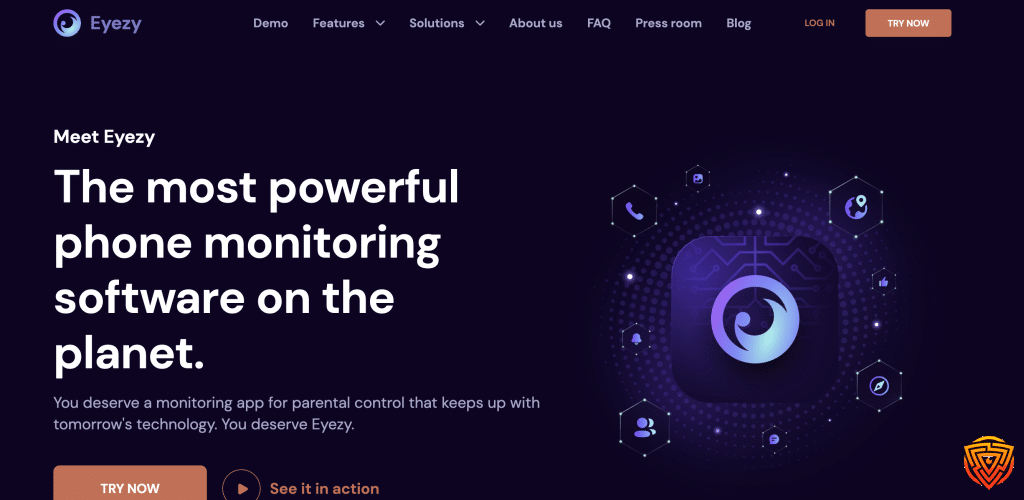
2. Eyezy: Best for Alerts and an Organised Dashboard
Overview
Eyezy is the closest monitoring-first alternative to mSpy in this ranking. It provides supported message and social-app reports, location history, keyword alerts and other device records through a relatively organised dashboard.
The alerts can help parents focus on defined events instead of repeatedly reviewing every available log. Eyezy remains an intrusive monitoring product, however, and its Android and iPhone versions should not be assumed to provide identical information.
Key Features
- SMS, iMessage and selected social-app visibility where supported
- Keyword, location and geofencing alerts
- Location history and device-activity reports
- Screen or keystroke reporting on compatible setups
Pros
- Useful alerts reduce the need for constant manual review
- Organised dashboard for several activity categories
- Android and iPhone options
- Interactive demo available
Cons
- More intrusive than a child-first alert service
- Coverage varies materially by platform and setup
- No permanent free plan
- Some configurations provide low-visibility reporting
Who Should Choose Eyezy?
Choose Eyezy when the family has a defined need for detailed authorised reporting but prefers alerts and a more organised dashboard to a collection of raw activity logs.
Who Should Avoid Eyezy?
Avoid it when Bark-style alerts, AirDroid’s conventional controls or built-in phone tools would provide enough information with less intrusion.
3. AirDroid Parental Control: Best for Live Android Supervision

Overview
AirDroid Parental Control combines deeper Android supervision with conventional family-device controls. Its supported Android features include notification synchronisation, selected calls and SMS information, sensitive-keyword alerts and live screen viewing. It also provides app limits, web controls, location history and geofencing.
This makes AirDroid a more rounded everyday option than a pure activity logger. Its iPhone coverage is considerably narrower, and live viewing can be excessive if app, location and screen-time reports already address the family’s needs.
Key Features
- Android notification monitoring and keyword alerts
- Live screen viewing on supported Android devices
- App, web and screen-time controls
- Location history and geofencing
- Multi-device annual plan
Pros
- Combines monitoring with useful everyday rules
- Strong range of Android visibility features
- Keyword alerts can reduce routine manual review
- Better multi-device value than many monitoring-first products
Cons
- Deeper visibility is primarily an Android capability
- Notification previews may not show a complete conversation
- Live screen viewing is too intrusive for routine supervision in many families
- The Android child app can be hidden, so transparent use matters
Who Should Choose AirDroid Parental Control?
Choose AirDroid when a child uses Android and the family needs notification or live-screen context alongside app, web, time and location management.
Who Should Avoid AirDroid Parental Control?
Avoid it for an iPhone-first household or when ordinary parental controls are sufficient. Do not enable its deepest Android visibility merely because the feature is available.
4. MMGuardian: Best for Child-Focused Message Supervision

Overview
MMGuardian is the strongest choice for parents who need detailed message, call or contact supervision within a service explicitly designed for family use. On supported Android phones, it can report SMS and selected social messages. Its iPhone Sync App provides a separate route for supported message reports and priority alerts.
It also includes app, web, screen-time and location tools, making it a practical bridge between conventional parental control and detailed communication monitoring. Android and iPhone setup and coverage differ substantially.
Key Features
- SMS and selected social-message reports on supported devices
- Call reporting and contact controls where supported
- Content-based priority alerts
- App, web, screen-time and location controls
- iPhone reports through its home-computer Sync App
Pros
- Designed around parent-managed child devices
- Detailed Android communication coverage
- More conventional controls than most deep-monitoring apps
- Supports an iPhone message-reporting route
Cons
- Android and iPhone coverage differs considerably
- iPhone reporting requires a home-computer Sync App
- Does not cover every social app or conversation type
- More intrusive than an alert-only service
Who Should Choose MMGuardian?
Choose MMGuardian when the family has a defined need for communication supervision but prefers a visible, child-focused product with ordinary parental controls.
Who Should Avoid MMGuardian?
Avoid it when selected alerts or built-in phone tools are sufficient, or when the communication service you need is outside its current supported coverage.
5. Hoverwatch: Best for Disclosed Android and Computer Reports

Overview
Hoverwatch is an Android and desktop activity-reporting service. On compatible Android phones, it can provide supported SMS, call, location, screenshot and selected chat or web records. Windows and macOS versions cover different computer activity.
The service can run in the background, but Hoverwatch states that it is for lawful monitoring of devices the customer owns or is authorised to manage, with the device user informed. There is no iPhone or iPad version.
Key Features
- Supported Android SMS and call records
- Android screenshots and selected activity logs
- Location reporting
- Windows and macOS monitoring options
Pros
- Direct fit for authorised Android activity reporting
- Combines communications, location and screen context
- Three-day fully functional trial currently advertised
- Supports selected computer-monitoring use cases
Cons
- No iPhone or iPad version
- More activity logger than family-safety platform
- Background operation creates misuse risk
- Weaker for screen-time and web-control priorities
Who Should Choose Hoverwatch?
Choose Hoverwatch for a disclosed Android or computer monitoring need where detailed activity records matter more than polished family-control features.
Who Should Avoid Hoverwatch?
Avoid it for iPhone, mixed mobile-device households or any situation in which the device user has not been informed and the monitoring is not clearly authorised.
6. Bark: Best for Automated Safety Alerts

Overview
Bark takes a different approach from monitoring-first products. It analyses supported texts, media and connected online services, then sends an alert with selected context when its system identifies a possible concern. Parents do not receive an unrestricted inbox containing every ordinary conversation.
This alert-led model is a more proportionate starting point for many teenagers. Android monitoring is generally more direct. iPhone and iPad text monitoring requires Bark Desktop, Bark Sync or Bark Home, and alerts are not necessarily immediate.
Key Features
- Automated alerts for selected possible concerns
- Supported text, email and connected-account analysis
- App and website controls
- Location sharing, check-ins and alerts
Pros
- More proportionate than routine access to every message
- Useful for families prioritising alerts over archives
- Broad supported-service coverage
- Includes everyday web, app and location tools
Cons
- Does not provide unrestricted access to every conversation
- iPhone monitoring requires extra computer or hardware setup
- iPhone alerts may not be immediate
- Availability and coverage vary by country, service and device
Who Should Choose Bark?
Choose Bark when the goal is to receive alerts about selected possible concerns while preserving more of a child’s routine privacy.
Who Should Avoid Bark?
Avoid it when the defined requirement is a complete message archive, the required service is unsupported or the extra iPhone setup is impractical.
7. uMobix: Conditional Option for Detailed Android Reporting

Overview
uMobix provides detailed phone-activity reporting, particularly on compatible Android devices. Supported setups may include messages, selected social apps, location, browsing activity, keystrokes and limited device controls. Its iPhone product is considerably narrower.
It ranks last because TechCrunch reported an exposure involving uMobix customer payment records in February 2026. The product’s extensive data collection and security history make it a conditional option rather than a routine recommendation.
Key Features
- Message and selected social-app reports where supported
- GPS location and browsing activity
- Keystroke reporting on compatible Android setups
- Selected Android device controls
- Interactive dashboard demo
Pros
- Detailed Android communication and device reports
- Strong range of supported social-app data
- Combines messages with location and browsing context
- Interactive demo available
Cons
- Substantially narrower iPhone coverage
- February 2026 customer payment-record exposure
- Extensive data collection may be excessive for routine supervision
- Not a complete everyday parental-control suite
Who Should Choose uMobix?
Consider uMobix only for a defined, authorised Android monitoring requirement after verifying the exact feature and accepting the product’s security-history caveat.
Who Should Avoid uMobix?
Avoid it for iPhone-first households, routine family supervision, strong multi-child value or situations where a safer alert-led or conventional parental-control product can meet the need.
What Is a Parental Monitoring App?

A parental monitoring app collects or analyses selected information from a child device and presents it to a parent through an app or web dashboard. Depending on the product and setup, this can include app activity, browsing, location, calls, messages, screenshots, notifications or alerts.
Monitoring and control are related but different. A monitoring tool mainly reports what happened. A parental-control tool mainly applies rules, such as website filtering, app blocking and screen-time schedules. AirDroid, MMGuardian and Bark combine parts of both models, while mSpy, Eyezy, Hoverwatch and uMobix place more emphasis on activity visibility.
| Approach | What the Parent Receives | Best Starting Use | Main Limitation |
|---|---|---|---|
| Detailed activity reports | Supported messages, calls, locations and device records | A defined concern requiring additional context | High privacy and security burden |
| Automated safety alerts | Selected alerts with limited context | Teenagers and families wanting less routine intrusion | Does not provide a complete archive |
| Conventional controls | Usage reports, filters, app rules and schedules | Everyday family device management | Limited communication visibility |
| Built-in phone tools | App use, content rules, communication limits and location | Free first step for most families | Does not provide broad third-party message reports |
What Can a Parental Monitoring App See?

No parental monitoring app can reliably show everything on every phone. Coverage depends on the operating system, phone model, app version, permissions, account access, setup route and plan.
- Messages: Standard SMS, iMessage and third-party social conversations are separate data sources. A product may support one but not the others.
- Calls and contacts: Some Android products report call history, contacts and timestamps. iPhone access is generally more restricted.
- Location: GPS history and geofences depend on permissions, internet access, battery settings and whether the child is carrying the device.
- App and web activity: A service may report app use, browsing history, search activity or notifications without showing all in-app content.
- Screens and typing: Screenshot, screen-recording and keystroke tools are limited to compatible setups and create a particularly high privacy burden.
- Alerts: Keyword, location or automated content alerts can reduce the need to inspect ordinary activity, but false positives and missed events remain possible.
Android vs iPhone Parental Monitoring

Android usually permits more on-device monitoring after the required installation and permissions. iPhone access is more restricted, so a provider may rely on a Mac or Windows companion app, device synchronisation, account data, backups or another supported method.
| Question | Android | iPhone |
|---|---|---|
| Detailed SMS reports | Available from several products on supported setups | Available from selected products, often with additional setup |
| Notification visibility | Supported by products such as AirDroid | Much more restricted |
| Social-app coverage | Generally broader but app and permission dependent | Narrower and often dependent on account or synchronisation routes |
| Computer requirement | Usually not required for ordinary on-device reports | Required by some child-first message-monitoring services |
| Built-in free option | Google Family Link for app rules, time and location | Apple Screen Time, Family Sharing and Communication Safety |
A provider logo for both platforms is not proof of feature parity. Check the exact phone, operating-system version, message service, installation route, physical-access requirement and plan before subscribing.
How to Choose the Right Monitoring Level

- Define the concern: Decide whether the gap is location, app use, message alerts, detailed communication reports or broader device activity.
- Start with the least intrusive option: Use built-in controls or selected alerts before enabling detailed screen, typing or message reports.
- Check the real device: Confirm the model, operating system, permissions, account requirements and whether a computer is needed.
- Compare the exact feature: Separate SMS, iMessage, social apps, notifications and automated alerts rather than relying on a headline feature count.
- Check the account risk: Review security history, two-factor authentication, data retention and how to delete stored information after cancellation.
- Agree boundaries: Explain what is collected, who can see it, why it is needed and when the arrangement will be reviewed.
When a Conventional Parental-Control App Is Better

Deeper reporting is not the right default for most everyday family needs. If the priority is app blocking, web filtering, screen-time schedules or location sharing, use a conventional parental-control service or the phone’s built-in family tools first.
| Option | Best For | Main Limitation |
|---|---|---|
| Qustodio | Balanced app, web, time and location controls with supported message options | Communication monitoring requires specific paid setups and differs by platform |
| Apple Screen Time | Free iPhone and iPad rules, usage reports and communication limits | Does not give parents a remote inbox of every iMessage |
| Google Family Link | Free Android and Chromebook app approvals, time rules and location | Does not provide detailed SMS or social-conversation reports |
| Microsoft Family Safety | Windows, Xbox and selected mobile family controls | Not a detailed phone-message monitoring service |
For a broader comparison focused on controls rather than detailed activity visibility, use the parental control and family safety software section.
Privacy, Security and Lawful Use
Monitoring software can collect communications, locations, account details and other highly sensitive family information. Device ownership alone may not settle every privacy or communications-law question, particularly when another person is part of a conversation or the phone belongs to a school or employer.
- Use the app only on a child device you own or are clearly authorised to manage.
- Tell the child what information is collected and why, especially with teenagers.
- Protect the parent dashboard with a unique password and multi-factor authentication when available.
- Review the arrangement regularly and reduce monitoring when the original need no longer applies.
- Delete stored reports and close access when cancelling the service.
- Never use the product to monitor a partner, another adult or somebody else’s device without valid consent or authority.
Our parental-control app privacy guide explains the data and account-security questions to ask before installation.
Final Verdict
mSpy is the best parental monitoring app for readers who specifically need the broadest set of detailed, authorised phone reports. Its message, location and wider activity coverage matches deeper monitoring intent, but its low-visibility operation and 2024 breach are substantial disadvantages. It should not be the automatic choice for every family.
Eyezy is the stronger alternative for alerts and an organised dashboard. AirDroid is the best hybrid for live Android supervision and conventional controls, while MMGuardian provides the clearest child-focused route to detailed message and contact monitoring. Bark is the most proportionate choice when selected safety alerts provide enough context. Hoverwatch and uMobix suit narrower authorised use cases and require greater caution.
Frequently Asked Questions
What is the best parental monitoring app?
mSpy is the strongest overall match when detailed, authorised phone reports are the priority, but it is not the safest default for every family. AirDroid Parental Control and MMGuardian have clearer child-device use cases, while Bark is better when automated safety alerts provide enough context without routine access to every conversation.
Is there an app that lets parents see everything on a child’s phone?
No app can reliably show everything on every phone. Coverage depends on Android or iPhone, the phone model, operating-system version, permissions, setup method, account access and plan. Standard SMS, iMessage, social-app conversations, notifications and screen activity are separate sources of data.
Can parental monitoring apps show text messages?
Some authorised monitoring apps can report supported SMS, iMessage or selected social-app conversations. Android generally offers deeper on-device reporting. iPhone monitoring may require a Mac or Windows companion app, synchronisation, account access or another supported setup. Confirm the exact message service before paying.
Do parental monitoring apps work the same on Android and iPhone?
No. Android usually permits broader on-device reporting after installation and permissions. Apple restricts third-party access to private communications and system activity, so iPhone coverage is often narrower and may require a computer, account connection, backup or supported home device.
Is there a free parental monitoring app?
Google Family Link and Apple Screen Time are the best free starting points for ordinary app rules, screen-time management, content restrictions and location sharing. They do not reproduce the detailed message, screen or keystroke reports offered by monitoring-first products. Free trials from paid services are not permanent free plans.
What is the best monitoring approach for a teenager?
Use the least intrusive approach that addresses the defined concern. Bark-style selected alerts, usage summaries and conventional device rules are usually a better starting point than continuous access to every conversation. Explain what is monitored, set review dates and reduce supervision as responsibility grows.
Is it legal to use a parental monitoring app?
Legality depends on device ownership, the child’s age, consent or disclosure, the monitoring method and local law. Use the software only on a device you own or are clearly authorised to manage. Never monitor a partner or another adult without valid consent or legal authority, and seek local legal advice when the situation is unclear.
Related Posts


Share this article

Stuart Kerr Spindlow is Impulsec’s Publisher, Chief Editor and Lead Reviewer. He writes and maintains coverage of consumer cybersecurity and digital-safety software, with a focus on practical suitability, limitations and the evidence behind product claims. Read Stuart’s full profile.