


When deciding on location-sharing apps, the choice between Glympse vs Life360 is crucial, depending on what you prefer. These apps offer different ways to share your location with family and friends, improving communication and safety. Glympse allows you to share your location easily without any commitments, perfect for last-minute plans without joining a network. On the other hand, Life360 caters to users seeking a reliable and thorough location-sharing experience with their family. Dive into the world of location-sharing apps to find the one that suits your needs best!
Life360 stands out for its family-centric design that allows for the creation of a private group within which members can continuously share their locations. It fosters a sense of security among family members, knowing where their loved ones are at any given time. Meanwhile, Glympse focuses on short-term, immediate location sharing without requiring a sign-up or membership, making it suitable for quick updates to friends or colleagues.
TL;DR 📌 For most families, Life360 wins this matchup. It provides real-time family tracking, crash alerts, and location history — features that Glympse lacks. But if you prefer quick, one-off sharing with full privacy and no account needed, Glympse is a simple, lightweight alternative.
Key Takeaways
- Life360 is designed for ongoing family location sharing.
- Glympse is optimal for short-term, immediate location updates.
- Both apps have distinctive features that serve different location-sharing preferences.
Quick Comparison Table of Glympse vs Life360
| Feature | Glympse | 🏆 Life360 |
|---|---|---|
| Primary Use | Temporary location sharing | Family location sharing and safety tools |
| User Privacy | High, with time-limited sharing | Continuous sharing with privacy controls |
| Real-Time Tracking | Yes, with user consent | Yes, with more comprehensive tracking |
| Geofencing | No | Yes, with alerts |
| Historical Data | No | Yes, location history available |
| SOS Feature | No | Yes, with emergency response services |
| Price | Free | Free, with premium features for a fee |
| Platform | Mobile (iOS, Android) | Mobile (iOS, Android), Web |
| User Interface | Simple and straightforward | Comprehensive and feature-rich |
| Intended Audience | Anyone needing to share location briefly | Families looking for safety and tracking |
Overview of Glympse

Before diving into the particulars, I’ll note that Glympse specializes in temporary real-time location sharing, offering control over who sees your location and for how long.
Core Features
- Temporary Location Sharing: I allow users to share their location for a set duration.
- Real-Time Tracking: My users can see each other’s real-time movements on a map.
- No Sign-up Required for Recipients: Recipients can view location data without needing an account.
User Experience
- Intuitive Interface: I am designed with simplicity in mind, making it easy for users to navigate.
- Cross-Platform Availability: I work seamlessly across various platforms, including iOS and Android.
- Minimalistic Approach: I focus on core functionality, ensuring a streamlined experience.
⚠️ Note: Glympse requires active location permissions to function. Location sharing automatically stops once the app is closed or the timer expires, ensuring full user control and privacy.
Privacy and Sharing Options
- Adjustable Timer: I enable users to set a timer, controlling how long their location is shared.
- One-Time Share Link: I generate a unique link that users can share for others to track them, which expires automatically.
- Selective Sharing: I allow users to choose exactly who can see their location and when.
Overview of Life360
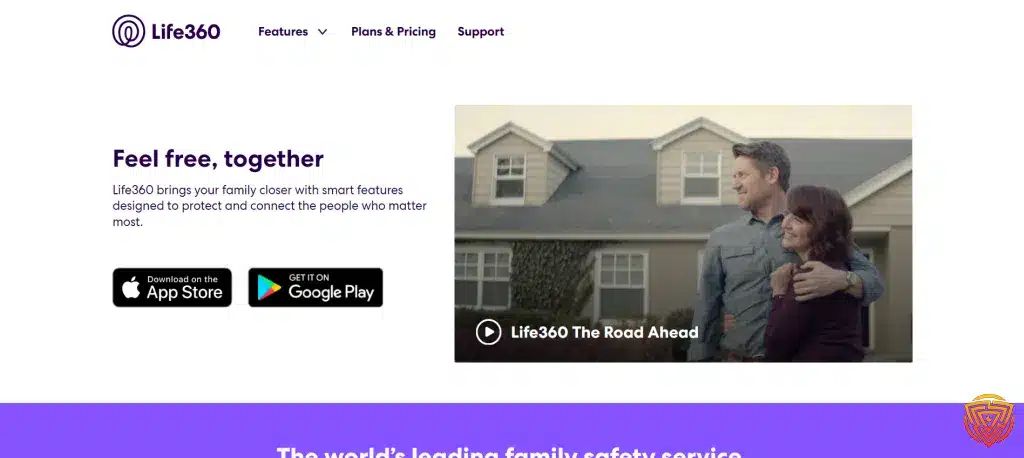
In examining Life360, we’ll explore its main functionalities, interface and accessibility, and the security and privacy features that make it a leading family locator app in the market.
Main Functionalities
Life360 excels in providing real-time location sharing services. I can set location alerts for when my family or friends arrive or leave a designated area, which enhances our ability to coordinate daily activities like school pick-ups or meet-ups. Moreover, it offers place history and driving reports, ensuring I have detailed insights into the whereabouts and driving behaviors of my loved ones.
Interface and Accessibility
The interface of Life360 is user-friendly and intuitive. From my experience, navigation through the app is straightforward, making it accessible for users of all ages. Key information is easily found, and the main features are accessible within a few taps. The app is available on both iOS and Android, which increases its accessibility for diverse users.
Security and Privacy Features
When it comes to security, Life360 provides several robust features. It includes a 24/7 emergency dispatch accessible with a single touch, silent SOS to alert family members or emergency services discreetly, and identity theft protection. ⚠️ Crash Detection and emergency dispatch are available only on Life360’s paid plans, not the free tier. My privacy is also a priority, with Life360 offering controls for location sharing to ensure that I’m comfortable with who can see my location data. Both Glympse and Life360 collect limited location data in accordance with their privacy policies. However, users can delete shared data or history at any time, maintaining control over what remains stored.
Comparative Analysis

In this comparative analysis of Glympse vs Life360, I’ll focus on the critical aspects of Glympse vs Life360 in terms of location tracking precision, their effects on device battery life, and pricing structures.
Accuracy of Location Tracking
Glympse prides itself on providing real-time location sharing that’s easily accessible via a web browser or the app. It’s designed to offer precise location details to friends and family. On the other hand, Life360 is highly regarded for its consistent and accurate location tracking capabilities, often used for keeping family members connected and safe.
Battery Consumption
When it comes to battery usage, users often report that location services can be quite demanding. Glympse allows for temporary location sharing, which can mean slightly less drain compared to continuous tracking apps. However, reviews suggest that Life360 may drain the battery more quickly due to its constant background location services.
Cost Differences
Considering the cost, Glympse is a free service that enables location sharing without any subscription fee. In contrast, Life360 offers a basic free plan but also has a premium Family Safety plan priced at $7.99 per month or $69.99 per year, which unlocks extra features like location history, crash detection, and non-smartphone member support.
Use Cases

In my examination of Glympse vs Life360, I’ve identified distinct use cases where each app can be leveraged effectively. These use cases outline their practical applications in various settings.
Family Safety
I find that Life360 is highly regarded by parents for its robust family safety features. It includes the ability to create ‘Circles’ for monitoring the whereabouts of family members, facilitating thorough insights into their safety and peace of mind. Notifications for arrivals and departures from key locations such as home, school, or work are reliably sent to users. For instance, the app’s utility for families is appreciated by parents who want to ensure their children are safe while commuting.
Business Applications
When it comes to business applications, Glympse presents a great solution for companies that seek to manage their mobile workforce or provide customers with real-time updates on deliveries and service calls. It is suitable for use in logistics and service industries where sharing location momentarily is essential. For instance, a delivery company may use Glympse to allow customers to track their packages accurately and in real-time without requiring a login.
Event Coordination
Event coordination is another area where both Glympse and Life360 show their potential. Glympse particularly excels with its temporary sharing capability, which can be used to coordinate meetups or events. Sharing my location during events or meetups using Glympse helps others to pinpoint my exact position easily. Life360, however, provides a more continuous monitoring aspect, which is beneficial for ongoing events where participants need to keep track of one another throughout the day.
Overall, these distinct use cases highlight the environments and circumstances in which Glympse and Life360 can enhance the safety and convenience of individuals, families, and businesses.
User Feedback and Ratings

In assessing Glympse vs Life360, I’ve taken into account actual user experiences and how these have translated into app ratings. These insights offer a valuable perspective on the performance and reliability of each app.
Glympse Reviews
- Overall Satisfaction: Users commend Glympse for its simplicity and ease of use, with a straightforward approach to location sharing.
- Functionality: There’s appreciation for the temporary sharing feature, allowing users to share location details for a specific duration.
- Ratings Snapshot:
- Google Play Store: 4.3/5
- Apple App Store: 4.5/5
Life360 Testimonials
- Family Oriented: Life360 testimonials often highlight the app’s family-centric features like real-time location tracking and driving analysis for family members.
- Comprehensive Safety Features: Users praise the added layers of safety, such as crash detection and speed alerts.
- Ratings Snapshot:
- Google Play Store: 4.4/5
- Apple App Store: 4.5/5
The ratings I’ve mentioned stem from comprehensive reviews where both apps have received significant feedback acknowledging their capabilities and areas of improvement.
Technical Support and Resources

When comparing Glympse vs Life360 in terms of technical support and resources, it’s crucial to look at the availability and quality of help and documentation, as well as the community and customer support offered by each service.
Help and Documentation
For Glympse, the help and documentation primarily come in the form of a FAQ section on their website. This section covers a range of topics, from basic app functionality to more complex issues like privacy settings. The documentation is generally concise and easy to navigate, allowing users to quickly find the answers they need.
Life360, on the other hand, provides a more robust support center. This includes a comprehensive help section with articles on various features and troubleshooting guides. Their documentation is well-organized and user-friendly, with a focus on ensuring that users can make the most of the app’s extensive features.
Community and Customer Support
Regarding community support, Life360 has a notable advantage with its active user community. Users can interact with each other, share experiences, and offer solutions through forums and social media. This peer-to-peer assistance can be invaluable, especially for new users learning the ropes.
Life360 also benefits from having a diverse range of customer support options, which includes email support, live chat, and a 24/7 emergency line – providing users with confidence that they can get assistance whenever they need it. The support is known for being responsive and helpful.
Meanwhile, Glympse offers direct customer support via email. They handle inquiries effectively, but they may not have as many options for real-time assistance as Life360. While their support team is competent, the avenues to reach them are more limited compared to Life360.
In both cases, users are encouraged to reach out with any issues they may encounter, as both services strive to be responsive and helpful to their user base.
📍 Best Location-Sharing Apps Like Life360 & Glympse (2026)

Before choosing between Glympse vs Life360, it’s smart to see how they stack up against other trusted GPS tracking apps.
Below is our curated list of the top real-time location-sharing tools for families and teams — all tested for accuracy, safety, and ease of use.
Compare features, pricing, and supported devices at a glance 👇
This table compares keylogger-style monitoring tools by price, platform, trial availability, and use case. These tools should only be considered for lawful, consent-based, parent-managed or business-managed devices.| Software | Pricing (Devices) | Free Plan / Trial | Key Features | My View | Age Group Focus | Supported Platforms | Review |
|---|---|---|---|---|---|---|---|
| Life360 | Free basic; paid plans from $7.99/month; Gold from $14.99/month; 👉 Check Life360 Pricing | ✔️ Free basic plan; 7-day trial on paid plans | 📍 Real-time location sharing 🏠 Place alerts 🚗 Driving reports on paid plans 💥 Crash detection on higher plans | Best overall for family location sharing and driving safety | All ages | iOS, Android | Life360 Review |
| Qustodio (🏆 Editor’s Choice) | From around $54.95/year for up to 5 devices; 👉 Check Qustodio Pricing | ✔️ Free basic plan for 1 device; Premium trial availability varies | 📍 Family locator ⏰ Time limits 🔒 Content filtering 📊 Activity reports | Best all-in-one tracking plus family safety app | Kids to teens | Windows, Mac, iOS, Android | Qustodio Review |
| FamiSafe | From $4.99/month billed annually for up to 10 devices; monthly plan also available; 👉 Check FamiSafe Pricing | 🧪 3-day free trial | 📍 Real-time GPS 🚸 Geofencing alerts 🕒 Location history ⏰ Screen time and app blocking | Best for GPS tracking plus screen time control | Kids to teens | iOS, Android, Windows, Mac, Chromebook, Kindle Fire | FamiSafe Review |
| Apple Find My | Free; Free | ✔️ Free | 🍏 Device, item, and family location sharing 📡 Offline finding for supported Apple devices 🔐 Activation Lock 🎧 Tracks AirTags, AirPods, and Find My-compatible items | Best built-in iPhone and Apple device tracking | All ages | iPhone, iPad, Mac, Apple Watch, AirPods, AirTag | Find My iPhone Guide |
| Google Find Hub | Free; Free | ✔️ Free | 📍 Locate Android devices 🔔 Play sound 🔒 Remote lock 🧹 Erase lost devices | Best built-in Android device tracking | All ages | Android phones, tablets, Wear OS devices, and supported accessories | Find Hub Guide |
| Bark | From $14/month; 👉 Check Bark Pricing | 🧪 7-day free trial | 📍 Location tracking and alerts 🚨 Online safety alerts 🌐 Website and app blocking ⏰ Screen time schedules | Best for teens where location alerts are part of broader online safety | Teens | iOS, Android, tablets, computers, Amazon Fire | Bark Review |
| OurPact | From $6.99/month; annual plan available; 👉 Check OurPact Pricing | 🧪 14-day free trial for Premium and Premium+ | 📍 Real-time location 🗺️ Location history 🏠 Custom place alerts ⏰ Screen time scheduling | Best for tracking plus screen time schedules | Kids to teens | iOS, Android | OurPact Review |
| Microsoft Family Safety | Free; premium family features may require Microsoft 365; Free | ✔️ Free basic family safety features | 📍 Location sharing where available ⏰ Screen time limits 🔒 Content filters 📊 Activity summaries | Best for Microsoft, Windows, and Xbox households | Kids to teens | Windows, Xbox, Android, iOS | Microsoft Family Safety Guide |
| SmartThings Find | Free; Free | ✔️ Free | 📍 Locate Galaxy devices 🔔 Ring device 🔒 Remote lock 🧹 Remote wipe and backup options | Best for Samsung Galaxy users | All ages | Samsung Galaxy phones, tablets, watches, earbuds, and SmartTags | Samsung SmartThings Find Guide |
Conclusion and Personal Recommendation
In reviewing Glympse vs Life360, it’s clear that both apps meet location-sharing needs in very different ways.
Glympse shines for short-term, privacy-focused sharing. You can send a live location link without creating an account, perfect for quick meetups, deliveries, or travel updates. It ends automatically once the timer expires or the app closes — giving you total control.
Life360, meanwhile, is built for families who want ongoing peace of mind. It offers real-time tracking, driving reports, place alerts, and optional crash detection and emergency dispatch on paid plans. It’s less about one-off sharing and more about everyday safety and connection.
🧠 My Take
If you want simplicity and privacy, Glympse is excellent. If you want full-time awareness of loved ones and the ability to respond quickly in an emergency, Life360 wins hands-down.
For most people, Life360 is the better long-term choice — it balances reliability, security, and value across all devices. You can try it risk-free for 30 days to see how it fits your family’s needs.
👉 Start Your Free Life360 Trial and experience full-family safety with live alerts, driving insights, and real-time tracking.
Frequently Asked Questions
In this section, I’ll address some common inquiries regarding Glympsevs Life360, two prominent live location sharing apps. I’ll clarify their features highlights pros and cons, and why one might be chosen over the other.
What features differentiate Glympse vs Life360?
Glympse provides a simple and fast way to share real-time location using a web browser or app without the need for the recipient to sign up or log in. On the other hand, Life360 offers comprehensive family tracking features, including location history, speed alerts, and crash detection.
Which app, Glympse vs Life360, offers better value for its cost?
While Glympse is free and focuses on short-term location sharing, Life360 has free and paid subscription options that provide a broader set of tracking features. The value depends on whether you prioritize occasional sharing or continuous family safety functionalities.
What are the main reasons people choose to use Glympse over other live location apps?
People often choose Glympse because it doesn’t require the recipient to download the app and it’s user-friendly for temporary location sharing, especially when guiding friends or family to a location for a meet-up.
How does GeoZilla compare to Glympse vs Life360 in terms of functionality?
GeoZilla supports location sharing and smart location alerts like Glympse and Life360. However, it tends to integrate with a variety of smart devices and offers a different balance of features, such as reminders based on the geographic location.
Which live location app is considered the best for family tracking on Android and iPhone?
Life360 is often highlighted as the best for family tracking because it’s specifically designed for that purpose with features catered to keeping family members connected and safe on both Android and iPhone.
Among Glympse, Life360, and similar apps, which one is the most recommended for friend locator services?
For friend locator services, Glympse is highly recommended for its ease of use and the fact that it allows for quick, temporary sharing without the need for friends to download the app or create an account.
That’s All for Now
Whether you prefer simplicity or full family safety, both Glympse vs Life360 deliver trusted location tools. If peace of mind and full visibility matter most, try Life360 today — it’s free to start and easy to set up.
Share this article

Stuart Kerr Spindlow is Impulsec’s Publisher, Chief Editor and Lead Reviewer. He writes and maintains coverage of consumer cybersecurity and digital-safety software, with a focus on practical suitability, limitations and the evidence behind product claims. Read Stuart’s full profile.