


Spyera vs mSpy compares two monitoring-first products with very different strengths. Both can collect detailed phone activity where the device and setup support it, but Spyera goes further into specialist audio, camera and computer monitoring while mSpy is the more practical option for most authorised family use.
TL;DR: mSpy wins this Spyera vs mSpy comparison for most families. Spyera advertises the broader specialist feature set, including live-call listening, ambient audio, remote-camera functions and desktop coverage, but it is considerably more expensive and its fullest iPhone access requires jailbreaking. Choose mSpy.
Spyera vs mSpy Comparison
This custom head-to-head table compares the products as currently documented. A listed capability is not a promise that it will work on every device. Confirm the operating-system version, required permissions, installation method and exact feature before purchasing.
| Comparison | Spyera | mSpy | Winner |
|---|---|---|---|
| Best for | Specialist audio, camera and computer monitoring where lawful and necessary | Deep authorised phone monitoring for families | mSpy |
| Platforms | Android, iPhone, iPad, Windows and selected macOS versions | Android and iPhone | Spyera |
| Android setup | Physical installation and extensive permissions; no root for most advertised features | Physical installation and extensive permissions; availability can differ by device and selected product | Draw |
| iPhone setup | Current compatibility page lists iOS up to 16.x; jailbreak required for the full feature set | iCloud Sync or local Wi-Fi Sync through a PC or Mac; each method has narrower coverage than Android | mSpy |
| Calls and messages | Call logs, SMS and selected app messages; recording features depend on platform | Call logs, SMS and selected app messages; coverage depends on setup | Draw |
| Live-call and ambient audio | Prominently advertised on compatible configurations | Enhanced recording features are advertised, but availability depends on the product and setup | Spyera |
| Remote camera | Advertised for supported mobile configurations | Not a standard documented strength | Spyera |
| Location and geofencing | Current and historical location plus geofencing on supported devices | Current and historical location plus geofencing on supported setups | Draw |
| Keyword and other alerts | Keyword, caller, SIM-change and other dashboard alerts are advertised | Keyword and geofencing alerts are documented on supported Android setups | Spyera |
| Computer monitoring | Separate Windows and macOS products; All-in-One bundle available | No comparable current desktop-monitoring product in the standard offering | Spyera |
| Multiple devices | Standard licence runs on one device at a time; All-in-One includes phone, tablet and computer licences | Standard plan covers one phone; Family Kit covers up to three | Depends on need |
| Demo or trial | No conventional free trial or public interactive demo confirmed | Interactive demo; no conventional free trial confirmed | mSpy |
| Starting price checked | Smartphone plan from €79 per month on the official shop; currency and term can vary | From $11.66 per month equivalent for the 12-month Premium plan for one phone | mSpy |
| Refund window | 10 days for a qualifying first purchase, subject to exclusions | 14 days for a qualifying first subscription, subject to exclusions and a stated 9% deduction | mSpy |
| Overall verdict | Broader but more specialist and expensive | Better fit for most authorised family monitoring | mSpy |
Important: Spyera and mSpy should only be installed or connected when you own the device or have clear legal authority and any consent or notice required in your location. Do not use either product to monitor a partner, another adult, an employee’s personal phone or anyone else’s account without explicit permission.
How We Compared Spyera and mSpy
This comparison is based on current official feature pages, compatibility information, pricing disclosures, refund terms and privacy documentation. Impulsec has not represented vendor claims as independent test findings. Monitoring features can stop, change or provide partial data when operating systems, permissions or third-party apps are updated.
- Monitoring depth: calls, messages, location, app activity, alerts, recording, camera access and desktop coverage.
- Practical setup: physical access, credentials, computer requirements, rooting, jailbreaking and operating-system limits.
- Buying reality: upfront cost, covered devices, renewal terms, demonstrations and refund exclusions.
- Responsible use: legal authority, proportionate supervision, provider trust and the security of highly sensitive reports.
What Are Spyera and mSpy?
Spyera
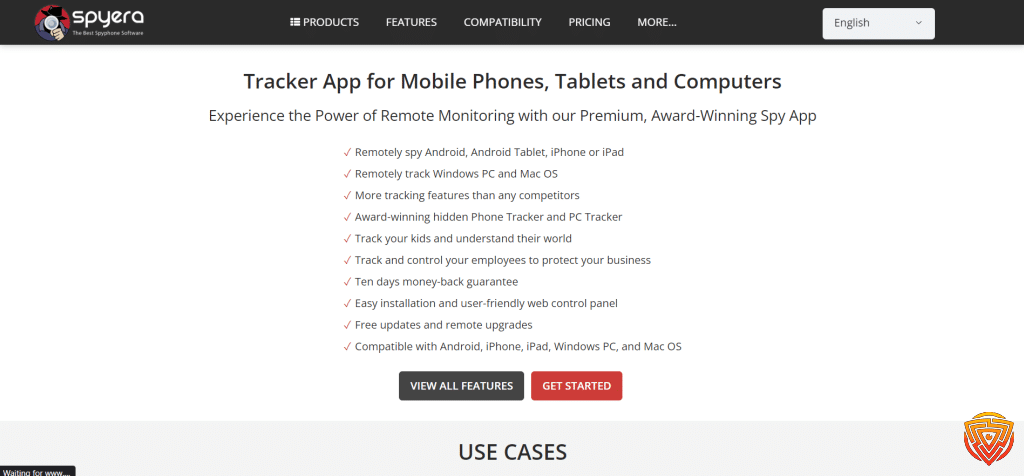
Spyera is a specialist monitoring platform for Android phones and tablets, iPhones and iPads, Windows computers and selected Macs. Its most distinctive vendor-advertised capabilities include live-call listening, ambient recording, remote-camera access, call recording and desktop activity capture.
That breadth does not make Spyera the best family choice. Some features are highly invasive, may require elevated device access, and can create serious legal and privacy risks. Spyera’s own terms restrict use to legitimate monitoring and say device owners or users must be informed where the law requires it.
Read the separate Spyera review for a closer assessment of its pricing, platform limits and risks.
mSpy

mSpy is a phone-monitoring product for Android and iPhone. It can report supported calls, messages, location, browsing, typed text, media and selected social-app activity through an online dashboard. Android generally provides its deepest access.
mSpy documents multiple iPhone routes rather than treating all iPhones alike. iCloud Sync provides selected cloud-backed data, while local Wi-Fi Sync uses a PC or Mac and an initial cable connection. The reports available through either method are not equivalent to a full Android installation.
Read the refreshed mSpy review for its full platform, pricing, refund and security assessment.
Installation and Compatibility

Neither product should be bought on the strength of a general compatibility logo. Identify the device, operating-system version and one essential feature first. Then check that combination against the vendor’s current documentation.
Android Setup
Both products require access to the Android phone for installation and permissions. Spyera’s current compatibility page says all Android versions through Android 16 are supported and that most features do not require root. mSpy’s compatibility policy states Android 5 or later for its regular Android product, but warns that manufacturer-specific permissions and installation steps can differ.
These are vendor compatibility statements, not guarantees that every advertised feature will work on every model. Call recording, social-app access, remote controls and screen capture are especially vulnerable to firmware, permission and app-version differences.
iPhone and iPad Setup
Spyera’s compatibility page currently lists iOS only up to 16.x and says a jailbreak is required for its full feature set. That is a major limitation for current iPhones. Jailbreaking can weaken device security, interfere with apps and create maintenance problems after Apple updates.
mSpy’s iCloud Sync requires authorised Apple Account credentials, physical access for the confirmation code and enabled backups. Its local Wi-Fi Sync method requires first-time physical access, the iPhone passcode, a USB cable and a compatible PC or Mac. Apple account notifications or direct device checks can reveal the connection.
Phone-compatibility winner: mSpy. Spyera supports more platform categories overall, but mSpy is the more practical choice for current family phones because its iPhone methods are more clearly documented and do not depend on presenting an older jailbroken iPhone as the default.
Monitoring Features Compared

Calls, Messages and Social Apps
Both vendors advertise call logs, SMS reports and selected messaging or social-app activity. A platform logo does not mean every conversation, deleted message, disappearing post, attachment or call will be captured. Coverage can change when WhatsApp, Instagram, Snapchat or another third-party service updates its app.
Spyera has the clearer specialist advantage for audio monitoring. Its current feature catalogue advertises call recording on Android and iPhone, live-call listening on Android, and ambient listening on Android. mSpy now promotes call-recording and live-screen products too, but these should not be assumed to be included or available in every standard Premium setup.
Location, Geofencing and Alerts
Both products advertise current and historical location plus geofencing on supported configurations. Spyera also lists alerts for keywords, selected callers and SIM-card changes. mSpy documents keyword and geofencing alerts on compatible Android setups.
Location reports should not be treated as emergency-grade tracking. Disabled services, poor GPS reception, lost connectivity, battery-saving settings and delayed syncing can all affect the result.
Remote Camera, Screen Capture and Computer Monitoring
Spyera advertises remote photo and video capture on supported mobile configurations. It also sells separate Windows and macOS products with screen recording, screenshots, keylogging, email reporting and other desktop activity. These functions make it substantially broader than mSpy.
Broader does not automatically mean better. Activating a microphone or camera, recording calls or capturing passwords may be unlawful, disproportionate or unsafe even when the account holder owns the device. Most families should start with the least invasive feature that addresses a defined safeguarding concern.
Feature-depth winner: Spyera. Family-suitability winner: mSpy. Spyera’s extra capabilities are meaningful only when they work on the exact device and their use is clearly lawful, necessary and proportionate.
Dashboard, Support and Reliability
Both services provide an online dashboard. mSpy also offers an interactive demo, which helps buyers understand how sample reports are organised. A demo does not establish that a particular phone will collect every displayed data type.
The old comparison incorrectly said Spyera relied mainly on email tickets and that mSpy had proven faster support. Spyera now advertises 24/7 live chat and email. mSpy provides standard email and live-chat support, plus optional paid priority assistance. Without controlled response-time testing, there is no defensible support winner.
Impulsec has also not verified the old claims that mSpy installs faster, syncs more accurately or runs more reliably. Monitoring performance depends heavily on the phone, permissions, connectivity and operating-system changes. Ask the vendor to confirm a must-have feature for your exact device in writing before paying.
Spyera vs mSpy Pricing and Refunds
Spyera is the more expensive phone-monitoring product. During our latest check, its official shop displayed the smartphone plan from €79 per month. The site may show a different currency or price by region, and longer terms can change the effective monthly cost. Its All-in-One bundle combines smartphone, tablet and computer licences.
mSpy currently lists Premium for one phone at $48.99 for one month, $27.99 per month equivalent for three months, and $11.66 per month equivalent for 12 months. Promotions, taxes, currency and renewal pricing can change, so confirm the full upfront charge at checkout.
Neither refund policy should be treated as a free trial or risk-free purchase:
- Spyera: its 10-day policy applies to qualifying first-time purchases. The request must arrive within the window, and support must be given an opportunity to resolve the issue. Renewals and known incompatibility are excluded.
- mSpy: its 14-day policy applies only to a qualifying first subscription and contains extensive exclusions. The policy states that 9% is deducted from an approved refund.
Value winner: mSpy. Spyera’s premium is defensible only when its additional platform coverage or specialist features are essential. For ordinary authorised phone reporting, mSpy is substantially easier to justify.
Privacy, Security and Responsible Use

Both products may process some of the most sensitive data on a device: messages, locations, contacts, photos, browsing activity, typed text and recordings. Vendor encryption claims are relevant, but they do not remove the consequences of account compromise, misuse or excessive collection.
Spyera’s privacy policy says monitored-device data is transmitted over an encrypted channel, stored encrypted at rest and removable through the dashboard. These are vendor statements rather than an independent security audit. Its policy does not give a fixed monitored-data retention period; it says account data is retained while the subscription is active and as required for legal or accounting obligations.
mSpy’s privacy policy says imported target-device information is stored in encrypted form. Buyers must also account for its material breach history. Have I Been Pwned records a June 2024 mSpy breach involving 2.4 million unique email addresses alongside IP addresses, names and photos. That does not prove the current service is insecure, but it is a significant trust consideration.
- Use a unique password for the monitoring dashboard and enable stronger account protection when available.
- Limit dashboard access to the responsible parent or guardian.
- Collect only the information needed for a defined child-safety concern.
- Do not record calls, surroundings or video unless this is clearly lawful and proportionate.
- Explain monitoring in age-appropriate language and reassess it as the child matures.
- Delete reports when they are no longer needed.
Spyera and mSpy Pros and Cons

mSpy Pros
- Strong phone-activity reporting on compatible Android devices.
- Clear documentation for Android, iCloud Sync and local iPhone Wi-Fi Sync.
- Much lower long-term price than Spyera’s smartphone plan.
- Interactive dashboard demo available before purchase.
- Family Kit provides a separate option for up to three monitored phones.
mSpy Cons
- iPhone access is narrower and heavily dependent on the selected sync method.
- Standard Premium plan normally covers one monitored phone.
- Not a consistent substitute for screen-time schedules and family-wide controls.
- Refund eligibility is conditional and includes a stated 9% deduction.
- Its documented data-breach history is a material trust concern.
Spyera Pros
- Broader platform coverage across phones, tablets and computers.
- Live-call listening, ambient audio and remote-camera functions are clearly advertised for supported configurations.
- Separate Windows and macOS monitoring products are available.
- Standard licence can be moved between compatible devices, although it runs on one at a time.
- Current support pages advertise 24/7 live chat and email.
Spyera Cons
- Considerably more expensive than mSpy for smartphone monitoring.
- Current compatibility information lists iOS only through 16.x.
- Full iPhone functionality requires jailbreaking.
- Its most distinctive audio and camera functions carry serious legal, ethical and privacy risks.
- No conventional free trial or public interactive demo was confirmed.
- Refund eligibility is conditional and renewals are excluded.
Who Should Choose Spyera or mSpy?
Choose mSpy If
- You need detailed, authorised phone reporting rather than computer monitoring.
- You want the stronger overall balance of monitoring depth, price and family suitability.
- You need clearly documented Android, iCloud or local iPhone sync options.
- You want to inspect a sample dashboard before buying.
Choose Spyera If
- You require supported Windows or macOS monitoring as well as phone or tablet coverage.
- A specific specialist capability, such as ambient audio or remote-camera access, is essential and clearly lawful.
- You have verified the exact operating system and feature with Spyera before purchase.
- You accept the substantially higher cost and more technical platform restrictions.
Choose Neither If
Choose a conventional parental-control app when your priorities are routine screen-time schedules, web filtering, simple app rules, age-based settings or low-intrusion safety alerts. These everyday needs rarely justify specialist recording or camera access.
Alternatives to Spyera and mSpy in 2026
mSpy ranks first for deep authorised phone monitoring, but it is not the right option for every family. The shared comparison below includes monitoring-first services and more child-focused products with different balances of direct access, alerts and conventional controls.
Comparison of seven leading apps for detailed, authorised phone monitoring. Features vary significantly between Android and iPhone. Use these tools only on devices you own or are legally authorised to monitor, with appropriate disclosure and consent.
| App | Pricing (Devices) | Demo / Trial | Key Features | Visibility / Lawful-Use Note | Best For | Supported Platforms | Review |
|---|---|---|---|---|---|---|---|
| mSpy | From $11.66/month equivalent on a 12-month Premium plan; Family Kit is available for up to 3 devices; Check mSpy Pricing | Interactive demo; no free trial stated | 📍 GPS and geofencing 💬 Call, SMS and social-app activity where supported ⌨️ Keystroke reporting where supported 📸 Screen recording on compatible setups | mSpy can operate with low visibility. It experienced a significant 2024 customer-data breach. Use only on a device you own or are clearly authorised to monitor | Best for the broadest documented deep-monitoring feature set; not the safest overall option | 🤖 Android, 📱 iOS | Read mSpy Review |
| Eyezy | Pricing varies across 1, 3 and 12-month plans and promotional offers; Check Eyezy Pricing | Interactive demo; no free trial stated | 🔔 Keyword and location alerts 💬 Message visibility where supported 📸 Screen recording where supported 📍 Location history | Some configurations provide low-visibility reporting; establish device ownership, authorisation, appropriate disclosure and local legal requirements first | Best for alerts and an organised monitoring dashboard | 🤖 Android, 📱 iOS | Read Eyezy Review |
| AirDroid Parental Control | $9.99/month for 2 devices; $19.99/quarter or $59.99/year for up to 10 devices; Check AirDroid Pricing | 3-day free trial without a credit card | 📱 Live screen viewing on supported Android devices 🔔 Notification monitoring 📍 Location and geofencing 🕒 App and screen-time controls | Its Android child app can be hidden. Use openly and proportionately on a parent-managed child device; live-monitoring capabilities are much broader on Android than iPhone | Best for live Android supervision combined with conventional controls | 🤖 Android 8+, 📱 iOS 13+ | Review Coming Soon |
| MMGuardian | $4.99/month or $49.98/year for 1 child phone; family plan $9.99/month or $99.98/year for up to 5 child devices; Check MMGuardian Pricing | 14-day free trial | 💬 SMS and supported social-message supervision 📞 Call reporting and contact controls where supported 🚫 App and web controls 📍 Location monitoring | Child-focused parental-monitoring product; message coverage, installation and control capabilities differ considerably between Android and iPhone | Best for child-focused message, call and contact supervision | 🤖 Android, 📱 iPhone and iPad | Read MMGuardian Review |
| Hoverwatch | $29.95 for 1 month, $59.95 for 3 months or $99.95 for 12 months for 1 device; Check Hoverwatch Pricing | 3-day fully functional trial | 📸 Screenshots where supported ⌨️ Keystroke and activity records 💬 Chat and web activity logs 📍 Android location reporting | Hoverwatch states that it is for lawful monitoring of devices the customer owns or is authorised to monitor, with the device user informed | Best for disclosed Android and desktop activity reporting | 🤖 Android, 🪟 Windows, 🍎 macOS; no iPhone or iPad version | Review Coming Soon |
| Bark | Bark Premium from $14/month or $99/year; purchase route and regional pricing may differ; Check Bark Pricing | Trial availability varies by region and purchase route | 🔔 Automated content alerts 💬 Supported text, email and social-account analysis 🌐 Website and app controls 📍 Location sharing and alerts | Bark analyses supported content and sends alerts rather than giving parents continuous access to every conversation; availability and coverage vary by country and device | Best for automated safety alerts instead of continuous manual review | 🤖 Android, 📱 iOS and iPadOS, 🪟 Windows, 🍎 macOS, Chromebook, Amazon Fire | Read Bark Review |
| uMobix | Pricing varies by subscription term and current offer; Check uMobix Pricing | Interactive demo; promotional trial availability may vary | 💬 Message and social-app reports where supported 📍 GPS location ⌨️ Keystroke reporting on compatible Android setups 🚫 Selected Android device controls | uMobix provides substantially deeper Android than iPhone coverage. A February 2026 exposure included uMobix customer payment records; treat it as a conditional option | Best for detailed Android reporting when the security-history caveat is accepted | 🤖 Android, 📱 iOS with substantially more limited coverage | Review Coming Soon |
Choose Bark when alert-led supervision is more proportionate than routinely reading conversations. Choose MMGuardian when child-focused message, call and contact supervision should sit beside screen-time, app and web controls. Consider Eyezy when keyword and location alerts with an organised dashboard are the priority.
Final Verdict: Is mSpy Better Than Spyera?
mSpy wins this comparison for most families. It provides the deeper phone reporting expected from a monitoring-first product at a much lower long-term price, while documenting practical Android and iPhone connection methods more clearly.
Spyera wins on raw specialist capability and platform breadth. Choose it only when a specific phone, tablet or computer feature is essential, the exact device is supported, and the proposed monitoring is clearly lawful and proportionate. Its audio and camera tools should not be treated as ordinary parental-control features.
For everyday screen-time, filtering and app-rule needs, choose neither. A conventional parental-control service will usually be easier to manage and better aligned with transparent family supervision.
Frequently Asked Questions
Which is better, Spyera or mSpy?
mSpy is the better overall choice for most authorised family phone monitoring because it costs substantially less on its long-term plan and documents practical Android, iCloud and local iPhone sync methods. Spyera is the stronger specialist option for supported audio, camera and computer monitoring.
Is Spyera more powerful than mSpy?
Spyera advertises the broader specialist feature set, including live-call listening, ambient audio, remote-camera functions and separate Windows and macOS products. These capabilities depend on the platform and may be legally or ethically unsuitable for ordinary family supervision.
Is Spyera more expensive than mSpy?
Yes. During our latest check, Spyera’s official shop displayed its smartphone plan from €79 per month. mSpy listed its 12-month Premium plan for one phone at $11.66 per month equivalent. Currency, promotions, tax, term and renewal pricing can change, so compare the full checkout totals.
Do Spyera and mSpy work on iPhone?
Both offer iPhone monitoring, but access is restricted. Spyera’s current compatibility page lists iOS only through 16.x and says jailbreaking is required for its full feature set. mSpy documents iCloud Sync and local Wi-Fi Sync through a PC or Mac; each provides narrower access than Android.
Do Spyera and mSpy require physical access?
Android installation requires access to the phone for both products. Spyera requires installation on the monitored device. mSpy’s local iPhone Wi-Fi Sync requires initial physical access, a cable and a computer; its iCloud method requires authorised credentials and access to the verification code.
Can Spyera or mSpy be completely undetectable?
No monitoring product should be assumed to be completely undetectable. Permissions, account alerts, security scans, battery or data use, operating-system notices and direct device inspection may reveal it. Transparent, authorised monitoring is safer than relying on concealment claims.
Can Spyera and mSpy record calls?
Spyera prominently advertises call recording on supported Android and iPhone configurations, plus live-call listening on Android. mSpy also markets recording features, but availability depends on the selected product, device and setup and should not be assumed to be included in every Premium configuration.
Do Spyera or mSpy offer a free trial?
Neither currently confirms a conventional unrestricted free trial for its full monitoring product. mSpy provides an interactive demo. Spyera has a conditional 10-day refund window, while mSpy has a conditional 14-day window with a stated 9% deduction from approved refunds.
Is it legal to use Spyera or mSpy?
Legality depends on device ownership, authority, consent, notice, location and the data collected. Use either product only on a device you own or are clearly authorised to manage. Do not monitor a partner, another adult or someone else’s account without explicit permission.
Related Posts


Share this article

Stuart Kerr Spindlow is Impulsec’s Publisher, Chief Editor and Lead Reviewer. He writes and maintains coverage of consumer cybersecurity and digital-safety software, with a focus on practical suitability, limitations and the evidence behind product claims. Read Stuart’s full profile.