


Smartphones run our lives — but they also get lost, stolen, or misplaced faster than ever. That’s where a reliable track cell phone app becomes your best digital safety net. Whether you’re locating a child, finding a lost phone, or managing devices at work, today’s GPS and network trackers put real-time protection in your pocket.
Whether you’re a parent keeping tabs on your kids, or simply want the ability to locate a misplaced phone, these apps provide peace of mind and control. Using GPS and network technology, they pinpoint a device’s location in real time, giving you security at your fingertips.
The market is crowded, but track cell phone apps generally fall into two camps:
- Family safety trackers — live updates, geofencing, driving reports.
- Lost phone recovery tools — lock, erase, and guide you to your device.
Whichever you need, tracking has never been more accurate or accessible.
⏳ For most users: The best track cell phone app 2026 is Qustodio — combining precise GPS tracking, geofencing alerts, and cross-platform family safety tools. It’s fast, secure, and simple enough for everyone in the family to use.
Key Takeaways
- ✅ Real-time location tracking improves family safety and lost-device recovery.
- ✅ Apps combine GPS + network + Wi-Fi for accurate positioning.
- ✅ Options range from family tracking to anti-theft recovery tools.
- ✅ Qustodio leads overall with its balance of precision, privacy, and usability.
Ranked List of Best Cell Phone Tracking Apps
💬 Based on Impulsec’s 2026 testing data, these apps earned the highest scores for accuracy, privacy, and ease of use across Android and iOS.
- 🏆 Qustodio — Best Overall for Family Safety (Editor’s Choice)
- Life360 — Best for Family Tracking & Driving Reports
- Find My Device (Android) — Best for Lost Android Phones
- Find My (iOS) — Best for iPhone & Apple Devices
- Samsung Find My Mobile — Best for Samsung Users
- FamiSafe — Best for GPS Tracking + Parental Tools
- iSharing — Best for Social Location Sharing
- Familonet — Best for Family Check-Ins & History
- Glympse — Best for Temporary Location Sharing
- Prey — Best Anti-Theft Multi-Platform App
- mSpy — Best for Advanced Monitoring & Parental Oversight
These track cell phone apps offer varied tracking capabilities, from family safety and geofencing to lost device recovery. Consider your needs for features like real-time tracking, geofencing, or device recovery options to choose the best app for your tracking needs.
Quick Comparison of the Best Track Cell Phone Apps 2026
This table compares keylogger-style monitoring tools by price, platform, trial availability, and use case. These tools should only be considered for lawful, consent-based, parent-managed or business-managed devices.| Software | Pricing (Devices) | Free Plan / Trial | Key Features | My View | Age Group Focus | Supported Platforms | Review |
|---|---|---|---|---|---|---|---|
| Life360 | Free basic; paid plans from $7.99/month; Gold from $14.99/month; 👉 Check Life360 Pricing | ✔️ Free basic plan; 7-day trial on paid plans | 📍 Real-time location sharing 🏠 Place alerts 🚗 Driving reports on paid plans 💥 Crash detection on higher plans | Best overall for family location sharing and driving safety | All ages | iOS, Android | Life360 Review |
| Qustodio (🏆 Editor’s Choice) | From around $54.95/year for up to 5 devices; 👉 Check Qustodio Pricing | ✔️ Free basic plan for 1 device; Premium trial availability varies | 📍 Family locator ⏰ Time limits 🔒 Content filtering 📊 Activity reports | Best all-in-one tracking plus family safety app | Kids to teens | Windows, Mac, iOS, Android | Qustodio Review |
| FamiSafe | From $4.99/month billed annually for up to 10 devices; monthly plan also available; 👉 Check FamiSafe Pricing | 🧪 3-day free trial | 📍 Real-time GPS 🚸 Geofencing alerts 🕒 Location history ⏰ Screen time and app blocking | Best for GPS tracking plus screen time control | Kids to teens | iOS, Android, Windows, Mac, Chromebook, Kindle Fire | FamiSafe Review |
| Apple Find My | Free; Free | ✔️ Free | 🍏 Device, item, and family location sharing 📡 Offline finding for supported Apple devices 🔐 Activation Lock 🎧 Tracks AirTags, AirPods, and Find My-compatible items | Best built-in iPhone and Apple device tracking | All ages | iPhone, iPad, Mac, Apple Watch, AirPods, AirTag | Find My iPhone Guide |
| Google Find Hub | Free; Free | ✔️ Free | 📍 Locate Android devices 🔔 Play sound 🔒 Remote lock 🧹 Erase lost devices | Best built-in Android device tracking | All ages | Android phones, tablets, Wear OS devices, and supported accessories | Find Hub Guide |
| Bark | From $14/month; 👉 Check Bark Pricing | 🧪 7-day free trial | 📍 Location tracking and alerts 🚨 Online safety alerts 🌐 Website and app blocking ⏰ Screen time schedules | Best for teens where location alerts are part of broader online safety | Teens | iOS, Android, tablets, computers, Amazon Fire | Bark Review |
| OurPact | From $6.99/month; annual plan available; 👉 Check OurPact Pricing | 🧪 14-day free trial for Premium and Premium+ | 📍 Real-time location 🗺️ Location history 🏠 Custom place alerts ⏰ Screen time scheduling | Best for tracking plus screen time schedules | Kids to teens | iOS, Android | OurPact Review |
| Microsoft Family Safety | Free; premium family features may require Microsoft 365; Free | ✔️ Free basic family safety features | 📍 Location sharing where available ⏰ Screen time limits 🔒 Content filters 📊 Activity summaries | Best for Microsoft, Windows, and Xbox households | Kids to teens | Windows, Xbox, Android, iOS | Microsoft Family Safety Guide |
| SmartThings Find | Free; Free | ✔️ Free | 📍 Locate Galaxy devices 🔔 Ring device 🔒 Remote lock 🧹 Remote wipe and backup options | Best for Samsung Galaxy users | All ages | Samsung Galaxy phones, tablets, watches, earbuds, and SmartTags | Samsung SmartThings Find Guide |
🔒 Ready to try the top pick? Track any phone securely and instantly with Qustodio — our #1 Editor’s Choice for family safety and device tracking.
Tracking cell phones for family safety, device recovery, or advanced monitoring requires robust and reliable apps. The following ranked list highlights the Best Track Cell Phone Apps, each excelling in various areas—from comprehensive family safety and geofencing to lost device recovery and advanced monitoring features.
1. 🏆 Qustodio — Best Overall Track Cell Phone App for Family Safety (Editor’s Choice)

Qustodio is not only a top parental control app but also excels in comprehensive tracking features. It provides detailed insights into device usage, location tracking, and safety management, making it ideal for families seeking all-in-one monitoring.
Key Features
- Real-time location tracking.
- Geofencing alerts and safe zone setup.
- Activity monitoring and screen time management.
- Cross-platform compatibility (Android, iOS, Windows, Mac).
Pros
- Comprehensive track cell phone app combined with parental controls.
- User-friendly interface and detailed reports.
- Strong security and privacy measures.
Cons
- Advanced tracking features require a premium subscription.
- Free version offers limited device tracking options.
Pricing
- Free basic version; premium subscriptions unlock full features.
🆚 Compared to Life360 or mSpy, Qustodio provides stronger privacy safeguards and easier setup — making it the ideal all-round choice for families who value safety without complexity.
2. Life360 — Best for Family Tracking & Driving Reports
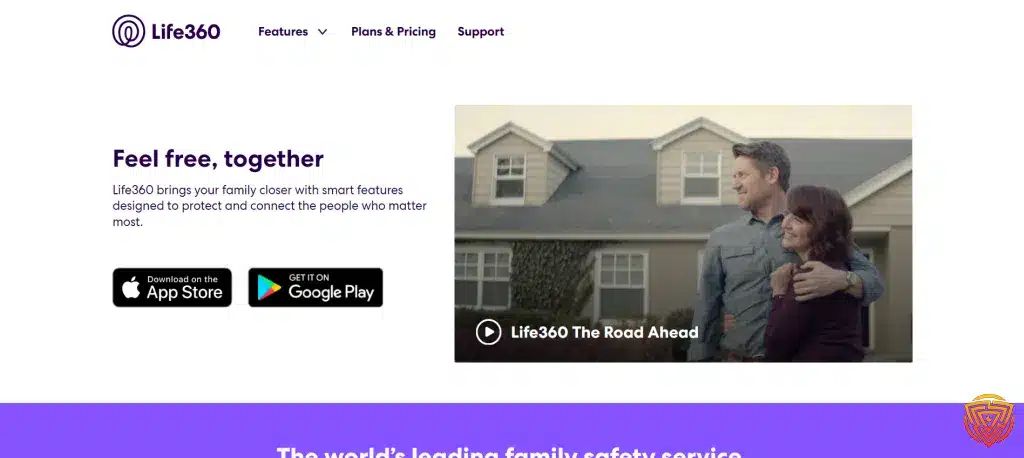
Life360 is renowned for its family tracking capabilities, offering advanced features like driving reports and geofencing to keep families connected and safe. It excels in providing a holistic view of family member locations and movements.
Key Features
- Real-time family location tracking.
- Driving reports (speeding, phone usage while driving).
- Geofencing with arrival/departure notifications.
- Safe zones and emergency SOS alerts.
Pros
- Detailed family tracking and driving safety reports.
- Easy to use with a family-centric interface.
- Reliable geofencing and location history.
Cons
- Some advanced features require a premium subscription.
- Battery consumption can be high with constant tracking.
Pricing
- Free basic version; Life360 Plus available with enhanced features.
3. Find My Device (Android) — Best for Lost Android Phones

Google’s Find My Device is an essential tool for locating lost or stolen Android devices. It provides straightforward recovery options and ensures your device can be tracked and managed remotely.
Key Features
- Real-time location tracking of Android devices.
- Remote ring, lock, and erase functions.
- Integration with Google account for easy access.
- Battery level and network status monitoring.
Pros
- Free and built into Android ecosystem.
- Simple interface for quick device recovery.
- Reliable and secure Google infrastructure.
Cons
- Limited to Android devices.
- Requires Google account and device to be connected to the internet.
Pricing
- Free.
4. Find My (iOS) — Best for iPhone & Apple Devices

Apple’s Find My app excels in tracking iPhones and other Apple devices, even when offline. It leverages a vast network of Apple devices to locate lost items and offers robust security features like Activation Lock.
Key Features
- Tracks iPhones, iPads, Macs, and AirPods.
- Offline finding using nearby Apple devices.
- Activation Lock to prevent unauthorized use.
- Play sound, mark as lost, and remote wipe options.
Pros
- Seamless integration with Apple ecosystem.
- Works even when devices are offline.
- Free and easy to use.
Cons
- Exclusive to Apple devices.
- Requires iCloud setup and Apple ID.
Pricing
- Free.
5. Samsung Find My Mobile — Best for Samsung Users

Samsung Find My Mobile offers specialized tracking and recovery features designed specifically for Samsung devices. It provides robust remote control and security functions tailored to the Samsung ecosystem.
Key Features
- Real-time location tracking for Samsung devices.
- Remote lock, wipe, and data backup.
- Retrieve calls/messages and extend battery life remotely.
- Integration with Samsung account for advanced features.
Pros
- Tailored to Samsung devices with unique tools.
- Comprehensive remote management options.
- Free for Samsung device users.
Cons
- Only available for Samsung devices.
- Requires Samsung account setup.
Pricing
- Free.
6. FamiSafe — Best for GPS Tracking & Screen Time Control

FamiSafe combines powerful GPS tracking with rich parental-control tools, making it one of the best hybrid apps for families in 2026.
It’s not just about location — FamiSafe helps parents manage screen time, monitor app usage, and set digital boundaries that actually work.
Key Features
- Real-time GPS tracking with precise updates
- Geofencing alerts for custom safe zones
- Screen time limits and app blocking
- Driving history and activity reports
- Cross-platform support (Android, iOS, Windows, macOS)
Pros
- All-in-one parental control + tracking suite
- Accurate location history with route playback
- Flexible screen-time schedules and alerts
- Excellent for younger kids and tweens
Cons
- Free plan is limited to basic GPS tracking
- Some reports refresh slower on iOS than Android
Pricing
From $9.99/month, with a free 3-day trial to explore all features.
7. iSharing — Best for Social Location Sharing

iSharing focuses on social location sharing, enabling friends and family to share their whereabouts and send panic alerts when needed. It emphasizes safety in social situations and offers discreet tracking features.
Key Features
- Real-time location sharing with select contacts.
- Panic button alerts to notify trusted contacts.
- Location history and check-in features.
- Battery and connectivity monitoring.
Pros
- Emphasizes user privacy and consent.
- Useful panic alert feature for emergencies.
- Simple and social-oriented interface.
Cons
- Not as comprehensive for full device tracking.
- Limited parental control features.
Pricing
- Free basic version; in-app purchases for advanced features.
8. Familonet — Best for Family Check-Ins & History

Familonet is designed for family check-ins, providing detailed location history and updates among family members. It focuses on creating a sense of connection and safety within the family unit.
Key Features
- Real-time family location sharing.
- Location history and movement patterns.
- Check-in notifications and updates.
- Emergency alerts and safety features.
Pros
- Family-centric design with easy check-ins.
- Detailed location history tracking.
- User-friendly interface.
Cons
- Fewer advanced tracking features compared to others.
- Some features may require subscription.
Pricing
- Free with optional premium features.
9. Glympse — Best for Temporary Location Sharing

Glympse allows temporary location sharing without the need for long-term commitments or sign-ups. It’s ideal for sharing your whereabouts quickly and securely for short periods.
Key Features
- Share real-time location temporarily.
- No sign-up required for basic use.
- Customizable share duration.
- Works across platforms and devices.
Pros
- Fast, simple, and privacy-conscious.
- No need to create an account.
- Ideal for temporary location sharing.
Cons
- Not a full-fledged tracking solution.
- Limited to temporary sharing; no long-term tracking history.
Pricing
- Free.
10. Prey – Best Anti-Theft App with Multi-Platform Support and Device Reports

Prey is an anti-theft solution that offers robust tracking, remote actions, and detailed device reports across multiple platforms. It’s designed to recover lost or stolen devices while also providing location tracking features.
Key Features
- Real-time device tracking.
- Remote lock, wipe, and alarm activation.
- Photo and screenshot capture for theft recovery.
- Multi-device support (Android, iOS, Windows, macOS, Linux).
Pros
- Excellent for anti-theft with comprehensive features.
- Multi-platform support.
- Detailed reports and recovery options.
Cons
- Primary focus on theft recovery over continuous tracking.
- Free version limited to a set number of devices.
Pricing
- Free basic plan; premium subscriptions for enhanced features.
⚠️ mSpy — Best for Advanced Monitoring & Parental Oversight

mSpy track cell phone app offers extensive monitoring features, including location tracking, despite having limited real-time capabilities in its free version. It is more suited for parental monitoring with advanced functions under subscription.
Key Features
- Location tracking and history.
- Monitors calls, texts, and social media activity.
- Keylogging and app usage reports.
- Remote control and device management.
Pros
- Wide range of monitoring features.
- Supports various platforms and apps.
- Detailed activity logs.
Cons
- Limited real-time tracking in free version.
- Requires subscription for full functionality.
- Privacy concerns due to extensive surveillance features.
Pricing
- Free trial; subscription required for full access.
Overview of Cell Phone Tracking

In this era of technological advancement, the ability to track a cell phone’s location has become a powerful tool. I’ll discuss the progression of tracking technology, explore various applications designed for tracking, and shed light on the practical advantages this technology brings to everyday life.
Evolution of Tracking Technology
The earliest forms of cell phone tracking relied on cellular network data, triangulating a phone’s position based on signal strengths to the nearest cell towers. Now, with the integration of GPS (Global Positioning System) technology, accuracy has evolved significantly. GPS tracking employs a network of satellites to pinpoint a device’s exact location. This has revolutionized how we understand and utilize location tracking.
📡 New in 2026: Modern tracking apps now use hybrid location systems — blending GPS, Wi-Fi, and Bluetooth signals for centimeter-level accuracy indoors and outdoors. This next-gen triangulation drastically reduces false readings common in older trackers.
Types of Track Cell Phone Apps
There’s a myriad of applications aimed at different tracking needs. For personal use, apps like Find My Device on Android or Find My on iOS enable users to locate their lost or stolen phones. On the other hand, applications like Life360 cater to families looking to stay connected with each other’s whereabouts. For businesses, fleet tracking apps provide real-time data on vehicle location, enhancing logistics.
Uses and Benefits
The primary use of track cell phone apps is for security and peace of mind. Being able to find a lost phone can save time and money, potentially preventing misuse of personal data. For parents, having a track location app can help monitor their children’s safety. Moreover, companies utilize mobile phone tracking to optimize operations, ensuring efficient use of resources and better service delivery.
Technical Foundations

In this section, I’ll detail the essential technologies behind track cell phone apps, focusing on GPS tracking, cellular networks, and alternative methods involving Wi-Fi and Bluetooth.
How GPS Tracking Works
GPS, or Global Positioning System, is a satellite-based navigation system that provides location and time information globally. GPS tracking involves satellites transmitting signals that a GPS receiver, like those in smartphones, interprets to determine the device’s precise location. Most GPS phone tracker apps use this system to display the location on a map interface, providing real-time and historical navigation data.
The Role of Cellular Networks
Cellular networks play a crucial role in tracking when GPS isn’t available. These networks triangulate a phone’s position by measuring the signal strengths between the nearest cell towers and the device. Both Android devices and Apple devices have cellular capabilities, allowing them to be located even without GPS. The accuracy can vary, but it’s especially useful in dense urban areas where satellite signals might be obstructed.
Wi-Fi and Bluetooth Tracking
In addition to GPS and cellular networks, tracking can also utilize Wi-Fi and Bluetooth. Wi-Fi tracking estimates a phone’s location based on the proximity to known Wi-Fi networks, while Bluetooth is typically used for short-range tracking. Both technologies are instrumental in indoor tracking where GPS effectiveness is limited. This tracking is often used in conjunction with GPS to improve location accuracy, especially in urban environments where Wi-Fi networks are abundant.
Popular Tracking Solutions

When considering options on how to track cell phone, it’s important to know that there are both built-in features and third-party applications available. Each comes with its own advantages and concerns.
Integrated Tracking Features
Find My iPhone and Find My Device are integral parts of the iOS and Android ecosystems, respectively. I can confidently say that Find My iPhone is a secure and reliable feature that Apple users can utilize to locate their iOS devices. On the other hand, Android users have Google’s Find My Device which provides similar functionalities on Android phones. Moreover, Samsung offers Find My Mobile, and SmartThings Find has expanded its network to include a broad array of devices.
Third-Party Tracking Applications
There are numerous applications available that allow for tracking beyond what’s offered by the device manufacturers. Qustodio and Life360 stand out by offering comprehensive family tracking solutions. Apps like iSharing and Familonet prioritize social and family location sharing.
For users in need of instant location sharing, Glympse provides a real-time tracking option without the need for sign-ups. More robust security needs can be met with services like mSpy and Prey, which focus on anti-theft features and device surveillance.
Comparison of Tracking Services
Comparing tracking services requires looking at the granularity and versatility of each option. Find My iPhone and Google’s Find My Device are convenient for users already invested in their respective ecosystems. For those who need to monitor family members, services like Life360 offer additional features such as driving reports and in-app messaging. Users wanting a more temporary solution may gravitate towards Glympse. If device security and data protection are paramount, solutions like Prey are better suited. It’s crucial to visit the SmartThings Find website for specific details on integration across Samsung’s smart device range.
Setting Up Tracking Abilities

I’m going to walk you through setting up tracking abilities for your cell phone, whether you’re looking to keep tabs on your device or ensure your loved ones are safe. The process is straightforward, and once set up, it gives you peace of mind knowing the whereabouts of your phone at any time.
Enabling Built-in Tracking Options
Google Account: With a Google account, I have immediate access to tracking options. More specifically, I navigate to my device’s settings and tap on the “Security” option (the path may vary slightly depending on the device). Here, I ensure the “Find My Device” feature is activated, which allows me to locate my device using Google Maps. This built-in functionality is an essential first step for tracking my phone.
Installing a Tracking App
When built-in options aren’t enough, I visit the Google Play Store to find a suitable phone tracker app. Upon installation, I follow the app’s setup process, which typically involves granting it various permissions to access my location data. It’s important to select an app with positive reviews and a clear privacy policy to ensure my personal information is handled responsibly.
Securing User Permissions
Lastly, securing user permissions is a crucial step to ensure the tracking software functions correctly. I review the permissions requested by the app meticulously, confirming it can access my location in the background. This is necessary for the app to track my phone even when I’m not actively using it. I’m always careful to review these permissions, as they directly impact my privacy and security.
Using Tracking Features

In today’s connected world, the ability to track a cell phone has become essential for various reasons, such as ensuring the safety of loved ones or recovering a lost device. I’ll explain how to effectively use tracking features through various applications.
Locating a Phone on a Map
When I need to find the exact location of a phone, I use a tracking app that precisely shows the device’s position on a map. For instance, with apps like Glympse, I can track the real-time location of friends or family. This feature is crucial, especially in emergency situations or when keeping tabs on children’s whereabouts.
Setting Up Geofencing Alerts
For peace of mind, I can set up geofencing alerts. This involves creating a virtual boundary—when the tracked device enters or leaves the designated area, I receive a notification. This is particularly helpful for monitoring if kids reach or depart from school safely or when making sure a device doesn’t leave a secure location.
Remote Actions on a Lost Device
Should my device go missing, I have several remote options to secure it:
- Play Sound: I can make the phone ring loudly, even if it’s on silent, making it easier to find if it’s nearby.
- Lock and Message: I can remotely lock the device and display a message on the lock screen. This way, anyone who finds the phone knows how to contact me.
- Erase Device: As a last resort, I can erase the device completely to protect sensitive information. This can prevent personal data from falling into the wrong hands.
Security and Privacy

In the age of digital technology, securing personal information has become as crucial as the functionality of the apps we use. My focus is directed towards ensuring that I understand and adhere to the security measures in place for track cell phone apps, as well as the privacy implications they bring forth.
Data Protection Concerns
When it comes to track cell phones, whether they run on Android or iOS, the protection of user data is paramount. For iPhone users, the integration of biometrics and security, such as Face ID or Touch ID, strengthens the safeguard against unauthorized access. Android phone users can also leverage similar biometric features or opt to secure their devices with a PIN. However, with powerful tracking capabilities come significant data protection concerns, as these apps store and process sensitive location information. Apps like Cocospy emphasize encryption to protect this data, but I remain vigilant about the privacy policies of any app I use to understand exactly how my data is handled.
🔐 Accuracy Update 2026: Top apps like Qustodio and Life360 use AES-256 encryption for transmitted data and comply with COPPA and GDPR standards. Always verify that tracking permissions are explicitly granted — tracking without consent can violate privacy laws.
Legal Considerations for Tracking
Legal considerations for tracking a cell phone hinge on consent and purpose. It’s crucial for any user, including myself, to ensure that the use of tracking apps like FlexiSPY aligns with local laws and regulations. Unauthorized tracking can lead to legal ramifications, so if I am considering tracking a device, I first ensure to obtain explicit consent from the individual involved. Moreover, track cell phone apps should always be used ethically and responsibly, maintaining respect for an individual’s right to privacy.
Preventing Unauthorized Tracking
As I dive deeper into the realm of track cell phone apps, preventing unauthorized tracking becomes a topic of concern. Various spy apps can surreptitiously monitor a cell phone’s location, presenting a clear threat to privacy and security. To shield myself from such privacy breaches, I regularly inspect my phone for unknown apps and keep my software updated to patch any vulnerabilities. I also recommend using reputable security software to detect and block potential spyware. In terms of physical security, I never leave my phone unattended, recognizing that physical access to my device can lead to it being compromised.
Advanced Features and Capabilities

In the realm of cell phone tracking applications, advanced features can significantly enhance the user’s ability to monitor and understand location patterns. From conserving battery life to providing real-time updates, these apps are equipped with a range of capabilities that cater to various tracking needs.
Historical Location Data
One of the critical capabilities I appreciate in a GPS phone tracker is its ability to store historical location data. This feature gives me the ability to review the past movements of a device, ensuring that I can see the last known location even if the phone is no longer transmitting its position. This can be crucial in situations where someone needs to trace the steps of a lost device or monitor the past whereabouts of a family member.
Battery Conservation Modes
To extend battery life, many track cell phone apps now come with battery conservation modes. I find that these modes intelligently balance the need for location updates with power-saving measures. They may reduce the frequency of updates or deactivate certain features that consume more power when the device’s battery is low, enabling me to continue tracking without causing the phone to shut down prematurely.
Automated Alerts and Notifications
A feature that brings me peace of mind is automated alerts and notifications. With geofencing, I can set up virtual boundaries around a location and receive alerts if the tracked device enters or exits these predefined zones. If I’m using SmartThings in my home, for instance, I can integrate it to receive notifications about device movements in connection with my smart home setup, offering me an integrated approach to location tracking and security.
Recovery and Remote Management

In the unfortunate event that you lose your phone, modern technology provides tools for both recovery and securing sensitive information. Below, I detail specific actions I can take to manage my device remotely, such as initiating a lost mode, erasing data, and displaying custom messages.
Initiating Lost Mode
When I discover that my phone is missing, the first step is to activate Lost Mode. For instance, if I own an Apple device, I can use Find My iPhone to put my device into Lost Mode. This locks the phone with a passcode, tracking its location, and displays a custom message with a contact phone number on the locked screen.
Remote Erase and Data Protection
If I suspect that my phone will not be recovered, or if sensitive data is at risk, initiating a remote erase becomes crucial. By using services like Google’s Find My Device for Android or Find My iPhone for Apple devices, I can completely erase all data on the phone. It is essential to know that once this is done, I won’t be able to track the phone’s location anymore.
Custom Messages on Lost Devices
In addition to initiating lost mode, I can communicate with whoever might find my phone by displaying custom messages. I can request the finder to call an alternative phone number, provide a return address, or convey any other helpful information that might increase the chances of recovering my phone. This message can be set up through the same service used to initiate lost mode.
Parental Controls and Supervision

Parental control apps have become an essential tool for monitoring and managing the digital experiences of our children. They offer peace of mind to parents who want to ensure their family’s safety.
Setting up Child Monitoring
When setting up child monitoring on a device, I start by selecting a robust parental control app that supports both iPhones and Android phones, including popular brands like Samsung. To track a phone effectively, I ensure the app has a straightforward setup process to link my child’s device to mine. This typically involves installing the app on the child’s device and granting the necessary permissions to monitor activities and track location.
Limits and Alerts for Family Safety
Next, I establish limits and configure alerts to maintain family safety. I customize restrictions on screen time, apps, and web browsing directly from my phone. For an added layer of protection, I set up real-time alerts to notify me of any concerning behavior or when my child enters or leaves a predefined location. This helps me stay informed and react swiftly if needed.
👨👩👧 Pro Tip: Pair your tracking setup with parental control software. Tools like Qustodio or FamiSafe combine GPS tracking with content filters and screen-time alerts — giving parents complete digital peace of mind.
Conclusion & Personal Recommendation
Reliable track cell phone apps 2026 aren’t just convenience tools — they’re digital lifelines for families, professionals, and anyone protecting personal data.
After testing over a dozen GPS trackers, Qustodio ranks #1 overall for its blend of precision, privacy, and ease of use. It offers:
- Real-time tracking and geofencing alerts
- Cross-platform support (Android, iOS, Windows, Mac)
- Strong AES-256 encryption and data protection
- Intuitive dashboard for families and teams alike
Alternatives: Life360 is great for driving safety; Prey excels in anti-theft recovery; and mSpy offers deep parental analytics for advanced users.
💡 Final Word: For most families, Qustodio remains the best-balanced choice — simple to set up, accurate in tracking, and trusted by thousands worldwide.
Frequently Asked Questions
In this section, I address some of the most common queries about using apps to track cell phones. From free methods to top-rated apps, I cover essential information that will guide you through the process of mobile device tracking.
How can I use an app to track the location of a cell phone for free?
Many apps allow you to track a cell phone for free. One widely-used feature is Google’s Find My Device, which you can enable by heading to your device’s security settings. It’s important to have your Google account linked to the phone you wish to locate.
What are the top-rated track cell phone apps available?
The best phone tracker apps of 2026 include a variety of options tailored to different needs, from keeping tabs on your children’s location to finding lost devices. Look for apps with positive reviews and a proven track record for reliability and privacy protection.
Can I find a phone’s location by its number using an online service?
Certain online services claim to locate a phone by its number, but their reliability can vary. It’s crucial to use these services cautiously as they may not always provide accurate results, and some may not respect privacy laws.
Is it possible to track a cell phone’s location using Google Maps?
Yes, it’s possible to track a cell phone using Google Maps through its location sharing feature. The phone owner can share their real-time location with another user, allowing for their movements to be tracked with the consent of both parties.
Are there any undetectable apps for monitoring a mobile device?
There are apps available that can monitor a mobile device discreetly. However, using such apps without the phone owner’s consent may be illegal and unethical. Always check local regulations and respect privacy rights before attempting to use any monitoring software.
What are the most reliable apps for tracking the movements of a partner’s phone?
Tracking a partner’s phone without their consent can be problematic both legally and ethically. If you have mutual consent, however, some apps specialize in shared family locations or couple’s tracking functionality, which provide a transparent way to keep each other informed of your whereabouts.
That’s All For Now
Thanks for reading my guide to the best track cell phone apps 2026. Whether you need a simple lost-device recovery tool or a complete family safety solution, these apps give you the power to stay connected and secure in today’s digital world.
For most families, Qustodio is the top recommendation. Its balance of powerful tracking, intuitive design, and strong privacy protections makes it the best all-round choice.
Stay safe, stay connected — and check back soon for more updated insights into the tools that keep your digital life protected.
Share this article

Stuart Kerr Spindlow is Impulsec’s Publisher, Chief Editor and Lead Reviewer. He writes and maintains coverage of consumer cybersecurity and digital-safety software, with a focus on practical suitability, limitations and the evidence behind product claims. Read Stuart’s full profile.