


🚀 In a hurry? Read this short AppLock by IVYMOBILE Review snapshot Free AppLock download
Name: AppLock – IVYMOBILE
Description: AppLock adds fingerprint, PIN, or pattern protection to any Android app—WhatsApp, Photos, Settings, you name it—plus hides photos/videos in a private vault and snaps an intruder selfie after failed unlock attempts.
Best for: Quick, zero-cost app locking & intruder selfies on Android
Offer price: 0.00
Currency: USD
Operating System: “Android”
Application Category: “App Lock / Privacy”
🕵️ Why I Recommend AppLock
- 🔒 Fingerprint / PIN / pattern lock on any app in under 60 seconds.
- 📸 Intruder selfie fires after three failed unlocks—catch snoopers red-handed.
- 💸 One-time USD 2.99 removes ads forever—cheaper than most rivals.
🔥 Quick Facts
- 🗂️ Hide photos & videos in a private vault
- 🎭 Disguise mode: fake crash screen or calculator overlay
- 🔄 Auto-lock timer & Wi-Fi/Bluetooth unlocking rules
- 🆓 100 % free core features; Pro just strips ads
- 💬 Support via email & in-app FAQs
Overall
-
Features & Functionality
-
Ease of Use
-
Performance & Reliability
-
Compatibility
-
Privacy & Security
-
Customization Options
-
Customer Support
-
Value for Money
Pros
- 🚀 Lightweight—under 20 MB install size
- 🔐 Fingerprint unlock supported on most phones
- 📸 Intruder selfie & vault add extra peace of mind
- 💰 Ad-free lifetime upgrade costs less than a latte
Cons
- 📱 Android-only—no iOS version
- 🛑 Ads in the free tier can be intrusive
- 🔧 No cloud backup of vault; lose data if phone is wiped
- 🆘 Email-only support; reply times vary
Phones and tablets are essential in our daily lives for storing our important personal data. It’s crucial to prioritize keeping them safe from prying eyes. **Applock** is a reliable choice for safeguarding your device, and **Ivymobile** is highly recommended for this purpose. With Ivymobile, you can secure your information with passwords and patterns at no extra cost. Its advanced features help protect your emails, messages, settings, and applications from unauthorized access. If you care about keeping your data secure, Ivymobile is a fantastic option to explore. Trust in **Ivymobile** for peace of mind when it comes to your device’s security.
Overview of Ivymobile Applock

Ivymobile started from scratch back in 2015 with only 80 employees skilled in developing safety apps that focus on privacy protection and system optimization. The Ivymobile made its way to the Google Play Store in 2016 and since then it’s been used by thousands of users around the globe to apply password protections on their phone data free of cost.
Features and Functionalities
Photos and Videos Protection
If you fear your personal photos and videos can slip into the wrong hands, Ivymobile is the one choice to prevent this. Ivymobile keeps all your secret photos in an encrypted gallery to deliver the utmost security from eavesdroppers.

Android app protection
Whether it’s default apps or installed apps, Ivymobile has the ability to lock all. So if you fear your child is making unnecessary in-app purchases on Play Store or snooper is trying to dig your personal space on WhatsApp or Instagram, Ivymobile’s app protection has got you covered.

Intruder Selfie
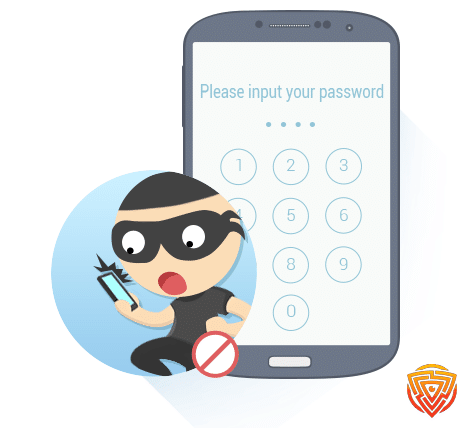
If someone trying to have even a glimpse of your phone by unlocking the Ivymobile protected apps, the system takes the selfie of the intruder and keeps a record of the time and date of the breach so you can check later.
Replace Icon
Fearing someone might find out about your little security system? No worries, you can always change the Applock icon with weather, calendar, or clock to confound the snoopers and keep your safe space.
Ease of Use
Ivymobile Applock is simple to use. The interface is straightforward as I was directed to the app list of my phone after I set the password. From the organized list, I could check the app I wanted to lock. The app works without any stutter. You can set Advanced Protection in the settings of the Applock.
Moreover, the latest updates of the tool suggest customized themes so you can choose any theme that suits you. Another feature that makes applock nimble is its One-Tap enable and disable, you can tap the lock Icon in the right corner of the Lock page to disable or enable Applock.

Ivymobile Applock Setup Process
Like any other applock Ivymobile has a leisurely setup process, all you have to do is:
-
Install the app on your Android phone from Play Store.
-
Launch the applock and draw a “Pattern”, Confirm Pattern Or, launch the app lock and enter a Pin Code>Confirm Pin Code
-
Authorize all the required permissions and start using.
Software Performace
Currently, applock by Ivymobile is reviewed as some of the best Andorid applock, and it earned that spot. The tool takes no time to set up and adds to the security of your data without activating any background lags. The app is capable of locking even third-party applications such as games, Youtube, and Paypal. What makes this app worth a try is its system optimization as it also provides a system boost by deleting junk files.
Once my roommate attempted to open my WhatsApp but applock immediately took his selfie with a time stamp. Moreover, when he tried to uninstall it, he could not do so because of the Advanced Protection feature that I had enabled earlier. Unlike other apps, you can switch to power saving mode in applock to save battery and can customize lock frequency by setting applock to Always lock, 5 minutes, or until screen off mode.

Compatibility

Ivymobile is compatible with any Android phone running on a 4.1+ operating system. The app can be downloaded from Play Store. If your device shows no compatibility, try installing the applock Ivymobile apk from any browser. In case your system is Android 5.0+, applock might ask for permissions before running, grant all.
Ivymobile Pricing
Unlike the bulk of the app lock applications, Ivymobile provides free usage as it presently has no paid versions so you can simply download it and start protecting your data right away.
Customer Support and Resources
How Responsive and Helpful Are They?
The customer support of Ivymobile has no specific routes to get in touch with the consumer. The only way to contact the support team is via email and it honestly does not work. However, there are social media pages of Ivymobile that might offer some help. The webpage also hosts a FAQ list that answers general queries. Nonetheless, this app is so plain that it’s rare someone might even need any assistance.
What Resources Are Available?
There are almost no resources available for you to get information from, so you can not expect much on this side.
Privacy and Security
Using Ivymobile applock is completely safe. The developers only use the non-personal information of the user such as operating system, logs, and device information. Furthermore, the app does not share any of your data with third-party apps or collect your personal or sensitive information. Make sure to keep your applock password away from eavesdroppers to prevent compromising instances.
Limitations and Drawbacks
The app is free and this implies that there are certainly some limitations. The most basic feature that the Ivmobile applock lacks is a fingerprint lock which is a trend nowadays. The app is safe and fits the intent but it is not protected by SSL like many competitors. The app’s configuration has some major bugs such as you can not recover your password if you forget it, this requires uninstalling the app and resetting the process from the beginning, which feels like a big no to Ivymobile applock.
Conclusion and Recommendations
Applock by Ivymobile is a sub-par safety protection tool. It has many key features competent to lock apps, photos, and third-party apps. Its system optimizations also work well and spotting the intruder by taking a selfie is one of the highlight features that I like the most. So, if you are not attracted by fancy paid lock apps with fingerprint passcodes, this free yet adequate safety tool can be an integral part of your phone’s first line of defense.
Personal Experience
No matter what I want to lock, I always rely on an Ivymobile applock. It helped me protect my photos and videos while I was suspicious that my roommate was trying to invade my privacy. The applock also gave me a selfie of her trying to sneak into my phone. I am very grateful for all the safety I get with this app.
Whom is this best for?
If you have no money to spend and yet require a protection system to lock inbuilt, and installed apps Ivymobile applock is best for you.
Whom is this not best for?
Anyone looking for an innovative applock with a fingerprint lock, and more extensive configuration and can pay $2 or $3 must consider other applock tools.
Ivymobile Alternatives
Here are a few alternatives to Ivymobile:
| Software | Pricing (Devices) | Free Plan / Trial | Key Features | Best For | Key Limitation | Supported Platforms | Review |
|---|---|---|---|---|---|---|---|
 🏆 Qustodio (Editor’s Choice)Read Qustodio Review 🏆 Qustodio (Editor’s Choice)Read Qustodio Review | Basic: US$59.95/year, 5 devices; Complete: US$104.95/year, family devices subject to terms. Check Qustodio Pricing | Check current free/trial eligibility during signup. | 🕒 Screen-time limits and schedules 🌐 Web and app filtering 📍 Location monitoring 📊 Activity reports | Editorial all-round pick for everyday controls and reporting; not a measured test winner. | Calls and messages on iOS require a Windows or Mac computer; other features vary by platform. | 🪟 Windows, 🍎 macOS, 📱 iOS, 🤖 Android, Chromebook, Kindle Fire | Read Qustodio Review |
 BarkRead Bark Review BarkRead Bark Review | Bark App: from US$14/month; unlimited devices and accounts. Phone and Watch are separate products. Check Bark Pricing | 7-day app trial; check signup terms. | 🚨 Concerning-content alerts 💬 Text, email and social-app monitoring 🕒 Screen-time schedules 🌐 Website and app blocking | Best for behaviour-based safety alerts without routinely exposing every conversation | Check country availability and exact account/device coverage; Bark App, Phone and Watch have different capabilities. | iOS and Android app; other devices and connected services depend on the monitoring feature. | Read Bark Review |
 MobicipRead Mobicip Review MobicipRead Mobicip Review | Lite: US$2.99/month for 5 devices; Standard: US$4.99 for 10; Premium: US$7.99 for 20. All billed annually. Check Mobicip Pricing | 7-day Premium trial; check cancellation/refund terms. | 🌐 Website and app blocking 🕒 Screen-time schedules 📍 Family location 📊 Activity and social-media reports | Best for mixed-device families wanting flexible device allowances | Check plan and platform support for each required feature; a supported device does not have every control. | 🪟 Windows, 🍎 macOS, 📱 iOS, 🤖 Android, Chromebook, Kindle Fire | Read Mobicip Review |
 Norton FamilyRead Norton Family Review Norton FamilyRead Norton Family Review | US$49.99 for the first year; check renewal price. Included with selected Norton 360 subscriptions. Check Norton Family Pricing | Check current trial availability in your country. | 🌐 Web, search and video supervision 🕒 Time limits and schedules 📍 Location history and alerts 📊 Email activity reports | Best for large families and households already using Norton | A Mac can manage Norton Family but cannot be monitored as a child device; features differ across platforms | 🪟 Windows, 📱 iOS, 🤖 Android | Read Norton Family Review |
 CanopyRead Canopy Review CanopyRead Canopy Review | Essential: US$8.33/month for 1 device; Plus: US$9.99 for 3; Premium: US$12.50 for up to 10. All billed annually. Check Canopy Pricing | 7-day trial; 30-day guarantee subject to terms. | 🌐 Real-time content filtering 🖼️ Sensitive-image detection 🚫 App and website blocking 🕒 Screen-time management | Best for filtering explicit images and web content | Check coverage for the particular app/browser and device; filtering is not a guarantee that every risk is detected. | 🪟 Windows, 🍎 macOS, 📱 iOS, 🤖 Android, Chromebook | Read Canopy Review |
 Wondershare FamiSafeRead FamiSafe Review Wondershare FamiSafeRead FamiSafe Review | US$59.99/year for up to 10 devices, or US$9.99/month for up to 5 devices. Check FamiSafe Pricing | 3-day annual-plan trial; 7-day money-back guarantee subject to terms. Free tier has restricted/demo features. | 📍 Location and geofencing 🚗 Driving reports 🚫 App and website controls 🕒 Screen-time schedules | Best for families with teenagers and driving-safety needs | Advanced visibility features are platform-specific and should be used transparently with older children | 🪟 Windows, 🍎 macOS, 📱 iOS, 🤖 Android, Chromebook, Kindle Fire | Read FamiSafe Review |
 OurPactRead OurPact Review OurPactRead OurPact Review | Premium: US$69.99/year; Premium+: US$99.99/year. Both cover up to 20 child devices. Check OurPact Pricing | Trial offered; confirm duration and cancellation terms during signup. | 📱 Detailed app rules 🕒 Screen-time schedules and allowances 📍 Live location and location alerts 📸 Screen snapshots with Premium+ | Best for app blocking and detailed schedules across iPhone and Android | Limited to mobile devices; Premium+ is required for screenshots and content monitoring, and initial pairing may require a computer | 📱 iOS, 🤖 Android | Read OurPact Review |
Final Words of Applock by Ivymobile
Ivymobile app lock apk is a good choice for securing sensitive data from suspicious roommates, kids, and people you do not want to snoop around. The features work satisfactorily and the app is free, so you can use it without worrying about monthly payments, disagreeable refund policies, and complex navigations. There are many other products offered by Applock you can use any of these if you need them.
FAQs
Is Ivymobile free?
Yes, Ivymobile is free with all its available features.
Does Ivymobile work?
Ivymobile works perfectly fine for locking and protecting your phone’s content
Can I recover the password, if I forget it?
No, if you have forgotten your password you will need to uninstall the app and reinstall it again to apply the app lock.
Thats All For Now;
We appreciate you reading our comprehensive IVYMobile Review. We appreciate your concern about the security of your digital life, and we hope the information we’ve provided has been useful. To keep ahead of the digital curve, we invite you to return for more cybersecurity software news and analyses. Please review the articles linked below for further information and opinions. Take internet security very seriously!
Related Articles


Share this article

Stuart Kerr Spindlow is Impulsec’s Publisher, Chief Editor and Lead Reviewer. He writes and maintains coverage of consumer cybersecurity and digital-safety software, with a focus on practical suitability, limitations and the evidence behind product claims. Read Stuart’s full profile.