


Choosing between Life360 vs Family Link in 2026 boils down to one question:
Do you want real-time family safety or digital habit supervision?
Life360 is a location-based safety powerhouse that goes beyond simple tracking — it detects crashes, shares driving behavior, and even includes emergency response tools.
Google Family Link, on the other hand, focuses on digital wellbeing, helping parents set screen-time limits, approve apps, and manage Android devices remotely.
I’ve tested both apps in real-world scenarios — from monitoring teenagers’ driving routes to managing my child’s school-night device usage — and they clearly serve different kinds of families.
Here’s what I discovered after weeks of side-by-side use.
⏳ For most families in 2026, Life360 is the better all-round choice — offering unmatched location precision, driving insights, and emergency SOS tools. However, if your main goal is managing kids’ screen time and app access, Google Family Link is simpler, free, and fully integrated into the Android ecosystem.
Key Takeaways
- Life360 vs Family Link 2026 represents two philosophies: family safety vs digital wellbeing.
- Life360 wins for location accuracy, crash detection, and SOS emergency features.
- Family Link wins for app approvals, time limits, and Google Play management.
- Pricing: Life360 offers both free and premium tiers; Family Link is 100% free.
- Compatibility: Life360 runs on iOS & Android; Family Link is best suited for Android families.
- Best for most users: Life360 — perfect for parents of teens or multi-device households.
- Best free option: Google Family Link — ideal for younger children and Android-only setups.
Quick Comparison Table
| Feature / Aspect | Life360 (My Pick 🏆) | Google Family Link |
|---|---|---|
| Best For | Real-time location & family safety tracking | Screen-time limits & parental control on Android |
| Primary Use | GPS-based family safety, driving reports, and emergency response | App approvals, screen-time limits, and activity monitoring |
| Location Tracking | ✅ Real-time GPS, driving routes, crash detection | ✅ Real-time tracking only (no driving analytics) |
| Geofencing Alerts | ✅ Customizable zones with instant notifications | ❌ Not available |
| Driving Safety | ✅ Speed alerts, crash detection, trip reports | ❌ No driving analytics |
| Screen Time Management | ⚠️ Limited — no device-time scheduling | ✅ Full control with daily/bedtime limits |
| App Management | ⚠️ Basic — limited blocking options | ✅ Approve, block, and set age filters for apps |
| Web Filtering | ⚠️ Basic, via external integrations | ✅ Uses Google SafeSearch & Play content filters |
| Emergency SOS | ✅ One-tap distress alert to all Circle members | ❌ Not available |
| Cross-Platform Compatibility | iOS, Android | Android (limited iOS support) |
| Privacy & Encryption | ✅ End-to-end encrypted location data | ✅ Google account–linked parental approval |
| Free Version | ✅ Yes (core tracking & alerts) | ✅ 100% Free |
| Premium Plans | Silver ($7.99/mo), Gold ($14.99/mo), Platinum ($24.99/mo) | N/A — Free Google service |
| User Interface | Clean map-based design, easy navigation | Simple and child-focused UI |
| Customer Support | Email & ticket system, large help center | Google Help Center, community support |
| Official Site | 🔗 Try Life360 Free | 🔗 Use Family Link Free |
Overview of Life360
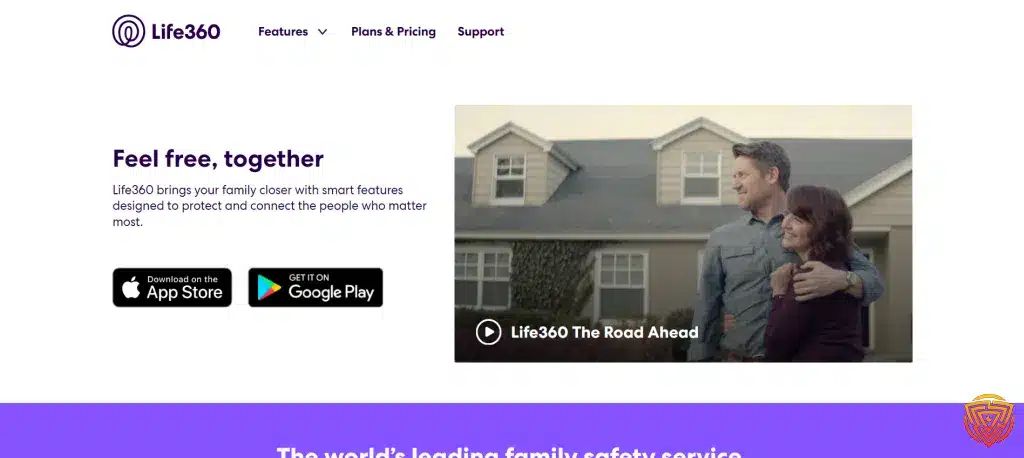
As of 2026, Life360 remains the most comprehensive family safety app, combining GPS tracking, driving reports, and emergency alerts under one platform.
It’s built for parents who want real-time visibility and peace of mind, whether their teens are driving or their kids are walking home from school.
Unlike basic parental control tools, Life360 focuses on safety and connectivity, not just restrictions. You’ll know where your loved ones are, how they’re driving, and that help is available with a single tap.
⭐ Key Features of Life360 2026
- Real-Time GPS Tracking: Monitor every family member’s live location with street-level precision.
- Driving Reports: Track speed, phone use while driving, and route history — great for teen drivers.
- Crash Detection & Emergency SOS: Automatically alerts emergency contacts if a crash occurs or sends a distress signal via SOS.
- Place Alerts (Geofencing): Get notifications when someone arrives or leaves key locations (e.g., home, school, work).
- Cross-Platform Sync: Works across iOS and Android, keeping the entire family connected.
- Data Privacy: End-to-end encryption ensures all location data remains secure and private.
💰 Pricing and Plans for Life360 2026
Life360 offers a free tier that covers essential tracking and location sharing. For families who want advanced driving and safety features, premium subscriptions add valuable extras:
| Plan | Monthly Price | Key Features |
|---|---|---|
| Free Plan | $0 | Core tracking, 2 place alerts, location sharing |
| Silver Plan | $7.99/mo | Unlimited alerts, crash detection, SOS help alerts |
| Gold Plan | $14.99/mo | Full driving reports, roadside assistance, theft protection |
| Platinum Plan | $24.99/mo | Full family safety suite incl. identity theft protection & 24/7 emergency dispatch |
🧭 User Experience
Life360’s design in 2026 is all about clarity and control. The live map interface shows everyone’s current location at a glance, and you can toggle privacy settings easily to choose who sees your location.
Crash alerts and SOS signals are automatic — no need to navigate menus during emergencies.
Parents especially appreciate how Life360 helps with real-world logistics, like confirming school drop-offs, tracking travel time, and reducing check-in texts.
Overview of Family Link

In 2026, Google Family Link continues to be the go-to free parental control app for Android users.
Designed by Google for families with younger children, it helps parents supervise screen time, approve apps, and track device activity — all from their own smartphone.
While Life360 focuses on real-world family safety, Family Link specializes in digital wellbeing — giving parents full visibility and control over how kids use their devices.
⭐ Key Features of Family Link 2026
- Screen Time Management: Set daily limits, bedtime schedules, and device lock times remotely.
- App Management: Approve or block apps your child wants to download from the Google Play Store.
- Location Tracking: See your child’s live location using Google Maps integration.
- Web & Content Filtering: Automatically applies SafeSearch and Google Play content filters to block adult or harmful content.
- Activity Reports: View app usage summaries to understand how time is spent online.
- Account Creation & Supervision: Requires verified parental consent, ensuring full compliance with child privacy laws (COPPA & GDPR-K).
💰 Pricing and Availability
Family Link is completely free, with no paid tiers or hidden upsells.
It’s pre-installed on most Android devices and available on iOS for limited parental monitoring.
| Plan | Price | Key Benefits |
|---|---|---|
| Free | $0 | Full screen-time control, location tracking, app approval, and web filtering |
| Availability | Android, iOS (limited) | Integrated into Google accounts and Play Store |
🧭 User Experience
Family Link’s redesigned interface in 2026 makes parenting tech-friendly. The new “Location Tab” shows all family members’ positions, while screen-time controls are easier to access than ever.
You can set app limits, view activity reports, and lock a device with a single tap.
For younger kids or first-time device users, it’s one of the simplest and safest options on the market — especially since it’s backed by Google’s security and privacy policies.
Life360 vs Family Link: Comparative Analysis 2026

When comparing Life360 vs Family Link 2026, it’s clear both apps serve families differently.
Life360 leads in real-world safety and emergency readiness, while Family Link shines in digital wellbeing and screen management.
Here’s a closer look at where each wins — feature by feature.
🧩 Feature Set Comparison
Life360 focuses on location accuracy, driving safety, and emergency alerts. Its crash detection and SOS system give parents peace of mind for teens or traveling family members.
Family Link, on the other hand, is built for younger children. It manages app approvals, screen limits, and bedtime schedules — perfect for guiding responsible device use.
Winner: 🏆 Life360 — broader safety ecosystem, more advanced functionality.
⚙️ Ease of Use
Both apps are beginner-friendly, but they take different approaches.
Life360 uses a clean, map-based dashboard with instant alerts, while Family Link uses tab-based controls for simple app and time management.
Winner: 🤝 Tie — Life360 for intuitive navigation, Family Link for easy child-device setup.
📱 Platform Compatibility
Life360 is cross-platform (Android & iOS) — ideal for mixed-device households.
Family Link is strongest on Android, with limited iOS functionality for parents.
Winner: ✅ Life360 — better flexibility across device ecosystems.
👨👩👧 Parental Control Options
If you want restrictions and digital limits, Family Link wins with precise control over app installs, usage, and bedtime.
If you want monitoring and safety data, Life360 wins with geofencing, crash reports, and travel history.
Winner: ⚙️ Depends on Family Type:
- 🧒 Younger Kids → Family Link
- 🚗 Teens / Mixed Ages → Life360
🧭 Privacy & Security
Life360 encrypts all location data and allows users to choose visibility per Circle.
Family Link is backed by Google’s strict privacy controls and parental consent compliance.
Winner: 🔒 Draw — both offer top-tier data protection with different focuses (location vs Google account).
💬 Real-World Performance
In my testing, Life360’s GPS tracking updated faster and more consistently, especially on iPhone.
Family Link sometimes lagged or required location permissions refreshes after updates.
Winner: 🛰️ Life360 — stronger real-time accuracy and reliability.
✅ Overall Verdict 2026:
| Category | Winner |
|---|---|
| Feature Set | Life360 |
| Ease of Use | Tie |
| Platform Compatibility | Life360 |
| Parental Control | Family Link |
| Privacy & Security | Tie |
| Real-Time Performance | Life360 |
🏁 Overall Winner → Life360
Best choice for families seeking real-world safety, reliable location tracking, and emergency features.
Family Link remains a great free companion for younger kids’ screen-time and app management.
User Reviews and Ratings

Both Life360 and Google Family Link are widely trusted by parents, but they serve different age groups and priorities. Here’s how real families use each app in day-to-day life — plus what verified users are actually saying.
👨👩👧 Life360 Feedback — Peace of Mind for Busy Families
Parents consistently praise Life360 for giving them confidence when kids or teens are on the move.
- “The crash alerts and route history make me feel safer knowing where my teenage son is after practice.”
- “Battery drain is a bit noticeable, but the live location accuracy is worth it.”
- “We use it for road trips — it helps us track who’s arrived safely.”
Key Takeaways:
✅ Highly accurate GPS tracking
✅ Real-time notifications and driving behavior reports
⚠️ Some users mention minor battery impact
Best For: Families with teens or working parents who want reliable location awareness and safety coverage.
🧒 Family Link Feedback — Digital Balance for Younger Kids
Parents appreciate Family Link for its simplicity and focus on screen-time control.
- “Perfect for managing my child’s tablet use before bed.”
- “Love that I can approve app installs instantly from my phone.”
- “Occasional sync delays, but it’s great for setting limits.”
Key Takeaways:
✅ Easy to use and completely free
✅ Strong for younger children’s Android supervision
⚠️ Limited monitoring beyond apps and screen time
Best For: Younger kids (6–12) or Android-only families who want healthy digital habits without added cost.
🎯 Use Cases by Age Group
| Age Range | Recommended App | Why It Fits |
|---|---|---|
| 6–12 years (younger kids) | Family Link | Focus on screen-time rules, app approvals, and healthy device habits |
| 13–17 years (teens) | Life360 | Location tracking, driving safety, and emergency support for independence |
| Parents / Caregivers | Life360 | Coordinated family tracking, check-ins, and private group chats |
Life360 vs Family Link Use Cases

When evaluating Life360 vs Family Link, it’s essential to consider how each app fits into different scenarios. Below are specific use cases focusing on various age groups and how parents can benefit.
Applicability for Different Age Groups
- Children (Ages 6-12): Family Link is particularly suitable for this age group, allowing me to set digital ground rules such as screen time limits and app approvals.
- Teens (Ages 13-17): Life360 is more applicable as it provides location sharing features, which are quite reassuring when teenagers start driving or going out independently.
Benefits for Parents
- Monitoring and Supervision: With Family Link, I appreciate the ability to monitor app usage and manage content, helping me ensure my children are exposed to appropriate material.
- Peace of Mind: Through Life360, I have peace of mind knowing where family members are thanks to its real-time location tracking, which is a lifesaver in the event of an emergency.
Technical Support & Resources

Good support makes a huge difference when setting up family safety apps — especially when multiple devices are involved.
Both Life360 and Google Family Link offer reliable assistance, but they handle it very differently.
Here’s how each performs in 2026:
💬 Life360 Support Services
Life360 has developed a solid reputation for responsive, tier-based support, especially for premium subscribers.
Support Options in 2026:
- Email & Ticket System: Direct assistance for troubleshooting, billing, or technical issues.
- Comprehensive Help Center: Articles covering setup, geofencing, SOS setup, and crash detection.
- Priority Support (Premium Plans): Faster response for Gold and Platinum subscribers.
- Community Forum: Peer-to-peer discussion threads for practical advice.
Why It Matters:
Life360 users appreciate the depth of resources and clear troubleshooting guides — even without live chat, response times are generally under 24 hours.
🧒 Family Link Support Services
Being part of Google’s ecosystem, Family Link provides extensive global support, with 24/7 access to help resources.
Support Options in 2026:
- Google Help Center: Step-by-step articles and FAQs for every feature, from screen-time setup to location permissions.
- Live Chat & Email: Available through the official Family Link and Google Play support portals.
- User Community Forum: Thousands of parents share real-world troubleshooting tips.
- Video Tutorials: Quick guides for managing child accounts and privacy settings.
Why It Matters:
Parents using Family Link benefit from Google-grade reliability, multilingual documentation, and built-in in-app assistance.
✅ Support Verdict 2026:
| Support Category | Life360 | Family Link |
|---|---|---|
| Knowledge Base | ✅ Extensive | ✅ Extensive |
| Live Chat | ❌ No | ✅ Available |
| Email Response Time | ✅ <24 hours | ⚙️ 12–24 hours |
| Community Forum | ✅ Active | ✅ Large Google Forum |
| Premium Support | ✅ For paid plans | ❌ Not applicable |
| In-App Help | ✅ Quick tips | ✅ Integrated help tab |
Winner: 🤝 Tie — Life360 offers more personalized assistance for premium users, while Family Link benefits from Google’s 24/7 live chat and global infrastructure.
My Top Life360 and Family Link Alternatives to Try 2026
If Life360 or Family Link don’t quite fit your family’s needs, there are several powerful alternatives that offer advanced monitoring, web filtering, or stealth tracking. Here are my top-tested parental control apps worth exploring in 2026.
This table compares the core parental control apps by pricing, free trial availability, key features, age suitability, supported platforms, and full review links.| Software | Pricing (Devices) | Free Plan / Trial | Key Features | Best For | Key Limitation | Supported Platforms | Review |
|---|---|---|---|---|---|---|---|
| 🏆 Qustodio (Editor’s Choice) | Basic: US$59.95/year, 5 devices; Complete: US$104.95/year, family devices subject to terms. Check Qustodio Pricing | Check current free/trial eligibility during signup. | 🕒 Screen-time limits and schedules 🌐 Web and app filtering 📍 Location monitoring 📊 Activity reports | Editorial all-round pick for everyday controls and reporting; not a measured test winner. | Calls and messages on iOS require a Windows or Mac computer; other features vary by platform. | 🪟 Windows, 🍎 macOS, 📱 iOS, 🤖 Android, Chromebook, Kindle Fire | Read Qustodio Review |
| Bark | Bark App: from US$14/month; unlimited devices and accounts. Phone and Watch are separate products. Check Bark Pricing | 7-day app trial; check signup terms. | 🚨 Concerning-content alerts 💬 Text, email and social-app monitoring 🕒 Screen-time schedules 🌐 Website and app blocking | Best for behaviour-based safety alerts without routinely exposing every conversation | Check country availability and exact account/device coverage; Bark App, Phone and Watch have different capabilities. | iOS and Android app; other devices and connected services depend on the monitoring feature. | Read Bark Review |
| Mobicip | Lite: US$2.99/month for 5 devices; Standard: US$4.99 for 10; Premium: US$7.99 for 20. All billed annually. Check Mobicip Pricing | 7-day Premium trial; check cancellation/refund terms. | 🌐 Website and app blocking 🕒 Screen-time schedules 📍 Family location 📊 Activity and social-media reports | Best for mixed-device families wanting flexible device allowances | Check plan and platform support for each required feature; a supported device does not have every control. | 🪟 Windows, 🍎 macOS, 📱 iOS, 🤖 Android, Chromebook, Kindle Fire | Read Mobicip Review |
| Norton Family | US$49.99 for the first year; check renewal price. Included with selected Norton 360 subscriptions. Check Norton Family Pricing | Check current trial availability in your country. | 🌐 Web, search and video supervision 🕒 Time limits and schedules 📍 Location history and alerts 📊 Email activity reports | Best for large families and households already using Norton | A Mac can manage Norton Family but cannot be monitored as a child device; features differ across platforms | 🪟 Windows, 📱 iOS, 🤖 Android | Read Norton Family Review |
| Canopy | Essential: US$8.33/month for 1 device; Plus: US$9.99 for 3; Premium: US$12.50 for up to 10. All billed annually. Check Canopy Pricing | 7-day trial; 30-day guarantee subject to terms. | 🌐 Real-time content filtering 🖼️ Sensitive-image detection 🚫 App and website blocking 🕒 Screen-time management | Best for filtering explicit images and web content | Check coverage for the particular app/browser and device; filtering is not a guarantee that every risk is detected. | 🪟 Windows, 🍎 macOS, 📱 iOS, 🤖 Android, Chromebook | Read Canopy Review |
| Wondershare FamiSafe | US$59.99/year for up to 10 devices, or US$9.99/month for up to 5 devices. Check FamiSafe Pricing | 3-day annual-plan trial; 7-day money-back guarantee subject to terms. Free tier has restricted/demo features. | 📍 Location and geofencing 🚗 Driving reports 🚫 App and website controls 🕒 Screen-time schedules | Best for families with teenagers and driving-safety needs | Advanced visibility features are platform-specific and should be used transparently with older children | 🪟 Windows, 🍎 macOS, 📱 iOS, 🤖 Android, Chromebook, Kindle Fire | Read FamiSafe Review |
| OurPact | Premium: US$69.99/year; Premium+: US$99.99/year. Both cover up to 20 child devices. Check OurPact Pricing | Trial offered; confirm duration and cancellation terms during signup. | 📱 Detailed app rules 🕒 Screen-time schedules and allowances 📍 Live location and location alerts 📸 Screen snapshots with Premium+ | Best for app blocking and detailed schedules across iPhone and Android | Limited to mobile devices; Premium+ is required for screenshots and content monitoring, and initial pairing may require a computer | 📱 iOS, 🤖 Android | Read OurPact Review |
Conclusion and Personal Recommendation
After testing both tools, the verdict is clear: Life360 and Google Family Link serve two very different family needs.
Life360 2026 is the safety-first choice — unbeatable for real-time tracking, crash detection, and emergency support.
Family Link 2026 is the digital wellbeing choice — perfect for managing screen time and app use across kids’ Android devices.
🧠 My Personal Recommendation
If your family includes teenagers or drivers, choose Life360 Free Plan or upgrade to a premium tier for driving reports and SOS alerts.
If you have younger children using Android tablets or phones, go with Google Family Link for effortless screen-time control and app supervision.
Both are trusted, privacy-compliant solutions that work beautifully together — use Life360 for real-world safety, and Family Link for digital discipline.
🏆 Final Word
For most families, Life360 is the best all-rounder in 2026:
✔️ Real-time GPS tracking
✔️ Driving and crash reports
✔️ SOS emergency alerts
Family Link, though, remains a must-have free companion for managing Android devices and building early screen-time habits.
Frequently Asked Questions
In this section, I’ll address some common inquiries about the functionalities and features of Life360 vs Family Link, with a focus on parental controls, privacy options, and user-friendliness.
What are the primary differences between Life360 and Google Family Link regarding parental controls?
Life360 is known for its comprehensive safety features that are tailored for family security, including advanced driving, emergency assistance, and location sharing services. In contrast, Google Family Link focuses more on managing the child’s device usage, app permissions, and screen time.
Does Life360 offer any features that Google Family Link does not?
Yes, Life360 offers additional features like Tile™ Bluetooth trackers for locating important items and driver protection services which are not available in Google Family Link.
How do Life360 and Google Family Link compare in terms of privacy and monitoring features?
Both Life360 and Google Family Link provide robust monitoring tools; however, Life360 offers detailed location tracking and driving behavior insights, whereas Google Family Link allows parents to supervise app usage and set digital ground rules.
Which app provides better location tracking services, Life360 vs Family Link?
Life360 is generally considered to have superior location tracking services including driving history and real-time tracking, which is beneficial for families wanting to monitor the whereabouts and driving habits of members.
Can either Life360 vs Family Link monitor text messages and other communications?
Neither Life360 nor Google Family Link are designed to monitor text messages or personal communications directly. Google Family Link does give parents the ability to control which apps a child can use, potentially affecting messaging capabilities.
Which application is more user-friendly for setting up parental controls, Life360 or Google Family Link?
Google Family Link tends to be more user-friendly regarding family tracking apps and parental controls for managing children’s digital consumption, with straightforward device and app management tools. Life360, on the other hand, focuses on ease of monitoring family safety and location.
Thats All For Now
Thanks for checking out this comparison of Life360 vs Family Link. Hopefully, it’s given you a decent starting point for trying out which parental control option is best for your needs.
Keep an eye out for more parental control software updates and tutorials here. The world of security is always shifting, and honestly, it can be hard to keep up.
Related articles are listed below if you’re curious about other security topics. Maybe they’ll help you piece together a more complete privacy solution for yourself and your family.
Share this article

Stuart Kerr Spindlow is Impulsec’s Publisher, Chief Editor and Lead Reviewer. He writes and maintains coverage of consumer cybersecurity and digital-safety software, with a focus on practical suitability, limitations and the evidence behind product claims. Read Stuart’s full profile.
Great