


Picking the top free iOS parental control app for 2026 might seem like a tough task. Families seek secure solutions that won’t break the bank – a method to establish screen time boundaries, prevent access to unsafe websites, and ensure children’s iPhones are suitable for their age. I examined various free choices to help you avoid the tricks and find efficient tools that actually get the job done. Find out why this search is worth your while!
Some apps, like Apple Screen Time, are built right into iOS. Others, like Qustodio Free, offer a cross-platform dashboard with room to upgrade later. And a few, like OurPact and Kaspersky Safe Kids, give targeted features such as app blocking or GPS alerts.
In this guide, I’ll share which free parental control apps for iPhone are worth your time — and when it might make sense to try a premium tool instead.
📌 For most parents, Qustodio is the best free parental control app for iPhone. Apple Screen Time works well for basics, while Google Family Link and Kaspersky Safe Kids are good extras. If you ever need social media monitoring or stealth, upgrade to Qustodio or mSpy.
Key Takeaways
- The top free iOS parental control app is Qustodio Free — offering screen time limits and filtering with a simple dashboard.
- Apple Screen Time is the most seamless built-in free option.
- Google Family Link and Kaspersky Safe Kids extend coverage with cross-platform use and GPS tracking.
- Trial-only apps (like Norton Family) are not permanently free, so they’re better seen as upgrade paths.
- Free tools are limited — for stealth or social media monitoring, parents usually upgrade to Qustodio Premium or mSpy.
Ranked List of Best Free iOS Parental Control Apps
- ⭐ Apple Screen Time (Freeware) – Editor’s Choice, best native iOS parental controls
- Qustodio (Free Tier) – Best upgrade-ready cross-platform option
- Google Family Link (Freeware) – Best for families with mixed devices
- Kaspersky Safe Kids (Free Tier) – Best for GPS tracking & app control
- OurPact (Free Tier) – Best for app blocking & scheduling
- Canopy (Free Version) – Best lightweight filter for explicit content
- Mobicip (Free Tier) – Best for simple screen limits & filtering basics
- OpenDNS Family Shield (Bonus, DNS-based) – Best for network-level filtering
Each app brings unique strengths, catering to different parental needs, from screen time management to real-time monitoring and location tracking. These tools can help parents maintain a safe and balanced digital experience for their children on iOS devices.
🧠 Top Parental Control Apps Comparison Table (Free vs Paid)
This table compares the core parental control apps by pricing, free trial availability, key features, age suitability, supported platforms, and full review links.| Software | Pricing (Devices) | Free Plan / Trial | Key Features | Best For | Key Limitation | Supported Platforms | Review |
|---|---|---|---|---|---|---|---|
| 🏆 Qustodio (Editor’s Choice) | Basic: US$59.95/year, 5 devices; Complete: US$104.95/year, family devices subject to terms. Check Qustodio Pricing | Check current free/trial eligibility during signup. | 🕒 Screen-time limits and schedules 🌐 Web and app filtering 📍 Location monitoring 📊 Activity reports | Editorial all-round pick for everyday controls and reporting; not a measured test winner. | Calls and messages on iOS require a Windows or Mac computer; other features vary by platform. | 🪟 Windows, 🍎 macOS, 📱 iOS, 🤖 Android, Chromebook, Kindle Fire | Read Qustodio Review |
| Bark | Bark App: from US$14/month; unlimited devices and accounts. Phone and Watch are separate products. Check Bark Pricing | 7-day app trial; check signup terms. | 🚨 Concerning-content alerts 💬 Text, email and social-app monitoring 🕒 Screen-time schedules 🌐 Website and app blocking | Best for behaviour-based safety alerts without routinely exposing every conversation | Check country availability and exact account/device coverage; Bark App, Phone and Watch have different capabilities. | iOS and Android app; other devices and connected services depend on the monitoring feature. | Read Bark Review |
| Mobicip | Lite: US$2.99/month for 5 devices; Standard: US$4.99 for 10; Premium: US$7.99 for 20. All billed annually. Check Mobicip Pricing | 7-day Premium trial; check cancellation/refund terms. | 🌐 Website and app blocking 🕒 Screen-time schedules 📍 Family location 📊 Activity and social-media reports | Best for mixed-device families wanting flexible device allowances | Check plan and platform support for each required feature; a supported device does not have every control. | 🪟 Windows, 🍎 macOS, 📱 iOS, 🤖 Android, Chromebook, Kindle Fire | Read Mobicip Review |
| Norton Family | US$49.99 for the first year; check renewal price. Included with selected Norton 360 subscriptions. Check Norton Family Pricing | Check current trial availability in your country. | 🌐 Web, search and video supervision 🕒 Time limits and schedules 📍 Location history and alerts 📊 Email activity reports | Best for large families and households already using Norton | A Mac can manage Norton Family but cannot be monitored as a child device; features differ across platforms | 🪟 Windows, 📱 iOS, 🤖 Android | Read Norton Family Review |
| Canopy | Essential: US$8.33/month for 1 device; Plus: US$9.99 for 3; Premium: US$12.50 for up to 10. All billed annually. Check Canopy Pricing | 7-day trial; 30-day guarantee subject to terms. | 🌐 Real-time content filtering 🖼️ Sensitive-image detection 🚫 App and website blocking 🕒 Screen-time management | Best for filtering explicit images and web content | Check coverage for the particular app/browser and device; filtering is not a guarantee that every risk is detected. | 🪟 Windows, 🍎 macOS, 📱 iOS, 🤖 Android, Chromebook | Read Canopy Review |
| Wondershare FamiSafe | US$59.99/year for up to 10 devices, or US$9.99/month for up to 5 devices. Check FamiSafe Pricing | 3-day annual-plan trial; 7-day money-back guarantee subject to terms. Free tier has restricted/demo features. | 📍 Location and geofencing 🚗 Driving reports 🚫 App and website controls 🕒 Screen-time schedules | Best for families with teenagers and driving-safety needs | Advanced visibility features are platform-specific and should be used transparently with older children | 🪟 Windows, 🍎 macOS, 📱 iOS, 🤖 Android, Chromebook, Kindle Fire | Read FamiSafe Review |
| OurPact | Premium: US$69.99/year; Premium+: US$99.99/year. Both cover up to 20 child devices. Check OurPact Pricing | Trial offered; confirm duration and cancellation terms during signup. | 📱 Detailed app rules 🕒 Screen-time schedules and allowances 📍 Live location and location alerts 📸 Screen snapshots with Premium+ | Best for app blocking and detailed schedules across iPhone and Android | Limited to mobile devices; Premium+ is required for screenshots and content monitoring, and initial pairing may require a computer | 📱 iOS, 🤖 Android | Read OurPact Review |
Using these apps, I can effectively manage and monitor device usage, ensuring a safer online experience for kids and teens.
When it comes to finding the best free parental control app for iOS, there are several good options available. Each app offers unique features, so it’s worth exploring what each one brings to the table.
Below are extended reviews for the top free iOS parental control apps, each highlighted for specific strengths such as comprehensive monitoring, detailed web filtering, intuitive screen time control, native device functionality, and advanced location tracking. Each review includes an overview, key features, pros, cons, and pricing details.
1. ⭐ Apple Screen Time (Freeware) – Editor’s Choice, Best Native iOS Parental Controls

Overview:
Apple Screen Time is a native iOS feature offering built-in parental controls. It’s perfect for parents who prefer using native functionality for basic monitoring, time limits, and content restrictions without needing third-party apps.
Key Features:
- Monitor and limit screen time with daily/weekly reports
- Set app and content restrictions
- Downtime scheduling to enforce device-free periods
- Parental passcode for managing settings
- Family Sharing integration for multiple devices
Pros:
- Built directly into iOS at no extra cost
- Seamless integration and easy setup
- Comprehensive control for basic needs
Cons:
- Limited customization compared to third-party apps
- Lacks advanced monitoring features such as social media oversight
Pricing:
- Free (built into iOS)
🔗 Learn how to use Screen Time on iPhone (Apple Support)
2. Qustodio (Free Tier) – Best Upgrade-Ready Cross-Platform Option

Overview:
Qustodio offers a robust free version for iOS, providing comprehensive web filtering and time management tools. As one of the best free iOS parental control app, it’s ideal for parents wanting extensive monitoring capabilities without additional cost, covering browsing, app usage, and screen time control.
Key Features:
- Advanced web filtering to block inappropriate content
- Screen time scheduling and app usage limits
- Activity monitoring and detailed reports
- Basic location tracking capabilities
- User-friendly dashboard and setup
Pros:
- Extensive features available in free version
- Effective content filtering and time management
- Intuitive interface with detailed reporting
Cons:
- Free version limited compared to premium subscription
- Limited to basic features on a single device
Pricing:
- Free basic version available for iOS
3. Google Family Link (Freeware) – Best for Families with Mixed Devices

Google Family Link isn’t just for Android — parents can manage an iPhone child’s Google account to set app limits, approve downloads, and monitor activity. This best free parental control app iOS is especially useful for households that mix Android and iOS devices.
Key Features (Free)
- App approvals & time limits
- Location tracking
- Works across Android and iPhone
Pros
- 100% free, no upsells
- Great for multi-device families
- Trusted brand, regular updates
Cons
- Stronger on Android than iOS
- Requires a Google account
Pricing
Completely free.
🔗 Get Google Family Link on the App Store
4. Kaspersky Safe Kids (Free Tier) – Best for GPS Tracking & App Control

Kaspersky Safe Kids offers one of the stronger free parental control plans available on iPhone. Parents get GPS tracking, app usage management, and basic web filtering without paying a cent. While Premium unlocks social media monitoring and detailed reports, the free version is powerful enough for everyday family needs.
Key Features (Free)
- GPS location tracking
- Daily screen time management
- Basic app usage controls
- Safe browsing tools
Pros
- Stronger free tier than most competitors
- GPS included at no cost
- Works on iPhone and Android
Cons
- Premium upgrade needed for social media monitoring
- App blocking limited on iOS due to Apple restrictions
Pricing
Free plan available with this iOS parental control app free; Premium upgrade optional from $14.99/year.
🔗 Download Kaspersky Safe Kids Free for iPhone
5. OurPact (Free Tier) – Best for App Blocking & Scheduling

Overview:
OurPact stands out for its intuitive screen time control on iOS, making it one of the best free parental control apps for iOS. It allows parents to easily block apps and schedule screen time, making it particularly useful for managing younger children’s device usage.
Key Features:
- Simple app blocking and scheduling interface
- Customizable screen time limits and routines
- Internet pause feature to limit distractions
- Usage reports and notifications
- Easy setup and intuitive controls
Pros:
- Very user-friendly and straightforward to use
- Flexible scheduling and app management
- Ideal for basic parental control needs
Cons:
- Some features require a premium subscription
- Free tier has limited functionalities
Pricing:
- Free tier available
- Premium plans start at about $6.99/month
6. Canopy (Free Version) – Best Lightweight Filter for Explicit Content
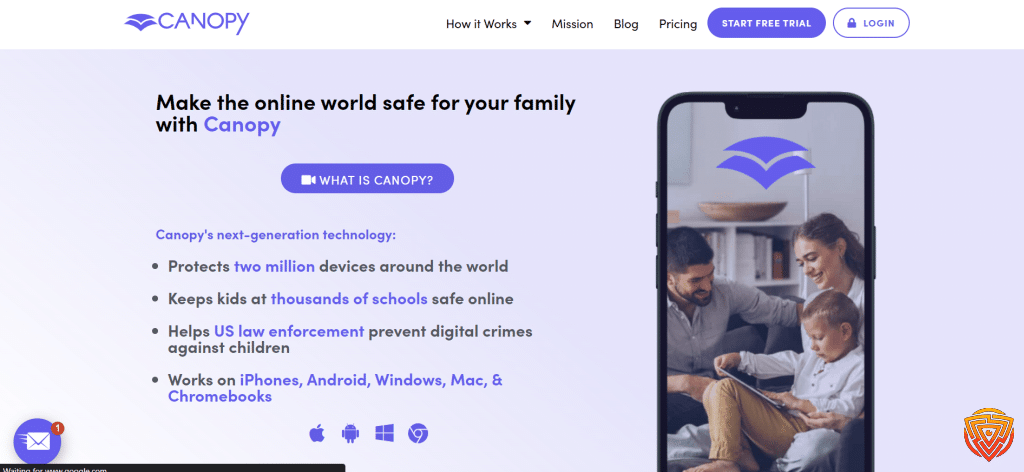
Canopy focuses on one thing: blocking harmful online content. As one of the best iOS parental control app free, its free version uses smart filtering to block explicit websites and inappropriate images in real time, making it a lightweight solution for younger kids.
Key Features (Free)
- Smart web filtering
- Real-time blocking of inappropriate images
- Works quietly in the background
Pros
- Very easy to use
- Excellent at content filtering
- Lightweight, low-resource
Cons
- No time limits or app blocking
- Free version limited in scope
Pricing
Free basic plan; Premium unlocks full controls.
🔗 Install Canopy Free on the App Store
7. Mobicip (Free Tier) – Best for Simple Screen Limits & Filtering Basics

Mobicip provides a basic free tier for iPhone, giving parents simple screen time limits and web filtering. This best parental control app iOS free is enough to manage daily use, but most features (like app blocking and detailed reports) require upgrading.
Key Features (Free)
- Daily screen time limits
- Basic web filtering
- Works across multiple browsers
Pros
- Easy to install & manage
- Good starter option for free
- Multi-platform support
Cons
- Free version is very limited
- App blocking requires Premium
Pricing
Free plan available; Premium starts at $2.99/month.
🔗 Download Mobicip Parental Control (Free Tier)
8. OpenDNS Family Shield (Bonus, DNS-Based) – Best for Network-Level Filtering
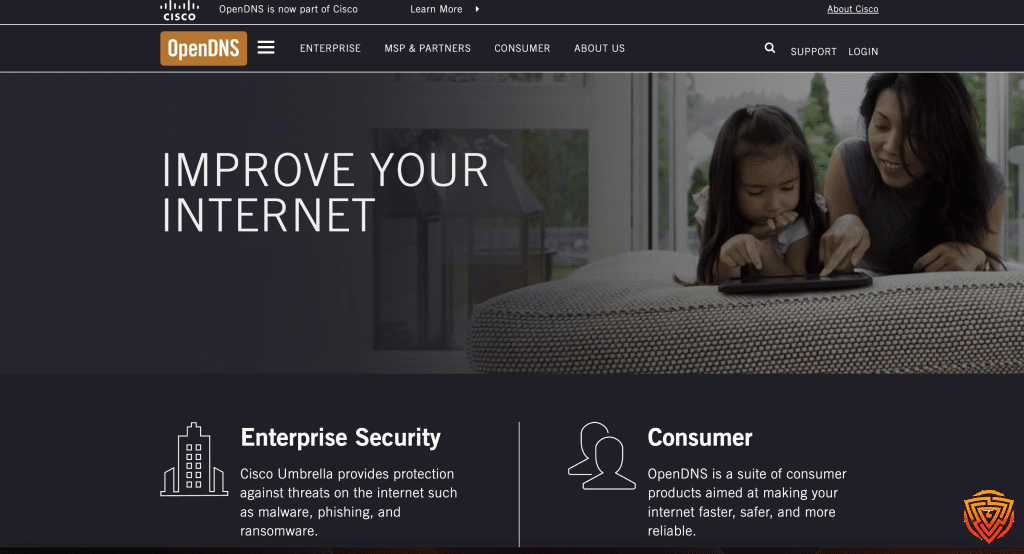
OpenDNS Family Shield by Cisco isn’t an app — it’s a free DNS service that blocks adult content at the network level. By changing DNS settings on an iPhone or router, parents can enforce safe browsing across Safari and apps, making it one of the best parental control apps iOS free.
Key Features (Free DNS Service)
- Blocks adult content automatically
- Works on iPhone, iPad, Android, Windows, routers
- No downloads needed
Pros
- 100% free
- Covers all devices on the same Wi-Fi
- Set-and-forget once configured
Cons
- No time limits or app blocking
- Requires DNS setup
- Can be bypassed if kids change DNS
Pricing
Completely free.
🔗 Learn more at OpenDNS Family Shield
Overview of Parental Control Apps
Parental control iOS app free help parents manage their children’s online activities. These tools can block inappropriate content, set screen time limits, and track the location of children. Many of these apps work across multiple platforms like iOS and Android.
Some of the best free iOS parental control apps offer features such as web filtering, app blocking, and activity monitoring. For instance, Qustodio is known for its extensive capabilities, which include blocking over 20,000 iOS apps and monitoring YouTube activity.
Another popular app, Norton Family, is well-regarded for its ability to monitor unlimited iOS devices and use VPN technology for effective web filtering. This makes it a strong choice for families with multiple devices.
Some apps are free and offer a range of services. Bark has a 7-day free trial and includes monitoring of over 30 social media apps along with location tracking. This can be useful for parents who want to keep an eye on their children’s social media activities.
These apps often come with user-friendly interfaces and are easy to set up. They allow parents to set rules that fit their child’s needs, ensuring a safer online experience.
How to Choose the Best Parental Controls on iOS Devices

When choosing the best parental control app for iOS devices, there are several key features to consider.
- Compatibility
Ensure the app works seamlessly on your child’s iPhone or iPad. - App Blocking
Look for apps that can block unwanted content and specific apps. For instance, Qustodio blocks over 20,000 iOS apps. - Web Filtering
An effective parental control app should filter harmful websites. Norton Family uses VPN technology for precise web filtering. - Social Media Monitoring
Monitoring social media activities is crucial. Apps like Bark send alerts on concerning content found in social media and web searches. - Time Limits
Ensure the app lets you set screen time limits. Keeping track of how long your child uses their device can help promote healthy digital habits. - Location Tracking
Although not available in all free options, location tracking is useful. Bark offers tracking in its free trial version. - Ease of Use
Choose an app with an intuitive interface. The easier it is to set up and use, the more likely you will stick with it. - Customer Support
Reliable customer support can be a lifesaver if you encounter issues. Check if the app offers good support channels like live chat, email, or comprehensive FAQ sections.
Making a choice becomes easier when you prioritize these features based on your specific needs.
Advanced Features in Parental Control Apps
When choosing a parental control app for iOS, it’s important to consider some key advanced features. These can greatly enhance the ability to monitor and limit your child’s device usage.
- Screen time management is a feature I find particularly useful. It allows me to set daily or weekly limits on how long my child can use their device.
- App restrictions are another critical feature. I can block or allow specific apps, ensuring my child only has access to age-appropriate content.
- Web filtering helps to protect my child from harmful online content. This feature can automatically block websites that contain inappropriate material.
- Location tracking is also highly beneficial. This feature shows me where my child’s device is at any given moment.
- Geofencing allows me to set up virtual boundaries. If my child’s device moves outside these boundaries, I receive an alert.
- Content filtering goes hand-in-hand with web filtering. It blocks explicit content in search engines and restricts access to unsuitable media.
Here’s a quick comparison of some popular apps:
| Feature | Qustodio | Norton Family | Bark |
|---|---|---|---|
| Screen Time | ✓ | ✓ | ✓ |
| App Restrictions | ✓ | ✓ | ✓ |
| Web Filtering | ✓ | ✓ | ✓ |
| Location Tracking | ✓ | ✓ | ✓ |
| Geofencing | ✓ | ✓ | |
| Content Filtering | ✓ | ✓ | ✓ |
I recommend reviewing which features are most important for you and your family.
Evaluating Free vs. Paid Parental Control Solutions

When comparing free and paid parental control apps, there are some key differences to consider.
Free Parental Control Apps often provide basic features. Many offer web filtering and time limits. For example, Microsoft Family Safety gives most of its features away for free. It’s a good choice if you need simple monitoring and controls.
Paid plans, on the other hand, bring more advanced options to the table. Premium services like Net Nanny include features like social media monitoring, precise location tracking, and real-time alerts. These extras can be crucial for parents who want robust oversight.
| Feature | Free Apps | Paid Plans |
|---|---|---|
| Web Filtering | Yes | Yes |
| Time Limits | Yes | Yes |
| Social Media Monitoring | Limited or None | Yes |
| Location Tracking | Limited or None | Yes |
| Real-Time Alerts | Usually No | Yes |
Many apps also offer free trials. Norton Family, for instance, provides a 30-day free trial, allowing you to test all its features. This can be helpful to assess if the additional cost is worth it.
Value is another important factor. Free apps may be adequate for some, but paying for extra features can mean better security and peace of mind.
Choosing between free and paid options depends on your specific needs. If simple monitoring is enough, free apps might suffice. For more comprehensive control, paid plans are often the better choice.
Pros and Cons of Free iOS Parental Control Apps
Pros
- Free Plan
Many parental control apps offer a free plan. This means I don’t have to spend money to try out useful features like app monitoring and web filtering. - Screen Time Limits
These apps often let me set screen time limits for my child’s device. This helps manage how long my child spends on their phone. - App Filtering
With app filtering, I can block inappropriate apps. This helps keep my child away from harmful content. - Ease of Use
Most of these apps are simple to set up. I can start using them with minimal hassle.
Cons
- Limitations
Free plans usually come with limitations. I might not get all the features, like detailed activity reports or location tracking. - In-App Ads
Some free apps show in-app ads. This can be annoying and distracting for both me and my child. - Basic Features Only
The free version might only offer basic features. If I need advanced functions, I’d often have to upgrade to a paid plan. - Compatibility Issues
Some app parental control free iOS might not work well with all iOS devices. I need to check if the app is compatible with my device. - Limited Customer Support
Free plans usually offer limited customer support. If I run into issues, it might be harder to get help.
How to Set Up Parental Controls on iOS Devices
To set up iOS parental controls app free on an iOS device, I first open the Settings app. Then, I scroll down and tap on Screen Time.
In the Screen Time menu, I tap on Turn On Screen Time and follow the prompts. This feature helps me monitor and restrict my child’s device usage.
After setting up a Screen Time passcode, I select Content & Privacy Restrictions. Here, I can restrict apps, websites, and purchases.
To manage app restrictions, I tap Allowed Apps. I can select which apps I want my child to have access to.
I also use Content Restrictions to filter web content. This lets me block inappropriate content on Safari and other apps.
For more controls, I link my child’s device to iCloud Family Sharing. By doing this, I can set controls across all their devices in the family group.
To enforce time limits, I set Downtime periods. This restricts access to the device during specified times.
Lastly, I use the App Limits feature. This allows me to set daily limits on specific apps or app categories.
By using these options, I create a safer and more controlled environment for my child on their iOS device. If more information is needed, Apple provides extra details on their support page.
Building Digital Trust with Your Kids

Building digital trust with your kids is essential in today’s online world. Open and honest communication is key. I make sure to discuss the importance of online privacy and safety with them.
We also set rules together about internet usage. This way, they feel involved and understand the reasoning behind the guidelines. It’s important that they know I trust them, but I also want to keep them safe.
Using best free teen parental control app iOS on iOS devices can help monitor and guide their online activities. These apps allow me to set time limits, filter content, and receive alerts about unusual behavior without being intrusive.
Key Points:
- Open communication about online safety and privacy
- Collaborating on setting internet usage rules
- Utilizing free iOS parental control apps for monitoring
Another important step is educating them about the potential risks online. By teaching them how to recognize scams, fake profiles, and inappropriate content, I empower them to make smart decisions.
Benefits:
- Kids learn to navigate the internet safely
- Builds trust between us
- Encourages responsible online behavior
By balancing monitoring with education and trust, I help my kids develop the skills they need to stay safe online. This approach helps create a supportive and secure digital environment for them to explore and learn.
Conclusion and Personal Recommendation
After testing the best free parental control apps for iPhone, here’s my clear verdict:
- Apple Screen Time is the best built-in free option for iOS — seamless, reliable, and impossible for kids to uninstall.
- Google Family Link works well if your household mixes Android and iOS devices.
- Kaspersky Safe Kids adds valuable GPS tracking at no cost.
- But for most families, the Qustodio Free Tier is the top choice. It gives you screen time limits, web filtering, and a clean dashboard that’s easy to manage — with the option to upgrade later for multi-device coverage, social media monitoring, and YouTube filters.
The best parental control software should guide, not police. Pair these tools with open conversations about online safety, and you’ll set your kids up for healthier digital habits.
Frequently Asked Questions
I will answer some common questions about free parental control apps for iOS. These apps help you monitor your child’s phone activities, block inappropriate content, and offer cross-platform compatibility.
What are the top-rated free parental control apps for iPhone?
The best free parental control apps for iPhone include Qustodio, known for web protections and time limits, and Norton Family, which offers a 30-day free trial with comprehensive features. Both apps make it easier for parents to manage their child’s online activities.
How can I monitor my child’s iPhone activity using a free app?
You can use Qustodio to track your child’s phone usage, including web browsing history and app activity. Another option is Bark, which monitors social media interactions and sends alerts for concerning content. Both apps offer easy-to-use dashboards.
Can you recommend a free and effective app for blocking inappropriate content on iOS?
Qustodio is an excellent choice, blocking access to over 20,000 iOS apps and websites that could be harmful. It ensures that only age-appropriate content is accessible. Norton Family also uses VPN technology to filter web content effectively.
Is there a free parental control app available for both iPhone and Android devices?
Yes, Qustodio supports multiple platforms, including iOS and Android. This cross-platform compatibility allows you to manage parental controls from one app, regardless of the type of device your child uses.
Are there any undetectable parental control apps for iOS that are also free?
While most top parental control apps, including Qustodio and Norton Family, are designed to be visible to ensure transparency, they operate discreetly, making it less likely for kids to detect active monitoring.
Which free parental control app for iOS is the hardest for kids to delete or bypass?
Norton Family is tough for kids to bypass or delete. It requires a parent’s credentials to make any changes or deletions. Qustodio also offers robust security features that prevent tampering, ensuring consistent monitoring and control.
That’s All For Now
Thanks for reading our guide to the best free iOS parental control apps. Tools like Apple Screen Time, Google Family Link, and Kaspersky Safe Kids give parents a reliable way to manage screen time and protect kids online without spending a cent.
But free apps only go so far. If you need multi-device coverage, social media monitoring, or stealth tracking, premium solutions can step in where free ones stop.
👉 Explore our full roundup of Top Parental Control Apps for iPhone for the top-rated paid options — all with free trials included.
Stay safe, stay informed, and remember: the best digital protection is always a mix of smart tools and open conversations with your kids.
- importance of online safety
- Spynger vs mSpy vs EyeZy
- qustodio review
- best parental monitoring app
- best parental control app for android
Share this article

Stuart Kerr Spindlow is Impulsec’s Publisher, Chief Editor and Lead Reviewer. He writes and maintains coverage of consumer cybersecurity and digital-safety software, with a focus on practical suitability, limitations and the evidence behind product claims. Read Stuart’s full profile.