


Concerned guardians, are you fretting over your child’s security on WhatsApp? WhatsApp is a well-liked platform with over two billion users globally. While it’s a great way for kids to connect, it does pose certain risks. This is where parental control apps for WhatsApp step in to help. These apps offer features that allow you to monitor your child’s messages, shared content, and screen time. By utilizing these tools, you can ensure your child’s online safety and have peace of mind regarding their online activities. If you want to safeguard your child while they are on WhatsApp, these apps are a game-changer! Join the adventure by exploring the possibilities these apps offer.
Choosing the best parental control app for WhatsApp can be overwhelming with various options available on the market. Each app offers different features, such as monitoring texts, tracking real-time location, and setting usage limits, among others. It is crucial to understand the core features these apps provide and how they may cater to specific needs. Parents may also consider additional features like ease of use, price, and compatibility with their child’s device before making a decision.
⏳ Do you want to skip the read and get right to my top pick? The best parental control app for WhatsApp for most people is Qustodio.
Key Takeaways
- Parental control apps for WhatsApp are essential for monitoring children’s online activities and ensuring their safety.
- They offer a wide range of features from chat monitoring to screen time management.
- Evaluating each app’s features, usability, and compatibility is crucial for making the best choice for family needs.
Ranked List of Best Parental Control App for WhatsApp
- Qustodio – Best for comprehensive WhatsApp monitoring with robust content filtering and screen time management tools.
- Bark – Best for detecting risks like cyberbullying or inappropriate content across WhatsApp and multiple social platforms.
- Net Nanny – Best for real-time content filtering and screen time control on WhatsApp and other apps.
- Norton Family – Best for multi-device monitoring with detailed web and app activity reports, including WhatsApp.
- Google FamilyLink – Best free option for basic app and screen time management on Android devices, including WhatsApp.
- Mobicip – Best for flexible control with content filtering and multi-device support, including WhatsApp usage across platforms.
- MMGuardian – Best for detailed message monitoring on WhatsApp and SMS for maximum parental oversight.
- FamiSafe – Best for real-time location tracking and geofencing along with WhatsApp app management.
- OurPact – Best for simple scheduling and app blocking, including WhatsApp, for balanced digital supervision.
- Canopy – Best for proactive content protection with advanced filtering, focused on creating a safe WhatsApp experience.
Quick Comparison Table
This table compares the core parental control apps by pricing, free trial availability, key features, age suitability, supported platforms, and full review links.| Software | Pricing (Devices) | Free Plan / Trial | Key Features | Best For | Key Limitation | Supported Platforms | Review |
|---|---|---|---|---|---|---|---|
| 🏆 Qustodio (Editor’s Choice) | Basic: US$59.95/year, 5 devices; Complete: US$104.95/year, family devices subject to terms. Check Qustodio Pricing | Check current free/trial eligibility during signup. | 🕒 Screen-time limits and schedules 🌐 Web and app filtering 📍 Location monitoring 📊 Activity reports | Editorial all-round pick for everyday controls and reporting; not a measured test winner. | Calls and messages on iOS require a Windows or Mac computer; other features vary by platform. | 🪟 Windows, 🍎 macOS, 📱 iOS, 🤖 Android, Chromebook, Kindle Fire | Read Qustodio Review |
| Bark | Bark App: from US$14/month; unlimited devices and accounts. Phone and Watch are separate products. Check Bark Pricing | 7-day app trial; check signup terms. | 🚨 Concerning-content alerts 💬 Text, email and social-app monitoring 🕒 Screen-time schedules 🌐 Website and app blocking | Best for behaviour-based safety alerts without routinely exposing every conversation | Check country availability and exact account/device coverage; Bark App, Phone and Watch have different capabilities. | iOS and Android app; other devices and connected services depend on the monitoring feature. | Read Bark Review |
| Mobicip | Lite: US$2.99/month for 5 devices; Standard: US$4.99 for 10; Premium: US$7.99 for 20. All billed annually. Check Mobicip Pricing | 7-day Premium trial; check cancellation/refund terms. | 🌐 Website and app blocking 🕒 Screen-time schedules 📍 Family location 📊 Activity and social-media reports | Best for mixed-device families wanting flexible device allowances | Check plan and platform support for each required feature; a supported device does not have every control. | 🪟 Windows, 🍎 macOS, 📱 iOS, 🤖 Android, Chromebook, Kindle Fire | Read Mobicip Review |
| Norton Family | US$49.99 for the first year; check renewal price. Included with selected Norton 360 subscriptions. Check Norton Family Pricing | Check current trial availability in your country. | 🌐 Web, search and video supervision 🕒 Time limits and schedules 📍 Location history and alerts 📊 Email activity reports | Best for large families and households already using Norton | A Mac can manage Norton Family but cannot be monitored as a child device; features differ across platforms | 🪟 Windows, 📱 iOS, 🤖 Android | Read Norton Family Review |
| Canopy | Essential: US$8.33/month for 1 device; Plus: US$9.99 for 3; Premium: US$12.50 for up to 10. All billed annually. Check Canopy Pricing | 7-day trial; 30-day guarantee subject to terms. | 🌐 Real-time content filtering 🖼️ Sensitive-image detection 🚫 App and website blocking 🕒 Screen-time management | Best for filtering explicit images and web content | Check coverage for the particular app/browser and device; filtering is not a guarantee that every risk is detected. | 🪟 Windows, 🍎 macOS, 📱 iOS, 🤖 Android, Chromebook | Read Canopy Review |
| Wondershare FamiSafe | US$59.99/year for up to 10 devices, or US$9.99/month for up to 5 devices. Check FamiSafe Pricing | 3-day annual-plan trial; 7-day money-back guarantee subject to terms. Free tier has restricted/demo features. | 📍 Location and geofencing 🚗 Driving reports 🚫 App and website controls 🕒 Screen-time schedules | Best for families with teenagers and driving-safety needs | Advanced visibility features are platform-specific and should be used transparently with older children | 🪟 Windows, 🍎 macOS, 📱 iOS, 🤖 Android, Chromebook, Kindle Fire | Read FamiSafe Review |
| OurPact | Premium: US$69.99/year; Premium+: US$99.99/year. Both cover up to 20 child devices. Check OurPact Pricing | Trial offered; confirm duration and cancellation terms during signup. | 📱 Detailed app rules 🕒 Screen-time schedules and allowances 📍 Live location and location alerts 📸 Screen snapshots with Premium+ | Best for app blocking and detailed schedules across iPhone and Android | Limited to mobile devices; Premium+ is required for screenshots and content monitoring, and initial pairing may require a computer | 📱 iOS, 🤖 Android | Read OurPact Review |
For parents seeking to monitor their children’s WhatsApp activity, the above table provides a straightforward view of the top parental control apps available. When you install Qustodio, for instance, you’ll receive comprehensive services including location tracking, screen time management, and social media oversight. If you’re looking for even stricter control, apps like Bark cover areas of cyberbullying and content such as sexting or exposure to violent materials by monitoring texts, emails, and social media activities.
For managing screen time effectively, nearly all these apps offer screen time limits and reports of online activity. Content filtering, which helps to restrict access to inappropriate content, is offered by several, including Net Nanny which is known for its powerful internet filter and robust monitoring features.
In terms of free options, Google FamilyLink stands out as it allows parents to supervise app management and screen time on Android devices without any cost, though it does not include a content filter. Understanding these features in depth can help you decide which app best fits your family’s needs.
Best Parental Control Apps for WhatsApp
When looking for the best way to keep your child safe on WhatsApp, it’s crucial to find a parental control app that offers comprehensive features such as social media monitoring, screen time management, and real-time location tracking. Here are some of the top-rated apps that excel in providing these services.
Below is an extended review of the top parental control apps specifically geared towards monitoring and managing WhatsApp usage. Each entry includes an overview, key features, pros, cons, and pricing details, helping you select the most suitable tool for overseeing your child’s WhatsApp activity.
1. Qustodio – Best for Comprehensive WhatsApp Monitoring with Robust Content Filtering and Screen Time Management Tools

Overview:
Qustodio excels in providing comprehensive monitoring across various applications, including WhatsApp. It combines robust content filtering and screen time management tools to offer parents extensive control and oversight over their child’s WhatsApp usage along with other online activities.
Key Features:
- Monitors WhatsApp usage along with other apps
- Advanced content filtering and web blocking
- Screen time scheduling and app limits
- Real-time alerts and detailed activity reports
- Cross-platform support for comprehensive monitoring
Pros:
- All-in-one monitoring solution
- Effective filtering of inappropriate content
- User-friendly interface with robust reporting
Cons:
- Premium features required for full WhatsApp monitoring
- Setup can be complex for beginners
Pricing:
- Free basic version available
- Premium plans start at approximately $54.95/year
2. Bark – Best for Detecting Risks Like Cyberbullying or Inappropriate Content Across WhatsApp and Multiple Social Platforms

Overview:
Bark specializes in monitoring social interactions on WhatsApp and other platforms, detecting potential risks such as cyberbullying, explicit content, and harmful behaviors. It uses AI-driven analysis to send real-time alerts, helping parents intervene when necessary.
Key Features:
- Monitors WhatsApp messages, calls, and group chats
- AI-driven detection of cyberbullying, self-harm, and inappropriate content
- Real-time alerts and notifications for concerning activity
- Coverage extends to multiple social media and messaging platforms
- Privacy-conscious approach to monitoring
Pros:
- Advanced risk detection capabilities
- Real-time alerts enhance parental response
- Monitors a wide range of communication channels
Cons:
- Higher subscription cost relative to basic apps
- Focuses more on alerting than on screen time management
Pricing:
- Free trial available
- Subscription plans start at around $99/year
3. Net Nanny – Best for Real-Time Content Filtering and Screen Time Control on WhatsApp and Other Apps

Overview:
Net Nanny offers real-time content filtering and screen time management, extending its capabilities to WhatsApp usage. It’s ideal for parents seeking to control both the content their children access and the time spent on messaging apps.
Key Features:
- Real-time filtering of inappropriate web content accessed via WhatsApp links
- Screen time management for WhatsApp and other apps
- Customizable blocklists and scheduling
- Detailed activity monitoring and reporting
- Cross-platform support with robust security features
Pros:
- Powerful real-time content filtering
- Integrated screen time controls across apps
- Customizable and flexible settings
Cons:
- Premium cost may be a barrier for some families
- Initial setup complexity
Pricing:
- Free trial available
- Subscription plans start at around $39.99/year
4. Norton Family – Best for Multi-Device Monitoring with Detailed Web and App Activity Reports, Including WhatsApp

Overview:
Norton Family offers broad multi-device monitoring, including oversight of WhatsApp usage. It provides detailed reports on web and app activity, allowing parents to view trends and set limits across devices.
Key Features:
- Monitors usage on WhatsApp along with other apps and websites
- Web filtering and safe search enforcement
- Screen time scheduling and limits
- Detailed activity reporting across multiple devices
- Location tracking features
Pros:
- Trusted brand with robust support
- Comprehensive reporting on multiple devices
- Strong web and content filtering
Cons:
- Higher subscription prices for full features
- Less specialized focus on WhatsApp-specific monitoring
Pricing:
- Free basic plan available
- Premium subscriptions start at around $49.99/year
5. Google Family Link – Best Free Option for Basic App Management and Monitoring on Android, Including WhatsApp

Overview:
Google Family Link is a free tool ideal for basic monitoring on Android devices, including oversight of WhatsApp usage. While it doesn’t offer in-depth WhatsApp-specific features, it allows parents to manage app installations, set screen time limits, and monitor general device usage.
Key Features:
- Manage app installations including WhatsApp
- Set daily screen time limits
- Monitor basic app activity and device usage
- Location tracking for Android devices
- Safe search and content filters
Pros:
- Completely free and reliable
- Seamless integration with Android
- Simple setup and user-friendly
Cons:
- Limited in-depth social media or WhatsApp-specific features
- Less effective for older children requiring detailed monitoring
Pricing:
- Free
6. Mobicip – Best for Flexible Control with Content Filtering and Multi-Device Support, Including WhatsApp

Overview:
Mobicip provides flexible screen time management and content filtering that extends to WhatsApp usage. Its multi-device support and user-friendly interface make it a strong contender for parents seeking adaptable control over WhatsApp and other apps.
Key Features:
- App blocking and scheduling for WhatsApp and other apps
- Customizable content filtering and safe browsing
- Screen time management with flexible scheduling
- Detailed usage reports and analytics
- Cross-platform support
Pros:
- Flexible control over screen time and app usage
- Easy configuration and intuitive interface
- Effective content filtering across apps
Cons:
- Advanced features require premium subscription
- Limited in-depth social media monitoring compared to other tools
Pricing:
- Free basic tier available
- Premium plans start at approximately $39.99/year
7. MMGuardian – Best for Detailed Message Monitoring on WhatsApp and SMS

Overview:
MMGuardian specializes in detailed monitoring of texts and calls, making it particularly effective for overseeing WhatsApp communications and SMS on Android devices. It provides granular insights into conversations and contact history.
Key Features:
- SMS and WhatsApp message logging and monitoring
- Call log tracking and contact management
- Web filtering and app control
- Screen time scheduling and limits
- Real-time alerts and geofencing
Pros:
- Detailed message and call tracking capabilities
- Effective for Android-specific monitoring
- Comprehensive logging of communications
Cons:
- Only available on Android
- Interface may be less intuitive compared to some competitors
Pricing:
- Free trial available
- Subscription plans start at around $50/year
8. FamiSafe – Best for Real-Time Location Tracking and Geofencing Along with WhatsApp Management

Overview:
FamiSafe offers robust real-time location tracking and geofencing features in addition to managing WhatsApp usage. It’s ideal for parents who want to monitor both online interactions and their child’s physical whereabouts.
Key Features:
- Real-time GPS tracking and geofencing
- Screen time management for WhatsApp and other apps
- Content filtering and safe browsing
- App blocking and social media monitoring
- Customizable alerts for location and usage
Pros:
- Combines location tracking with app management
- User-friendly and quick setup
- Cross-platform support
Cons:
- Some features behind a subscription
- May drain battery with constant GPS tracking
Pricing:
- Subscription-based, starting at around $9.99/month
9. OurPact – Best for Simple Scheduling and App Blocking Including WhatsApp

Overview:
OurPact is ideal for parents seeking simple scheduling and app blocking solutions, including WhatsApp. It focuses on easy-to-use controls for managing screen time and app access, making it accessible for families without technical expertise.
Key Features:
- App blocking and scheduling for WhatsApp and other apps
- Screen time limits and device scheduling
- Internet pause feature
- User-friendly mobile app for management
- Flexible control options
Pros:
- Straightforward interface
- Flexible scheduling and app management
- Quick setup and configuration
Cons:
- Limited in-depth monitoring features
- Some restrictions in the free tier
Pricing:
- Free tier available
- Premium plans start at about $6.99/month
10. Canopy – Best for Proactive Content Protection Focused on WhatsApp Experience
Overview:
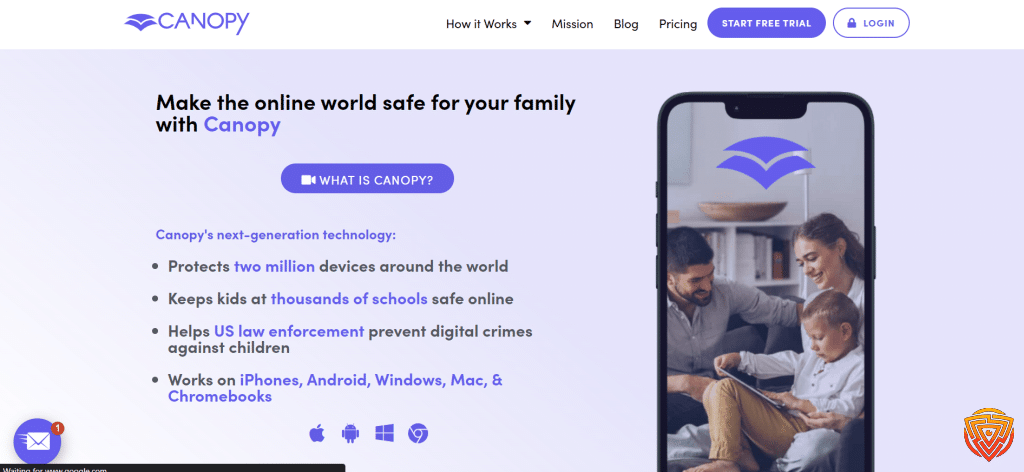
Canopy is designed to proactively filter content, creating a safe online environment for WhatsApp and other platforms. Its advanced filtering blocks explicit and harmful content, helping parents ensure a safer WhatsApp experience.
Key Features:
- Real-time filtering of adult and explicit content
- Customizable content filtering levels
- Safe browsing enforced through DNS changes
- Minimal impact on device performance
- Works across various devices including those using WhatsApp
Pros:
- Highly effective explicit content filtering
- Discreet and non-intrusive operation
- Easy setup and minimal configuration
Cons:
- Focuses mainly on content filtering, less on detailed monitoring
- Does not provide extensive screen time management features
Pricing:
- Free basic version available
- Premium options for enhanced filtering at additional cost
Understanding Parental Control Apps
When I look for the best parental control app for WhatsApp and other social media, my goal is typically to manage and monitor how my children use their digital devices. I focus on applications that are compatible with a variety of platforms, including Android, iOS, and sometimes even computers. As a user, my biggest priority is often ensuring these apps provide a seamless experience across various devices, from phones to tablets.
Some key features I expect from the best parental control for WhatsApp are:
- Screen time management: To set daily limits and curate when my children can use their devices.
- Monitoring: Tracking messages and social media activity to safeguard against inappropriate content.
- AI-powered insights that automatically flag potentially concerning interactions.
With evolving technology, I find that the best parental control app for WhatsApp employ advanced AI algorithms that adapt to my children’s behaviors, offering insights that go beyond manual monitoring. It’s essential that the app is unobtrusive and doesn’t disrupt the normal functionality of the mobile device it’s installed on.
I emphasize the importance of a user-friendly interface in the best parental control app for WhatsApp, which should allow me to easily review usage reports and adjust controls as necessary. While considering options for parental control on platforms like WhatsApp, it becomes crucial that the app is proficient in discreetly overseeing not just screen time but also content and communication.
In my experience, parental control isn’t just about restriction; it’s about education and creating a safe digital environment that adapts to the dynamic landscape of internet interactions. Compatibility, ease-of-use, and comprehensive monitoring capabilities are the benchmarks I use to assess the effectiveness of these tools on iOS and Android devices alike.
Setting Up the Best Parental Control App for WhatsApp

When I manage my children’s online activities, securing their WhatsApp usage is vital, therefore finding the best parental control app for WhatsApp is important. WhatsApp is a widely used messaging platform, and as a parent, it’s my responsibility to ensure my kids are safe while using it. Here’s how I tackle the best parental control app for WhatsApp.
First, I find a reliable parental control app suitable for WhatsApp. Apps such as Bark and FamiSafe have been thoroughly tested and are top contenders in 2026. Once I choose an app, installing it is straightforward. I follow the provided instructions for my iOS or Android device.
Next, I configure the settings to match my parental control needs. This typically involves:
- Setting up filters for harmful content
- Monitoring message exchanges for inappropriate language or shared media
- Managing who can contact my child
I dive into the app management section to customize features such as screen time limits specifically for WhatsApp. It’s important to strike a balance between safety and respect for my child’s privacy, so I make adjustments that feel right for my family.
Finally, regularly reviewing the app’s reports helps me stay informed about my child’s WhatsApp activity without being overly intrusive. This proactive approach allows me to react quickly if there are signs of cyberbullying or other concerns.
By being attentive and using these tools, I can confidently offer a safer online environment for my kids while they enjoy connecting with friends on WhatsApp.
Core Features of WhatsApp Parental Control Apps

When I explore the capabilities of WhatsApp parental control apps, I focus on the core features that empower parents to effectively monitor and regulate their children’s usage of the app. Here’s what I consider essential:
- Activity Reports: I value detailed activity reports because they provide insights into how much time my child spends on WhatsApp, giving me the information I need for time management discussions.
- Content Monitoring: I look out for features that allow me to monitor conversations for inappropriate content, ensuring real-time intervention if necessary.
- App Blocking: Sometimes, it’s necessary to be strict. The ability to block access to WhatsApp during homework time or bedtime is a crucial control for me.
- Screen Time Limits: I believe in balance, so setting screen time limits to prevent excessive use is a key function I use to teach healthy digital habits.
- Location Tracking: For safety, I find that location tracking is reassuring. Knowing my child’s whereabouts when they are using their phone gives me peace of mind.
- Social Media Monitoring: Essential in a comprehensive parental control app, monitoring of social media interactions outside of WhatsApp is also critical.
- Web Filtering: I make sure to implement web filtering to block unwanted content from being accessed through links shared on WhatsApp.
Each feature plays a pivotal role in how I manage my child’s online experience and safety. It is not only about keeping them secure but also about teaching responsible digital behavior.
Additional Considerations and Features

When selecting a parental control app for WhatsApp, it’s important to consider a range of features that secure, manage, and monitor activity effectively. These features should align with your family’s needs and values regarding online safety and digital wellbeing.
Privacy and Security
Privacy and security are paramount when it comes to parental control apps. I favor solutions that provide robust security measures such as end-to-end encryption and a strict no-logs policy. For example, apps like Bark enhance security with real-time alerts on potential threats such as cyberbullying and sexting.
Managing Screen Time and Web Access
To ensure healthy digital habits, I recommend parental control WhatsApp apps that offer comprehensive screen time management tools. Apps like Qustodio allow you to schedule and limit app usage, and nurture a balanced online life. This includes settings that control web access, ensuring kids are not exposed to inappropriate content.
Monitoring Social Media and Messaging
Effective monitoring of channels like WhatsApp, Instagram, and Facebook is crucial. Parental control solutions should offer detailed content monitoring and keyword tracking tools. Products like FamiSafe allow parents to monitor text messages and set custom keywords for increased vigilance.
Location and Safety Features
Location tracking and geofencing provide peace of mind about your child’s whereabouts. Many services such as Norton Family offer real-time location data and an SOS/panic button for emergency situations, enhancing overall child safety.
Content and App Restrictions
It’s important to have content and app filters to automatically block access to objectionable material. Features like YouTube monitoring and app blocking are essential for keeping a check on media consumption, found in apps like Net Nanny and OurPact.
Customization and User Experience
An optimal parental control for app WhatsApp tool should offer a high degree of customization to suit individual family needs. User experience is vital; thus, I seek out apps with an intuitive interface and flexible settings, ensuring the control features do not compromise usability.
Subscription and Pricing Options
Finally, consider the subscription and pricing options, like whether a free trial or a money-back guarantee is offered by the app parental control WhatsApp. Free versions may be limited, but they give a good sense of the service. For more comprehensive coverage, a premium subscription may be the best bet. Apps like Kaspersky Safe Kids offer a variety of plans to fit diverse needs and budgets.
Conclusion and Personal Recommendation
When it comes to safeguarding children on WhatsApp, finding the right parental control app is essential. After thoroughly reviewing the options, Qustodio emerges as the best parental control app for WhatsApp. Its comprehensive suite of tools, including content filtering, social media monitoring, and screen time management, make it an excellent choice for parents who need robust, reliable control. Qustodio’s intuitive dashboard, combined with its powerful monitoring capabilities, provides parents with the tools to keep their children safe and aware of their online interactions.
For those specifically concerned with social media monitoring and detecting risks like cyberbullying or inappropriate content, Bark is another top choice. Its focus on monitoring multiple social media platforms, including WhatsApp, with real-time alerts ensures parents are always informed of potential issues.
If you’re looking for a cost-free solution with basic monitoring capabilities, Google FamilyLink provides solid app management and screen time control for Android users, though it lacks advanced WhatsApp-specific monitoring.
In summary, Qustodio is my top recommendation for parents wanting extensive WhatsApp control and monitoring. For specialized social media oversight, Bark is ideal, while Google FamilyLink offers a solid starting point for Android users seeking basic app management without a subscription. Choosing the best parental control app for WhatsApp ultimately depends on your specific needs, but each option supports a safer digital experience, balancing control with communication.
Frequently Asked Questions
When it comes to safeguarding children’s online activity on WhatsApp, I understand it’s crucial to have reliable and effective best parental control app for WhatsApp solutions. I’ve compiled answers to some of the most common questions that will help you navigate the options for parental control over WhatsApp usage.
How can I monitor my child’s WhatsApp activity?
To monitor my child’s WhatsApp activity, I use a parental control app that provides detailed reports on messages, calls, and shared media. Some apps offer real-time alerts and the ability to set specific keyword tracking, meeting the need for active supervision.
Is there a free app available for setting up parental controls on WhatsApp?
Yes, there are free parental control for WhatsApp apps like Google FamilyLink which allow me to manage and monitor my child’s device usage, including WhatsApp, although their features might be more limited compared to paid versions.
What are the best parental control apps for iPhone that support WhatsApp monitoring?
For iPhone devices, I recommend apps like Bark or Qustodio, which are known for their comprehensive monitoring and control features, including robust coverage for WhatsApp.
Can WhatsApp activity be monitored on an iOS device with parental control tools?
Certainly, parental control tool for WhatsApp such as Eyezy allow for monitoring WhatsApp activity on iOS devices. They can keep track of conversations and alert me to any concerning interactions.
What features should I look for in a parental control app to oversee my teenager’s WhatsApp use?
I look for features such as message monitoring, time management, real-time alerts, and keyword detection. These functionalities enable me to effectively oversee my teenager’s WhatsApp use and intervene when necessary.
Are there any dedicated versions of WhatsApp designed for children with integrated parental controls?
As of now, WhatsApp does not offer a dedicated version for children with built-in parental controls. Therefore, I rely on WhatsApp parental control apps to manage and supervise my child’s WhatsApp activity.
That’s All For Now;
We appreciate you taking the time to read our in-depth guide on the best parental control app for WhatsApp. We appreciate your interest in maintaining the security of your digital life and hope this information has been helpful. To stay on top of the digital curve, we invite you to return for more news and reviews on cybersecurity software. Please feel free to read the articles linked below for further information and insight. Observe internet safety!
- importance of online safety
- Spynger vs mSpy vs EyeZy
- qustodio review
- best parental monitoring app
- best parental control app for android
Share this article

Stuart Kerr Spindlow is Impulsec’s Publisher, Chief Editor and Lead Reviewer. He writes and maintains coverage of consumer cybersecurity and digital-safety software, with a focus on practical suitability, limitations and the evidence behind product claims. Read Stuart’s full profile.
What I found most useful was that the article did not treat every WhatsApp parental control app as the same. The comparison between full monitoring tools, alert-based options, and simpler free choices made it much easier to see which type of setup actually fits a family’s needs.
This was a helpful guide because it focused on the practical balance parents usually need on WhatsApp: screen time limits, content filtering, risk alerts, and enough visibility to keep a child safe without making the setup overly complicated.