


Choosing the best parental control app NZ families can rely on is not just about blocking websites. The right app should help you manage screen time, filter harmful content, track location when needed, and apply clear family rules across Android, iPhone, Windows, and Mac devices.
In this guide, I compare the best parental control apps in New Zealand based on filtering quality, screen time controls, app management, alerts, ease of use, and overall value. For most families, Qustodio is still the strongest all-round choice, but Bark, Norton Family, Canopy, and other tools may suit you better depending on your child’s age and the level of oversight you want.
⏳ Want the quick answer? The best parental control app NZ option for most families is Qustodio because it offers the best balance of web filtering, screen time controls, app blocking, reporting, and cross-platform support.
Key Takeaways
- Qustodio is the best overall parental control app for most New Zealand families.
- Bark is best for parents who want alerts around messages, social platforms, and teen safety risks.
- Norton Family, Canopy, and FamiSafe each stand out for different family needs, from large households to stronger content filtering.
- If you want a free option, Google Family Link and built-in device controls are the best place to start, but they are more limited than paid tools.
- The best parental control app NZ families choose should support healthy digital habits, not replace open conversations and trust.
Ranked List of the Best Parental Control Apps in New Zealand
- 🏆 Qustodio – Editor’s Choice – Best overall parental control app for most New Zealand families
- Bark – Best for teen safety alerts and social media risk monitoring
- Norton Family – Best for large families with lots of devices
- Canopy – Best for real-time explicit content filtering
- Wondershare FamiSafe – Best for flexible cross-platform tracking and location tools
- Kaspersky Safe Kids – Best budget-friendly parental control suite
- Net Nanny – Best for strong web filtering and screen time controls
These are the best parental control apps NZ families should shortlist first if they want stronger filtering, app controls, screen time tools, alerts, and better day-to-day visibility across their children’s devices. I have kept the main ranking focused on the seven strongest all-round options rather than mixing in weaker free tools or older alternatives.
Best Parental Control Apps NZ Comparison Table
This table compares the core parental control apps by pricing, free trial availability, key features, age suitability, supported platforms, and full review links.| Software | Pricing (Devices) | Free Plan / Trial | Key Features | Best For | Key Limitation | Supported Platforms | Review |
|---|---|---|---|---|---|---|---|
| 🏆 Qustodio (Editor’s Choice) | Basic: US$59.95/year, 5 devices; Complete: US$104.95/year, family devices subject to terms. Check Qustodio Pricing | Check current free/trial eligibility during signup. | 🕒 Screen-time limits and schedules 🌐 Web and app filtering 📍 Location monitoring 📊 Activity reports | Editorial all-round pick for everyday controls and reporting; not a measured test winner. | Calls and messages on iOS require a Windows or Mac computer; other features vary by platform. | 🪟 Windows, 🍎 macOS, 📱 iOS, 🤖 Android, Chromebook, Kindle Fire | Read Qustodio Review |
| Bark | Bark App: from US$14/month; unlimited devices and accounts. Phone and Watch are separate products. Check Bark Pricing | 7-day app trial; check signup terms. | 🚨 Concerning-content alerts 💬 Text, email and social-app monitoring 🕒 Screen-time schedules 🌐 Website and app blocking | Best for behaviour-based safety alerts without routinely exposing every conversation | Check country availability and exact account/device coverage; Bark App, Phone and Watch have different capabilities. | iOS and Android app; other devices and connected services depend on the monitoring feature. | Read Bark Review |
| Mobicip | Lite: US$2.99/month for 5 devices; Standard: US$4.99 for 10; Premium: US$7.99 for 20. All billed annually. Check Mobicip Pricing | 7-day Premium trial; check cancellation/refund terms. | 🌐 Website and app blocking 🕒 Screen-time schedules 📍 Family location 📊 Activity and social-media reports | Best for mixed-device families wanting flexible device allowances | Check plan and platform support for each required feature; a supported device does not have every control. | 🪟 Windows, 🍎 macOS, 📱 iOS, 🤖 Android, Chromebook, Kindle Fire | Read Mobicip Review |
| Norton Family | US$49.99 for the first year; check renewal price. Included with selected Norton 360 subscriptions. Check Norton Family Pricing | Check current trial availability in your country. | 🌐 Web, search and video supervision 🕒 Time limits and schedules 📍 Location history and alerts 📊 Email activity reports | Best for large families and households already using Norton | A Mac can manage Norton Family but cannot be monitored as a child device; features differ across platforms | 🪟 Windows, 📱 iOS, 🤖 Android | Read Norton Family Review |
| Canopy | Essential: US$8.33/month for 1 device; Plus: US$9.99 for 3; Premium: US$12.50 for up to 10. All billed annually. Check Canopy Pricing | 7-day trial; 30-day guarantee subject to terms. | 🌐 Real-time content filtering 🖼️ Sensitive-image detection 🚫 App and website blocking 🕒 Screen-time management | Best for filtering explicit images and web content | Check coverage for the particular app/browser and device; filtering is not a guarantee that every risk is detected. | 🪟 Windows, 🍎 macOS, 📱 iOS, 🤖 Android, Chromebook | Read Canopy Review |
| Wondershare FamiSafe | US$59.99/year for up to 10 devices, or US$9.99/month for up to 5 devices. Check FamiSafe Pricing | 3-day annual-plan trial; 7-day money-back guarantee subject to terms. Free tier has restricted/demo features. | 📍 Location and geofencing 🚗 Driving reports 🚫 App and website controls 🕒 Screen-time schedules | Best for families with teenagers and driving-safety needs | Advanced visibility features are platform-specific and should be used transparently with older children | 🪟 Windows, 🍎 macOS, 📱 iOS, 🤖 Android, Chromebook, Kindle Fire | Read FamiSafe Review |
| OurPact | Premium: US$69.99/year; Premium+: US$99.99/year. Both cover up to 20 child devices. Check OurPact Pricing | Trial offered; confirm duration and cancellation terms during signup. | 📱 Detailed app rules 🕒 Screen-time schedules and allowances 📍 Live location and location alerts 📸 Screen snapshots with Premium+ | Best for app blocking and detailed schedules across iPhone and Android | Limited to mobile devices; Premium+ is required for screenshots and content monitoring, and initial pairing may require a computer | 📱 iOS, 🤖 Android | Read OurPact Review |
Reviewed: Best Parental Control Apps in New Zealand
1. Qustodio – Best Overall for Comprehensive Monitoring and Multi-Platform Compatibility

Overview
Qustodio is still the strongest all-round choice for most families because it combines web filtering, app blocking, screen time rules, location monitoring, alerts, and activity reporting in one polished platform. It supports the main devices most households use and does a better job than most rivals of balancing strong controls with an interface parents can actually manage day to day. For readers looking for the best parental control app NZ, Qustodio remains my top recommendation because it covers the core essentials well without forcing you into a more invasive monitoring style than many families actually need.
Key Features
- Web filtering and Safe Search enforcement
- Games and app blocking
- Daily screen time limits and custom routines
- Location monitoring and saved places alerts
- Activity reports, app insights, and alerts
- Optional advanced features such as AI-powered alerts, YouTube monitoring, social monitoring, and calls and messages monitoring on supported setups
Pros
- Best overall balance of filtering, screen time, app controls, and reporting
- Works well across mixed-device families
- Cleaner and easier to manage than many competing tools
- Strong upgrade path from basic controls to more advanced safety features
Cons
- The best advanced features sit on the higher-tier plan
- Some features depend on device type, permissions, or computer-assisted setup
- More expensive than basic free options like Google Family Link or built-in device controls
Pricing
- Basic: NZ$95.95/year for up to 5 devices
- Complete: NZ$169.95/year with advanced safety features and unlimited family devices
- Free version available with more limited coverage and fewer features
Why I Recommend It
I recommend Qustodio as the best overall choice because it gives most families the strongest balance of filtering, screen time controls, app management, location tools, and easy day-to-day usability. It works especially well for parents who want one reliable dashboard across different device types without having to piece together multiple tools. For most readers searching for the best parental control app NZ, this is still the safest place to start.
2. Bark – Best for Teen Safety Alerts and Social Media Monitoring

Overview
Bark is one of the strongest choices for parents of older children and teens because it focuses more on digital safety alerts than on basic device locking alone. It is designed to help parents spot potential issues across texts, email, YouTube, and 30+ apps and platforms, while also offering screen time tools and web filtering. That makes it a strong parental control app NZ option for families who care more about online interactions, warning signs, and safer conversations than simply setting a few daily limits.
Key Features
- Monitors texts, email, YouTube, and 30+ apps and platforms
- Alert-based monitoring for concerning online activity
- Screen time schedules and internet downtime controls
- Web filtering with category-based blocking and custom site controls
- Location tracking and check-in style family safety tools
- Parent dashboard for alerts, account connections, and settings
Pros
- Excellent fit for parents of teens and older kids
- Stronger at alert-led monitoring than many traditional parental control apps
- Includes web filtering and screen time tools alongside monitoring
- Covers the whole family rather than charging per child on the main app plans
Cons
- Less ideal than Qustodio for families mainly focused on classic all-round control tools
- Some parents may prefer more manual app blocking and less alert-based monitoring
- Feature experience depends on the child’s device type and connected accounts
Pricing
- Bark Jr: from $5/month
- Bark Premium: from $14/month
- Main Bark app plans are positioned as family-wide subscriptions rather than per-child pricing
Why I Recommend It
I recommend Bark for parents of older children and teens who are more concerned about online interactions than simple screen time limits. Its biggest strength is alert-based monitoring across messages, social platforms, and other digital spaces, which makes it a strong fit for families who want more visibility into warning signs without trying to manually check everything themselves. It is not my top pick for every household, but it is one of the best options for teen-focused digital safety.
3. Norton Family – Best for Larger Families with Multiple Devices
Overview
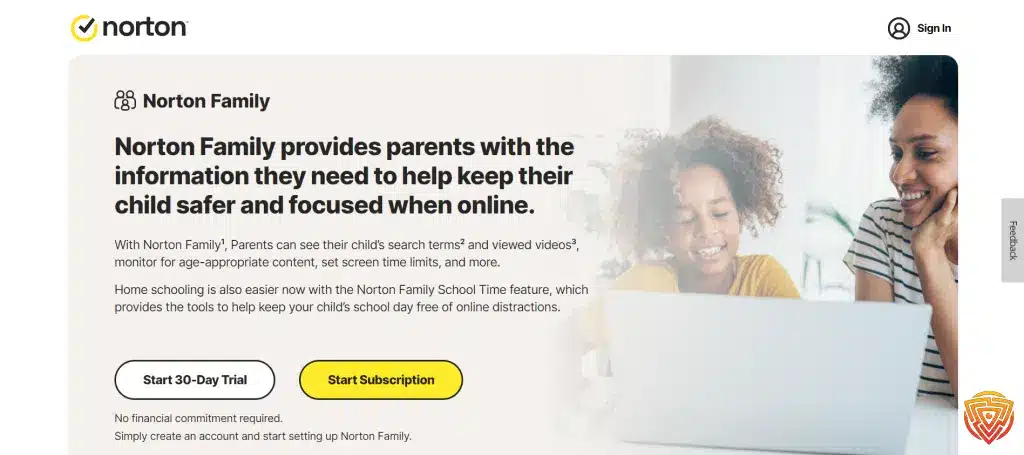
Norton Family is one of the best options for larger households because it combines web supervision, screen time tools, location features, and detailed activity reporting in a system backed by a well-known security brand. It makes the most sense for parents who want a dependable family-control platform without having to juggle several separate apps. For readers comparing the best parental control app NZ options for multiple children and mixed devices, Norton Family remains a strong shortlist pick. Norton also bundles parental controls into some Norton 360 plans, which can add extra value for families already considering a broader security package.
Key Features
- Web supervision and content filtering
- Screen time scheduling and daily time limits
- Location supervision on supported mobile devices
- Search supervision and video supervision tools
- Detailed activity reports and parent alerts
- Included with Norton 360 Deluxe and Norton 360 Premium in Norton’s Asia product listings
Pros
- Strong fit for families managing several devices and children
- Trusted brand with a broad security ecosystem behind it
- Useful mix of filtering, reports, and supervision tools
- Can be good value when bundled with Norton 360 plans
Cons
- Less streamlined than Qustodio as a pure parental-control-first experience
- Some features vary by platform and supported device type
- Pricing can be a little confusing because Norton Family may be sold standalone or included in broader Norton 360 plans
Pricing
- Standalone Norton Family pricing in Norton’s Asia region is listed from US$14.99/year for the first year
- Parental Control is also included with Norton 360 Deluxe and Norton 360 Premium plans in Norton’s Asia product lineup
- Bundled plans may offer better value if you also want antivirus, VPN, or wider device protection
Why I Recommend It
I recommend Norton Family for larger households because it is a practical choice when you need parental controls across several devices without making things too complicated. It is a good fit for parents who want strong web supervision, screen time tools, location features, and a familiar brand behind the product. For families managing multiple children and mixed devices, Norton Family remains one of the most dependable options in this ranking.
4. Canopy – Best for Real-Time Explicit Content Filtering
Overview
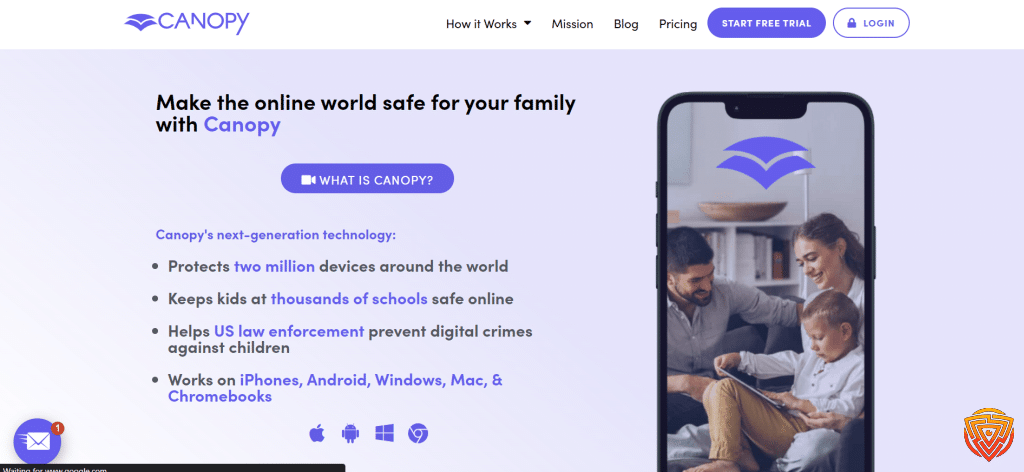
Canopy stands out because it is built around real-time filtering rather than relying only on traditional website blacklists. Its core pitch is that it can detect and block explicit images and videos in milliseconds before they appear on a child’s screen, while also giving parents tools for app management, screen time, website controls, and safer device use across the family. That makes it one of the strongest parental control app NZ options for parents who care most about content protection and want a lighter-touch alternative to more surveillance-heavy tools.
Key Features
- AI-powered real-time filtering of explicit images and videos
- Website filtering and custom website rules
- App blocking and app management controls
- Screen time tools and device-use boundaries
- Family-wide protection across multiple devices
- Free trial and 30-day money-back guarantee
Pros
- One of the clearest specialist picks for explicit-content filtering
- More prevention-focused than many monitoring-led parental control apps
- Useful mix of filtering, app controls, and screen time tools
- Good fit for parents who want stronger protection without constant message-style monitoring
Cons
- Less of a classic all-round reporting dashboard than Qustodio
- Its biggest strength is content filtering, so families wanting wider alert-based monitoring may prefer Bark
- Pricing is less budget-friendly than free native controls like Google Family Link or Apple Screen Time
Pricing
- Individual plan: from $7.99/month billed annually, or $9.99 month to month
- Family plan: from $9.99/month billed annually, or $15.99 month to month
- Annual plan pages currently show up to 3 devices on Individual and up to 10 devices on Family
- Includes a 7-day free trial and a 30-day money-back guarantee
Why I Recommend It
I recommend Canopy for parents who care most about content filtering and want a less invasive approach than traditional monitoring-heavy tools. Its strongest appeal is helping block explicit content in real time while still giving families useful controls around apps and screen habits. That makes it especially attractive for parents of younger children, or for households that want digital protection without making the setup feel overly intrusive.
5. Wondershare FamiSafe – Best for Flexible Location Tools and Cross-Platform Monitoring

Overview
Wondershare FamiSafe is one of the most flexible options in this ranking for parents who want a broad mix of location tracking, screen time controls, app management, web filtering, and social-media-related safety tools. It supports Android, iPhone, iPad, Windows, Mac, Chromebook, and Kindle Fire, which makes it a practical choice for families using several different device types. It is not my top overall pick ahead of Qustodio, but it is a strong parental control app NZ option for households that want a modern dashboard and a wide feature spread without overcomplicating setup.
Key Features
- Screen time scheduling, downtime, and app usage controls
- Location tracking, geofencing, and location history tools
- Web filtering and browser safety controls
- App blocking and activity reports
- Support for Android, iOS, Windows, Mac, Chromebook, and Kindle Fire
- AI-powered social media and risky content monitoring across 30+ platforms
Pros
- Very broad device compatibility for mixed-device families
- Strong balance of location, screen time, and app management tools
- Modern feature set with social media safety monitoring
- Simple enough for most parents to get started quickly
Cons
- Not as focused or polished as Qustodio for all-round family management
- Some advanced monitoring expectations vary by platform and permissions
- Best value depends on which pricing page and device cap applies at checkout
Pricing
- Monthly plan: from $9.99/month
- Quarterly plan: from $19.99/quarter
- Yearly plan: from $59.99/year
- Official pricing pages currently show different device caps depending on the plan page, so it is worth checking the checkout page before buying
Why I Recommend It
I recommend Wondershare FamiSafe for parents who want a well-rounded parental control app with especially useful location tools and a broad cross-platform footprint. It makes sense for families who need more than just basic screen time rules but do not necessarily want the same style of monitoring approach as Bark or the more filtering-led pitch of Canopy. For many New Zealand households using a mix of Android phones, iPhones, tablets, and laptops, FamiSafe is a sensible middle-ground option with enough flexibility to cover everyday digital parenting well.
6. Kaspersky Safe Kids – Best Budget-Friendly Paid Parental Control App

Overview
Kaspersky Safe Kids remains one of the strongest lower-cost options for parents who want proper parental controls without paying premium-tier prices. It covers the essentials well, including web filtering, app use control, screen time tools, YouTube Safe Search, GPS location tools, and parent alerts. That makes it a practical parental control app NZ choice for families who want more structure than built-in free controls but do not necessarily need the broader premium experience of Qustodio or the teen-alert focus of Bark. Kaspersky also offers a free tier and a 7-day free trial, which makes it easy to test before committing.
Key Features
- Online content filtering and website blocking
- Safe Search for YouTube
- Apps use control and app usage reports
- Screen time management and device scheduling
- GPS location tracking and battery alerts
- Parent reports and alerts across Android, iPhone, iPad, Windows, and Mac
Pros
- Strong value for parents who want a paid app without premium pricing
- Covers the core parental-control basics very well
- Free tier and free trial make it easy to try first
- Works across the main family device types
Cons
- Less polished and less comprehensive overall than Qustodio
- Does not have the same specialist teen-safety positioning as Bark
- Some feature behavior varies by platform and device permissions
Pricing
- Introductory pricing shown on Kaspersky regional pages is commonly around US$19.99 for the first year, though this can vary by market and promotion
- Free version available with more limited functionality
- 7-day free trial available before purchase
Why I Recommend It
I recommend Kaspersky Safe Kids for parents who want a lower-cost paid option that still covers the essentials well. It is a sensible choice if your priorities are web filtering, screen time scheduling, location features, and a simple overall setup without paying premium-tier pricing. It does not beat Qustodio overall, but it remains one of the strongest value picks for families who want solid parental controls without overspending.
7. Net Nanny – Best for Strong Web Filtering and Screen Time Controls

Overview
Net Nanny still earns its place in the core ranking because web filtering remains its biggest strength. It is built around blocking unwanted and inappropriate content, managing screen time, creating schedules and curfews, and giving parents clearer visibility into browsing activity, app use, locations, and alerts. That makes it a solid parental control app NZ option for families who care most about safer web use and structured screen-time rules, even if it is not my top overall pick ahead of Qustodio.
Key Features
- Internet filtering and website blocking
- Screen time management, schedules, and curfews
- App blocking and app usage visibility
- Reporting for searches, screen time, locations, blocks, and alerts
- YouTube monitoring and management tools
- Social media protection features on supported setups
Pros
- One of the clearest specialist picks for web filtering
- Good structure around schedules, curfews, and screen-time boundaries
- Includes reports and alerts that are useful for everyday parenting
- Multi-device family plans are available
Cons
- Less balanced overall than Qustodio for families wanting the best all-round mix
- Platform support is narrower than some rivals, with current public pricing pages emphasizing PC, Mac, and iOS
- Value depends on whether you need 1, 5, or 20 devices
Pricing
- 1 desktop plan: $39.99/year
- 5-device Family Protection Pass: $54.99/year
- 20-device Family Protection Pass: $89.99/year
- Current official pricing pages list support for PC, Mac, and iOS on these plans
Why I Recommend It
I recommend Net Nanny for families who put web filtering near the top of their priority list. It has long been known for internet filtering and screen time controls, which makes it a worthwhile option for parents who want stronger oversight of browsing behavior and clearer content rules across devices. It is not the best-value choice for every household, but it still deserves a place on the shortlist for families focused on safer web use first.
How to Choose the Best Parental Control App NZ Families Can Use

The best parental control app NZ families choose depends on your child’s age, your devices, and how much visibility you actually want. Some parents mainly need screen time schedules and app blocking, while others want stronger web filtering, location tools, or alerts around messages and social platforms.
- Choose Qustodio if you want the best overall balance of filtering, screen time, app controls, and reports.
- Choose Bark if you are more focused on teen safety alerts and online interactions.
- Choose Norton Family if you have several children and lots of devices to manage.
- Choose Canopy if explicit content filtering is your biggest concern.
- Choose Kaspersky Safe Kids if you want a lower-cost paid option.
- Start with Google Family Link or built-in controls if you only need free basics for now.
In most cases, it is better to choose a tool that matches your family’s real habits than the app with the longest feature list. The best parental control app should support healthy boundaries and safer digital habits, not make parenting feel harder.
Why These Apps Work Well for NZ Families

These apps work well for New Zealand families because they cover the things most parents actually need: screen time rules, app controls, safer browsing, and location tools across the devices kids use every day. They also suit a range of parenting styles, from lighter-touch filtering for younger children to stronger alerts and visibility for teenagers.
Just as importantly, they work best when used alongside open conversations and clear family rules. The right parental control app can make digital parenting easier, but it works best as a support tool; not a replacement for trust, guidance, and age-appropriate boundaries.
Alternative Parental Control Apps Worth Considering
Not every family needs a premium all-rounder from the main ranking. If you are looking for a simpler setup, a lighter feature set, or a different pricing model, these alternatives are still worth considering. They are not my top seven picks for this page, but they may suit certain households better depending on device mix, child age, and how hands-on you want to be.
This table compares genuinely free password managers, focusing on core limits, platform support, upgrade paths, and the type of user each free plan suits best.| Software | Pricing (Devices) | Free Plan / Trial | Key Features | Best For | Key Limitation | Supported Platforms | Review |
|---|---|---|---|---|---|---|---|
| Kidslox | Pricing varies by plan, region and app store; paid accounts support up to 10 devices; Check Kidslox Pricing | Free plan plus 3-day Premium trial | 🕒 Screen-time limits and schedules 🚫 Individual app blocking 🌐 Web filtering 📍 Location tracking | Best mobile-focused alternative for screen-time and app controls | No Windows, Mac or Chromebook child-device support; monitoring depth and app controls vary between iOS and Android | 📱 iOS, 🤖 Android | Read Kidslox Review |
| Boomerang Parental Control | $19.99/year for 1 Android child device or $39.99/year for up to 10 Android devices; Check Boomerang Pricing | 14-day free trial on Android and iOS child devices | 🕒 Flexible screen-time controls 📱 App approval and blocking 🌐 SPIN Safe Browser 📍 Location tracking | Best budget alternative for Android families | Most paid features and licences are Android-focused; iOS functionality is considerably more limited | 🤖 Android; limited 📱 iOS support | Read Boomerang Review |
| FamilyTime | $29/year for 1 child device; $49/year for 3 devices; $69/year for 5 devices; Check FamilyTime Pricing | 3-day trial; billing terms vary by purchase route | 📍 Location monitoring and geofencing 🕒 Screen-time schedules 🚫 App and website controls 🆘 SOS and family alerts | Best for mobile location features combined with screen-time rules | Feature depth varies substantially between Android and iPhone; communication-monitoring tools require transparent, lawful use | 📱 iOS, 🤖 Android | Read FamilyTime Review |
| Ohana | Currently $49.99/year; regional and app-store pricing may vary; Check Ohana Pricing | Free version plus 7-day trial of Ohana Plus | 🕒 Screen-time schedules 🚫 App blocking 🌐 Web filtering 📊 Family routines and usage insights | Promising alternative for families prioritising healthier screen-time routines | A newer product with less independent comparative evidence and no completed Impulsec review | 📱 iOS, 🤖 Android | Review Coming Soon |
| Aura Parental Controls | Kids plan $10/month billed annually or $13/month billed monthly for unlimited children and devices; Family plan from $32/month billed annually; Check Aura Pricing | 14-day free trial; 60-day money-back guarantee on annual plans | 🌐 Content filtering and site blocking 🕒 Screen-time limits 🎮 Gaming-safety alerts 🔐 Identity and cybersecurity features on the Family plan | Best for US families wanting parental controls combined with identity and cybersecurity protection | Available only to US customers; considerably more expensive than a standalone parental-control app | 📱 iOS, 🤖 Android; Windows gaming protection on supported plans | Read Aura Parental Controls Review |
| Life360 | Free plan; Silver $7.99/month; Gold $14.99/month; Platinum $24.99/month in the US; Check Life360 Pricing | Free plan plus 7-day trial on paid plans | 📍 Live family location sharing 🗺️ Place and arrival alerts 🚗 Driving reports 🆘 Crash detection and emergency features on supported plans | Best specialist alternative for family location and teen-driving safety | Not a complete parental-control suite; it does not replace web filtering, app blocking or screen-time controls | 📱 iOS, 🤖 Android | Read Life360 Review |
| Net Nanny | $39.99/year for 1 computer; $54.99/year for 5 devices; $89.99/year for 20 devices; Check Net Nanny Pricing | No free trial currently stated | 🌐 Dynamic web filtering 🚫 Website and app blocking 🕒 Screen-time management 📊 Activity reports | Legacy alternative for compatible Windows and iOS households | No Android or Chromebook support; official Mac compatibility stops at macOS 11, making it unsuitable for current Macs | 🪟 Windows 10/11, 📱 iOS 11+, older 🍎 macOS 10.13–11 | Read Net Nanny Review |
Best Free Parental Control App NZ Options
If you want a parental control app NZ families can use without paying upfront, there are still a few solid starting points. Free parental control tools are usually best for basic screen time, app approvals, and simple device rules, but they rarely match paid apps for filtering depth, alerts, reporting, or cross-platform flexibility.
This master table compares genuine free parental-control plans and built-in family-safety tools. Individual articles may display only the rows relevant to that platform. Features and child-device compatibility vary by platform and region.
| App | Pricing / Paid Upgrade | Free Access | Key Features | Main Free Limitation | Best For | Child Devices Supported | Review |
|---|---|---|---|---|---|---|---|
| Qustodio Free | Free for 1 child device; paid plans from $59.95/year; 👉 Check Qustodio Pricing | ✔️ Permanent limited free plan | 🌐 Web filtering and Safe Search ⏸️ Restricted times and pause internet 📊 7-day activity reports 📱 Protection for 1 child device | Limited to 1 device; daily time allowances, app blocking, location and advanced monitoring require a paid plan | Best free third-party dashboard with a clear paid upgrade path | Android, iOS, Windows, macOS, Chromebook and Kindle | Read Qustodio Review |
| OurPact Free | Free starter tier; Premium from $6.99/month or $69.99/year; 👉 Check OurPact Pricing | ✔️ 1 child device 5 manual blocks per month 1 automated schedule Web-browser blocking | 🚫 Manual app and device blocking ⏱️ One automated block schedule 🌐 Web-browser blocking 📱 Management of 1 child device | Only 5 manual blocks per month and 1 automated schedule; most controls require Premium | Best simple free screen-time and blocking starter tool for one phone | Android and iOS | Read OurPact Review |
| Kaspersky Safe Kids Free | Free version available; paid plans and prices vary by region; 👉 Check Kaspersky Pricing | ✔️ Permanent free version with basic features | 🌐 Internet monitoring and website blocking 📱 Device-use monitoring 🖥️ App management 🔎 Basic activity visibility | Premium reporting, location and alerts are excluded; availability varies by country | Best free web filtering option where Kaspersky remains available; not recommended for US users | Android, iOS, Windows and macOS; features differ by platform | Read Kaspersky Safe Kids Review |
| Google Family Link | Free; Open Guide | ✔️ Completely free | 📱 App approvals and blocking 🕒 Screen-time limits 📍 Device location 🔎 Google Account supervision | Does not supervise a child’s iPhone or iPad; its main controls are for Google platforms | Best completely free parental control for Android and Chromebook families | Android and Chromebook child devices; parent app available on Android and iOS | Read Google Family Link Review |
| Apple Screen Time | Free and built into Apple devices; Open Guide | ✔️ Completely free | ⏱️ App limits and downtime 🔒 Content and purchase restrictions 📊 App and website activity summaries 👪 Family Sharing controls | Restricted to the Apple ecosystem; less suitable for mixed-device families | Best completely free parental controls for iPhone, iPad and Mac | iPhone, iPad and Mac | Read Apple Screen Time Review |
| Microsoft Family Safety | Free basic family-safety features; some benefits require Microsoft 365 Family; Open Guide | ✔️ Free basic family-safety features | ⏱️ Screen-time and app limits on supported devices 📊 Activity reports 🌐 Microsoft Edge content filtering 🎮 Windows and Xbox integration | Does not provide device-level control over a child’s iPhone; web filtering depends heavily on Microsoft Edge | Best for Windows, Xbox and Microsoft-centred households | Windows and Xbox; Android app and game limits; iOS parent-management app only | Read Microsoft Family Safety Review |
| Samsung Kids | Free and built into supported Samsung Galaxy devices; Open Guide | ✔️ Completely free on supported Samsung devices | 🧒 Child-friendly interface 🔒 Approved apps and content ⏱️ Usage controls 📊 Activity information | A local child environment rather than a full remote parental-control service | Best built-in child mode for younger children using Samsung devices | Supported Samsung Galaxy phones and tablets | Review Coming Soon |
| Amazon Kids | Free parental tools; optional Amazon Kids+ content subscription; Open Amazon Kids | ✔️ Free parental tools; Kids+ is optional | ⏱️ Daily time limits 📚 Educational goals 🔒 Content and age filters 👧 Child profiles | Designed mainly around Amazon devices and services; Kids+ content requires a subscription | Best free parental controls for Amazon Fire tablets and devices | Fire tablets, Kindle e-readers, Echo and supported Amazon devices | Review Coming Soon |
If you need better web filtering, location tools, app blocking, and more reliable reporting, it is usually worth upgrading to one of the paid apps in the main ranking; especially Qustodio, Bark, or Norton Family.
Conclusion and Recommendation
The best parental control app NZ families can choose in 2026 is still Qustodio. It offers the strongest all-round balance of content filtering, screen time management, app controls, reporting, and cross-platform support, which makes it the easiest recommendation for most households.
That said, the right tool depends on what matters most in your home. Bark is a better fit for teen safety alerts and social media risk monitoring. Norton Family works well for larger families with lots of devices. Canopy is one of the best options for stronger explicit content filtering. Wondershare FamiSafe is a solid flexible choice for parents who want a broad set of monitoring and location tools. Kaspersky Safe Kids remains a strong lower-cost paid option, while Net Nanny still deserves a place for families focused on web filtering and screen time.
If your budget is tight, start with a free option like Google Family Link or built-in device controls, then upgrade later if you need stronger filters, better reports, or more flexibility. For most readers landing on this page, though, Qustodio remains the strongest place to start.
Frequently Asked Questions
Here are the questions New Zealand parents most often ask when comparing parental control apps.
What is the best app for parental control?
For most families, Qustodio is the best parental control app because it offers the strongest overall mix of web filtering, screen time controls, app blocking, reports, and cross-platform support. If you want better teen safety alerts, Bark is a strong alternative. If you need a lower-cost paid option, Kaspersky Safe Kids is also worth considering.
Is Family Link or Life360 better?
Google Family Link is better for basic parental controls like screen time limits, app approvals, and Android device management. Life360 is better for family location sharing and driving-related safety features. If you want stronger web filtering, app blocking, and more complete parental controls, a dedicated app like Qustodio is usually the better choice.
Is Bark or Circle better?
Bark is usually the better choice for parents who want alerts around messages, social platforms, and potential online risks. Circle is more focused on network-level controls, filtering, and screen time management. For teen digital safety, Bark is often the stronger option. For home internet controls, Circle can still be useful.
Is there a better app than Family Link?
Yes. Google Family Link is a good free starting point, but apps like Qustodio, Bark, Norton Family, and Canopy offer stronger features depending on what you need. Paid parental control apps usually provide better filtering, clearer reports, stronger alerts, and more flexibility across multiple devices.
Which parental control app is best for teenagers?
Bark is one of the best parental control apps for teenagers because it focuses on alerts around messages, social platforms, and online risks rather than only basic locking and blocking. Qustodio is also a strong choice if you want a more balanced all-round parental control app with screen time, filtering, and app management.
What are the main differences between paid and free parental control apps?
Free parental control apps are usually best for basic screen time rules, app approvals, and simple device controls. Paid parental control apps generally offer stronger web filtering, better reporting, location tools, app blocking, and more flexible controls across multiple devices. For many families, free tools are a good place to start, but paid apps are better for deeper protection and easier long-term management.
That’s all for now:
Finding the right parental control app NZ families can trust is less about choosing the app with the longest feature list and more about choosing one that fits your child’s age, your devices, and your parenting style.
Start with the essentials: filtering, screen time, app controls, and clear family rules. Then build from there. If you want the safest all-round place to begin, Qustodio is still my top recommendation for most New Zealand households.
- Spynger vs mSpy vs EyeZy
- best parental monitoring app
- best parental control app for android
- best parental control app
- best parental control app for iPhone
Share this article

Stuart Kerr Spindlow is Impulsec’s Publisher, Chief Editor and Lead Reviewer. He writes and maintains coverage of consumer cybersecurity and digital-safety software, with a focus on practical suitability, limitations and the evidence behind product claims. Read Stuart’s full profile.